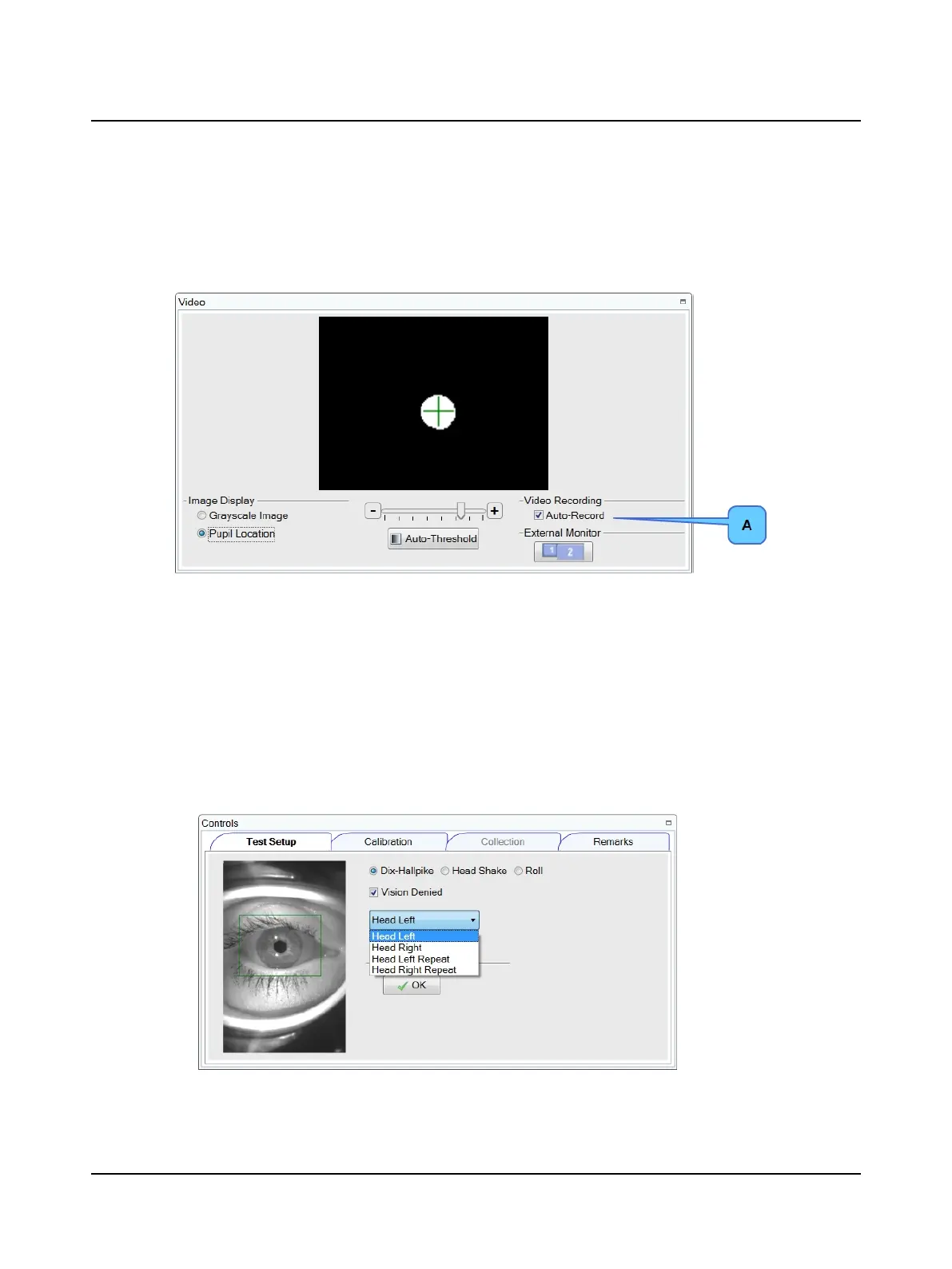
10.2 Video recording eye movement during testing
The Video window displays the image of the eye.
The Auto-Record (A) is checked by default. The video recording of the eye and data collection start at the same time.
10.3 Pupil detection
If using goggles only, refer to Goggles placement ► 18 for placement instructions.
If using the vision-denied solution, refer to Vision-denied solution and goggles placement ► 19 for placement instruc-
tions.
1. Select the test: Dynamic or Repositioning.
2. Select the test type. For example, there are three test types for the Dynamic test: Dix-Hallpike, Hallpike-Stenger,
and Roll.
3. Select the test condition. For example, there are four conditions for the Dix-Hallpike test: Head Left, Head Right,
Head Left Repeat and Head Right Repeat.
4. If using the vision-denied solution, select the check box Vision Denied.
5. Position the patient at least one meter in front of the wall. (Refer to Test environment ► 44 for information.)
76 Otometrics - ICS Impulse USB
10 Positional












 To Next Page