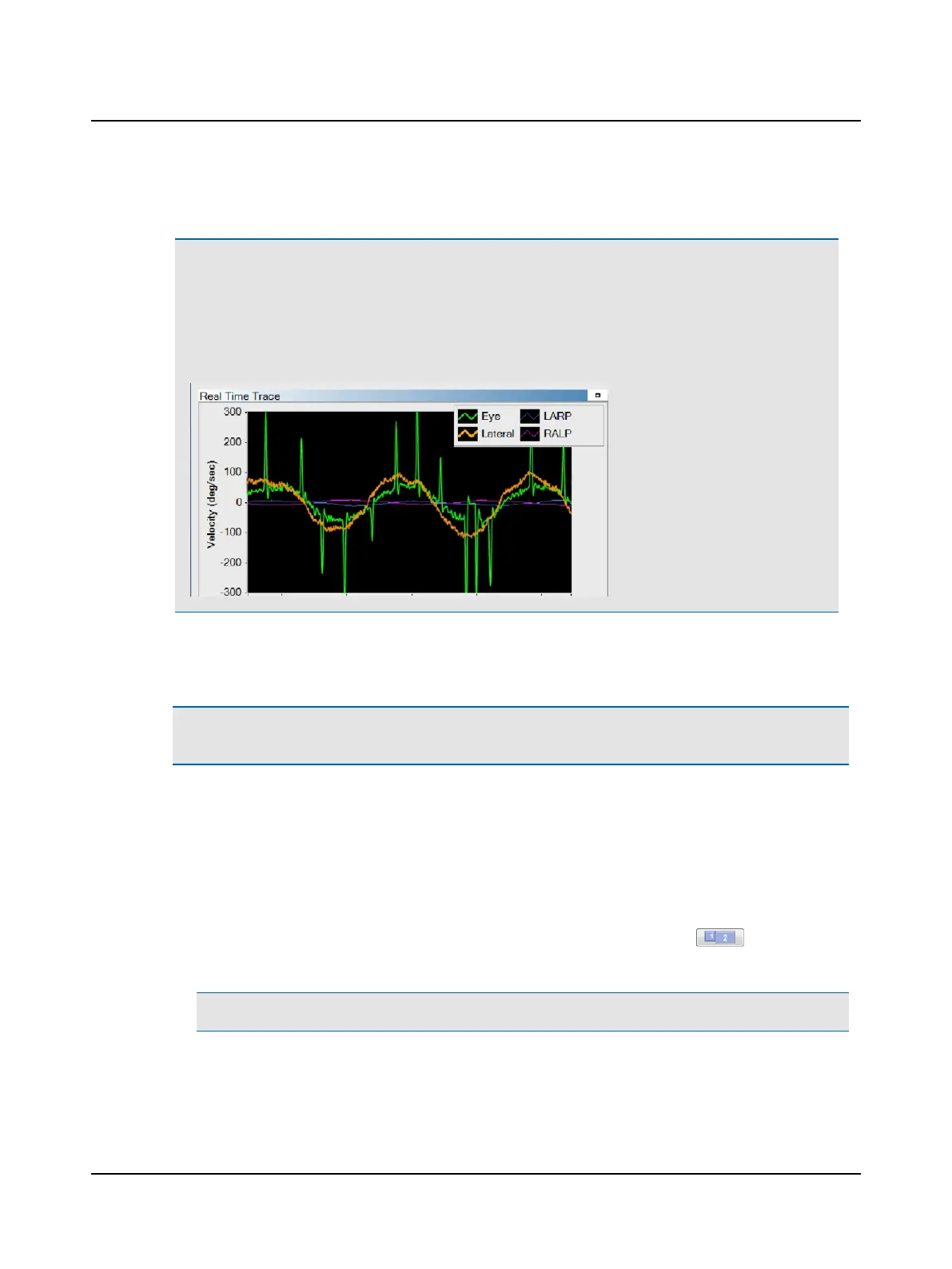
3. If the eye and head velocities do not match, you need to recalibrate or review the patient’s history.
Note• If the patient has to make catch-up saccades during low frequency head rotations, this can indicate
either vestibular loss, or cerebellar dysfunction, or both. When test results include catch-up saccades during
low frequency head rotations, it is recommended that the Impulse test results be interpreted with caution.
Data NOT within normal limits could be related to a peripheral and/or central disorder. Use the VOR tests to
assess a patient with catch-up saccades during calibration check.
4. Once the calibration has been checked and you are satisfied with the result, click Accept.
The Collection window opens and the software is ready to begin collecting head impulse data.
Caution• Once calibration has been performed, it is recommended not to reposition the goggles on the patient’s
head.
8.5 Optimizing collection
This application provides these features to ensure good data collection:
• External Monitor
You have the option to display a larger image of the eye on an external monitor. If an external monitor is connected
to the computer, position the monitor where you can easily see the eye video.
To display the eye video on the computer monitor as well as on an external monitor, click . The external mon-
itor displays the real time SPV value for SPV tests.
Note• The external monitor is not supported for head impulse testing.
• Head Position Feedback
For SPV tests, the Head Position Feedback option is the default setting. When set to this option, a reference graphic
28 Otometrics - ICS Impulse USB
8 Oculomotor












 To Next Page