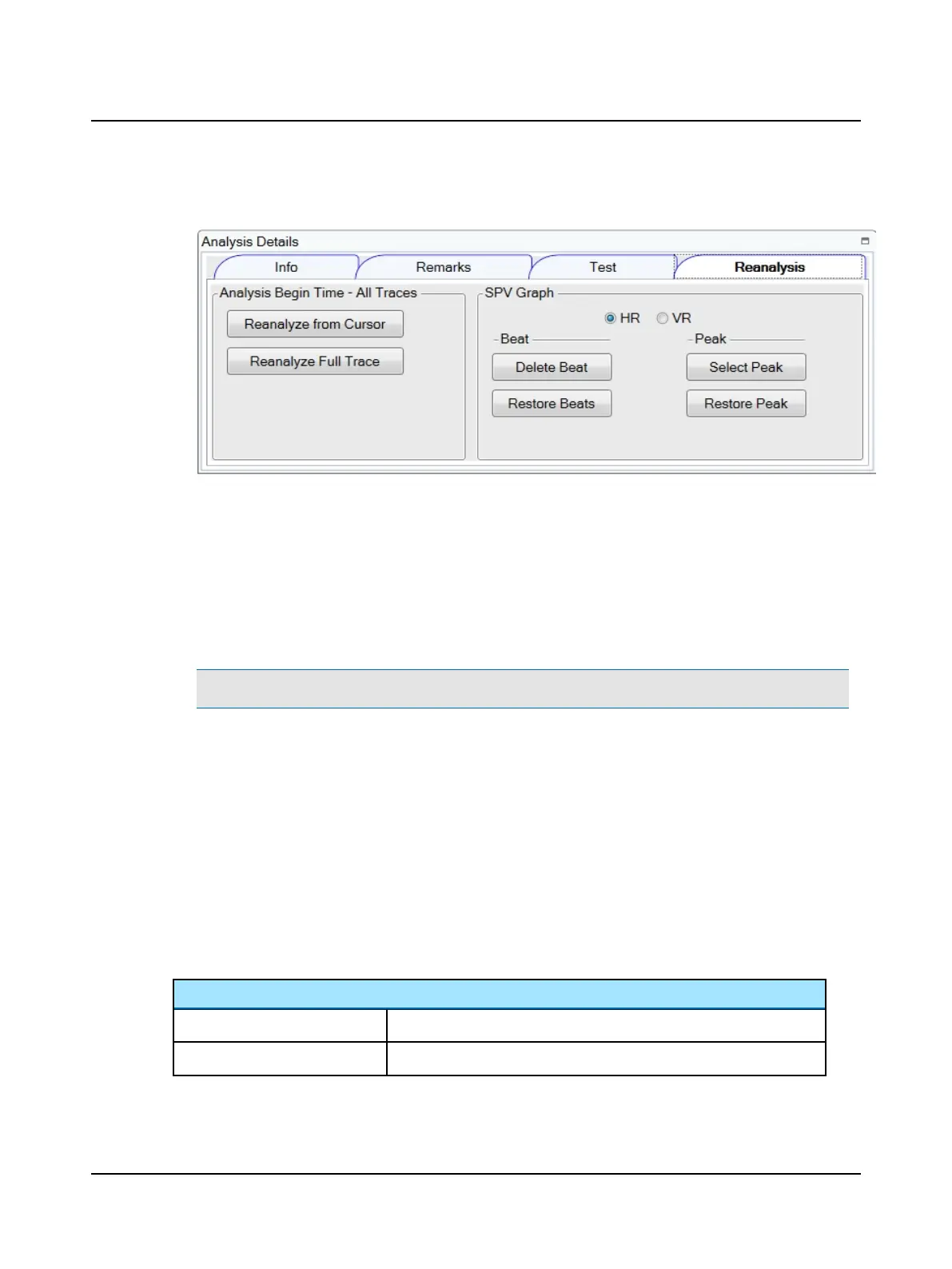
Reanalysis
Analysis Begin Time - All Traces
To exclude data in a trace from the analysis:
1. Move the black cursor to the new begin time in the Eye Position Traces window.
2. In the Analysis Details window, click the Reanalysis window tab.
3. To reanalyze, click
• Reanalyze from Cursor - analyzes all traces from where the cursor is placed
• Reanalyze Full Trace - analyzes all traces from the beginning
Note• The begin time is displayed in the Info window.
SPV Graph
Select the trace to modify by choosing HR or VR
• Delete Beat - excludes the beat from the analysis and on the report
• Restore Beats - restores all beats that were manually deleted
• Select Peak – click a beat and then select peak. A new peak will be set. For more information, refer to the Refer-
ence Manual appendix that describes how the SPV peak is determined.
• Restore Peak – restores the peak to the location determined by the algorithm
10.8.3 Playback of data collection
The eye position traces and the eye video can be played back synchronously with the head position feedback or the room
video recorded during testing.
Video Playback buttons and selections
Play
Plays the video
Pause
Pauses the video
88 Otometrics - ICS Impulse USB
10 Positional












 To Next Page