Tone Speech
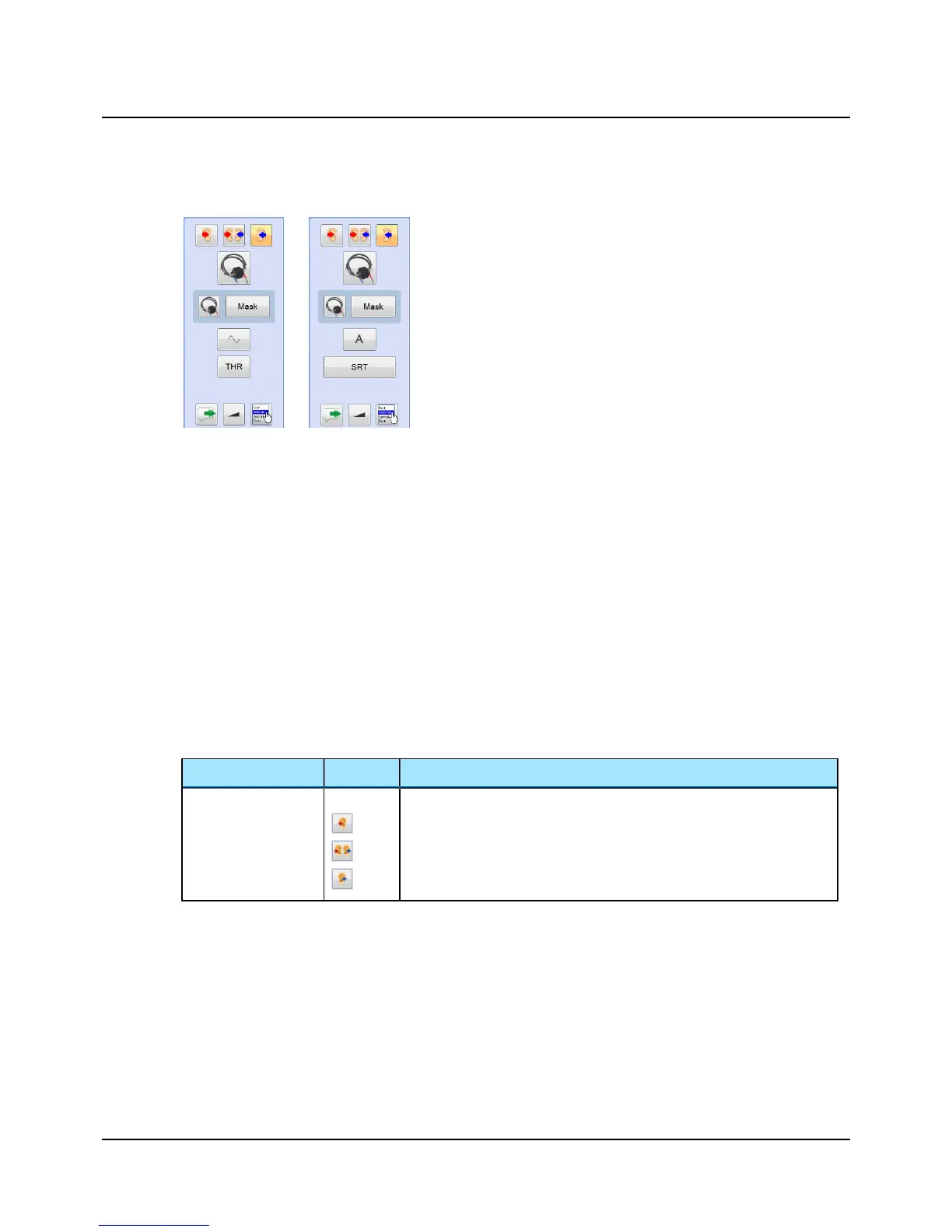
Use the Sunshine Panel to quickly select the main settings for testing.
In the Sunshine Panel you can quickly select test ear, transducer, mask-
ing, and test type.
You can control the monitor level, activate the Talk Forward dialog, and
select the Test Selector for quickly selecting the relevant user test.
Your selections are shown in the Stimulus bar and as symbols in the audi-
ogram.
See also
• Performing tone audiometry ► 18
• Performing speech audiometry ► 20.
Customizing the Sunshine Panel
You can customize the Sunshine Panel to display one or several buttons for some of the functions. For instance you can dis-
play one or more of the curve selection buttons on the panel.
When the right-click menu for a button includes the selection Add / remove buttons you can customize the setup.
1. Enable/disable the button(s) you wish to display.
2. Click to disable the selection Use Single Button. The enabled buttons are displayed immediately in the panel.
Using the Sunshine panel
• Click on the buttons to toggle the selection
or
• Right-click on a button to select a combination of functions.
Function Icon Description
Stimulus Ear Selection
Click to select test ear:
• Right
• Binaural
• Left
Otometrics - MADSEN Astera²
15
10 The Sunshine Panel












 To Next Page