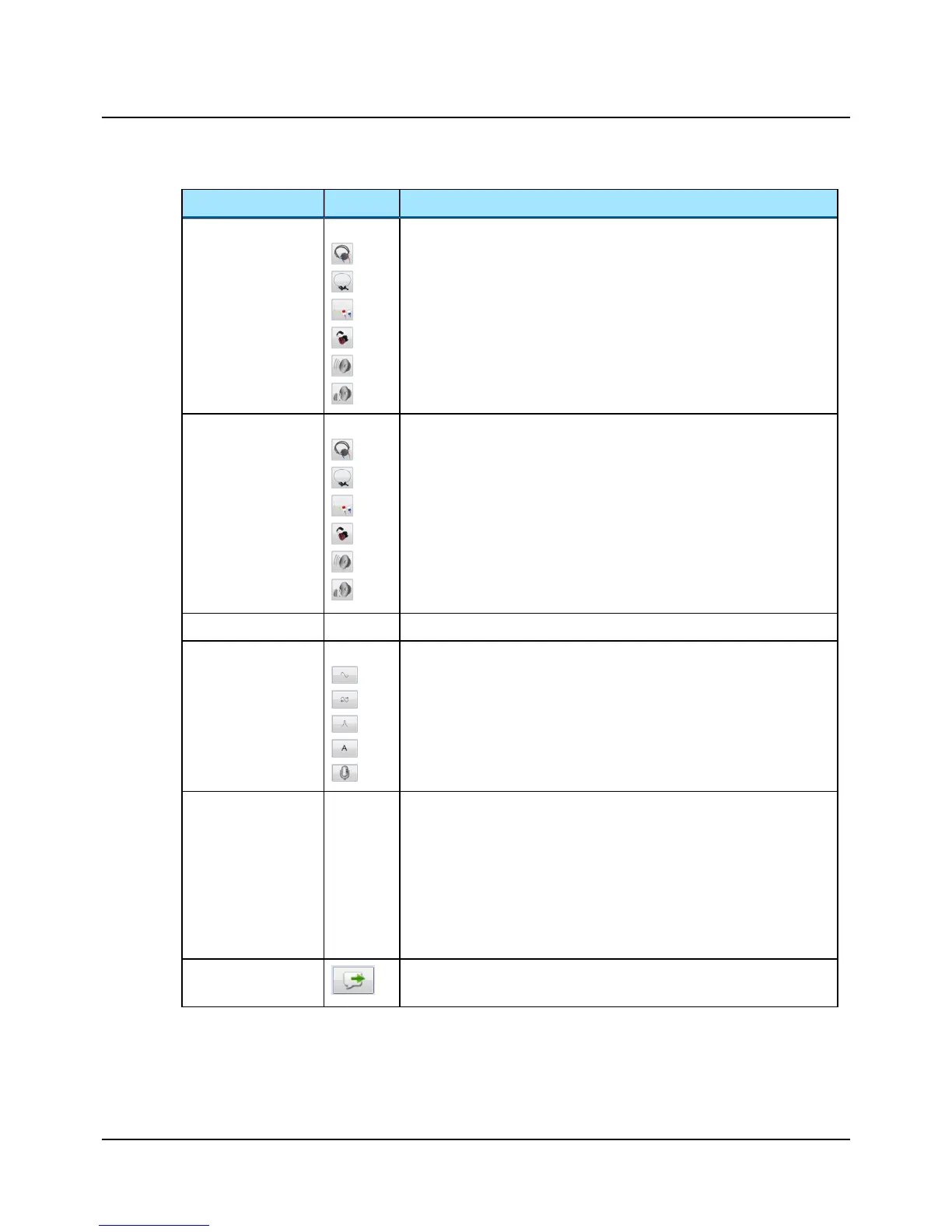
Function Icon Description
Transducer Selection
Click to select the transducer used for the test ear:
• Insert (earphones)
• Phone (standard headphones)
• High Frequency (headphones)
• Bone (oscillator)
• SF Unaided (Sound Field speaker, unaided)
• SF Aided 1 and SF Aided 2 (Sound field speaker - Aided 1 and 2
• Multispeaker
Masking Transducer
Selection
Click to select the transducer used for the masked ear:
• Insert (earphones)
• Phone (standard headphones)
• High Frequency (headphones)
• Bone (oscillator)
• SF (Sound Field speaker)
• SF Aided 1 and SF Aided 2 (Sound field speaker - Aided 1 and 2)
Masking Options Mask
Click to enable or disable masking.
Stimulus Selection
Click to select stimulus type.
• Tone (Tone testing)
• Warble (Tone testing)
• FRESH noise (Tone testing)
• Pre-recorded stimulus (Speech)
• Microphone to present live speech stimulus (Speech)
Curve Selection
Click to select the curve type:
• THR (Threshold level) (Tone)
• MCL (Most Comfortable Loudness level)
• UCL (Uncomfortable Loudness level)
• SDT (Speech Detection Threshold) (Speech)
• SRT (Speech Recognition Threshold) (Speech)
• WRS/SRS (Word Recognition Score/Sentence Recognition Score) (Speech)
Talk Forward The Talk Forward dialog is described in the MADSEN Astera² Reference
Manual.
16 Otometrics - MADSEN Astera²
10 The Sunshine Panel












 To Next Page