䡵 As necessary: change the factory settings using the OTT Pluvio
2
operating
software. For installation procedure and using the operating software, refer to
Chapter 7.6.
Factory settings:
– SDI-12 sensor address 0
– serial interface SDI-12
– temperature unit of measurement °C
– intensity unit of measurement mm/h
– pulse factor 0.1
– pulse output rate 5 Hz
– orifice rim heater* on
– heating mode* 1, continuously on
– orifice rim heater target temperature* +4 °C
* version with ring heater option
䡵 For temperatures below 0 °C, add antifreeze; for details, refer to Chapter 7.2.
䡵 Connect the free cable end of the connecting cable to the data collection device
and the power supply.
䡵 When using a separate connecting cable for the optional orifice rim heater:
Connect the cable for the orifice rim heater to the power supply.
䡵 Configure the data collection device. For this, refer to the manual for the data
collection device. SDI-12 commands and responses used: refer to Chapter 6.
Please note: Connect the shield of the connection cables also at the data
collection device/power supply!
B
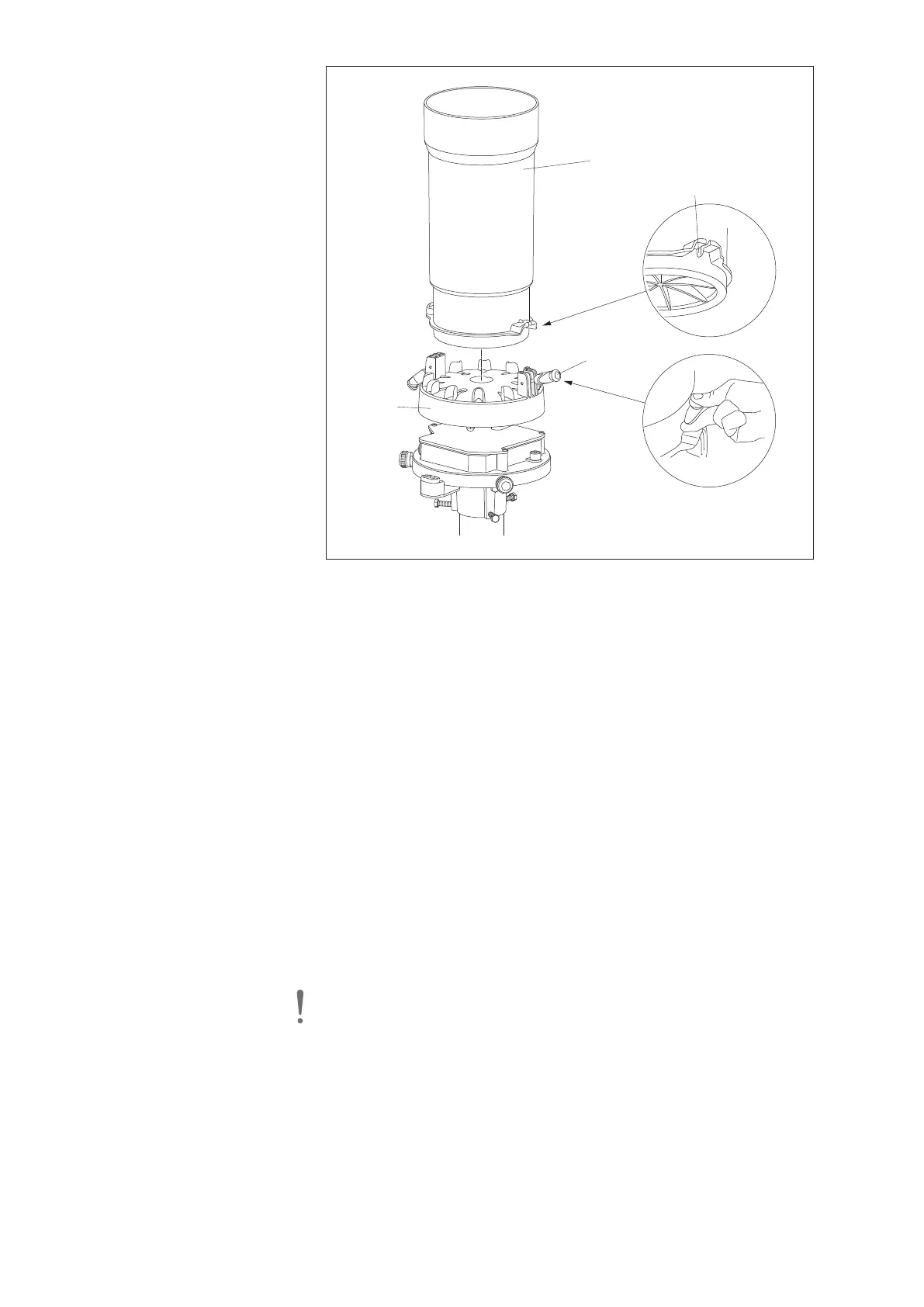
ucket
support
Anti-rotation protection
Collecting bucket
S
pring-loaded
t
erminal
Fig. 17: Placing the collecting
bucket onto bucket support.
26



 To Next Page