5.10 Performing final work
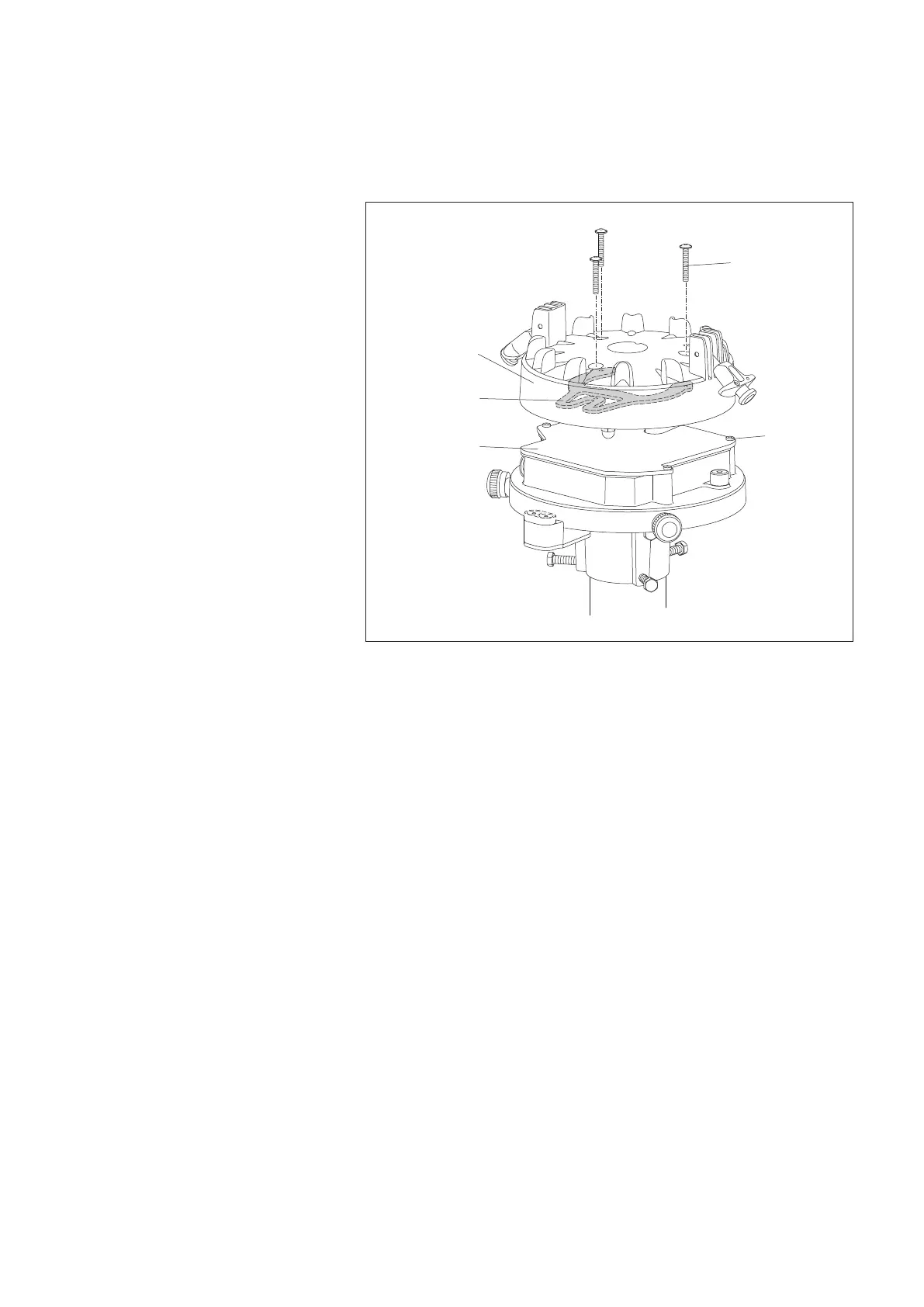
䡵 Replace the electronics unit cover and tighten the four Phillips screws.
䡵 Align the bucket support (refer to decal) and carefully place it onto the bracket
for the bucket support.
䡵
Secure the bucket support using three Phillips screws (included in polybag).
䡵 Take the collecting bucket out of the pipe housing and remove all shaped foam
parts.
䡵 Align the collecting bucket and place it onto the bucket support taking into
account the anti-rotation protection, refer to Fig. 17!
䡵 Use the two spring-loaded terminals to secure the collecting bucket.
Bracket bucket
support
Phillips screw
(3 x)
Bucket support
Phillips screw
(4 x)
Electronic unit
cover
Fig. 16: Placing and securing
the bucket support.
25



 To Next Page