7.6 Performing the Guided Accuracy Test (check measurement)
The “OTT Pluvio
2
S Software” flash drive is available as an accessory to the
OTT Pluvio
2
S (refer to Appendix E).
In addition to the Operating Instructions (PDF file), USB interface driver, and OTT
datalogger example configurations, this flash drive includes the OTT Pluvio
2
Oper-
ating Software. Alternatively, the individual files are found on our website
w
ww.ott.com/resources for free download.
U
sing the OTT Pluvio
2
O
perating Software, a Guided Accuracy Test may be per-
formed. Using this test, the OTT Pluvio
2
S can be easily and quickly checked for
proper operation on site.
In addition to this feature, other operations are provided by this Operating Software:
e.g. modify OTT Pluvio
2
S basic settings, start measurements, or update the
firmware.
Please note: Perform the Accuracy Test on calm days without precipitation!
(Otherwise, the test will be affected by wind and unwanted precipitation.) The USB
i
nterface also supplies operating voltage to the OTT Pluvio
2
S
. No additional
power supply is required. However, if present, it does not have to be removed.
Preparatory work
Prerequisite: PC (notebook) running Microsoft Windows 7 or later operating system.
䡵 Log on to the PC as an administrator
䡵 Installing the OTT Pluvio
2
Operating Software:
– copy the file “setup.exe” into a directory of the PC;
– start the file “setupe.exe” ➝ the “InstallShield Wizard” (installation program)
opens;
– follow the installation instructions on the screen.
䡵 Installing the USB interface driver (FTDI drivers):
– copy the file “CDM v2.12.00 WHQL Certified“
1
)
into a directory of the PC;
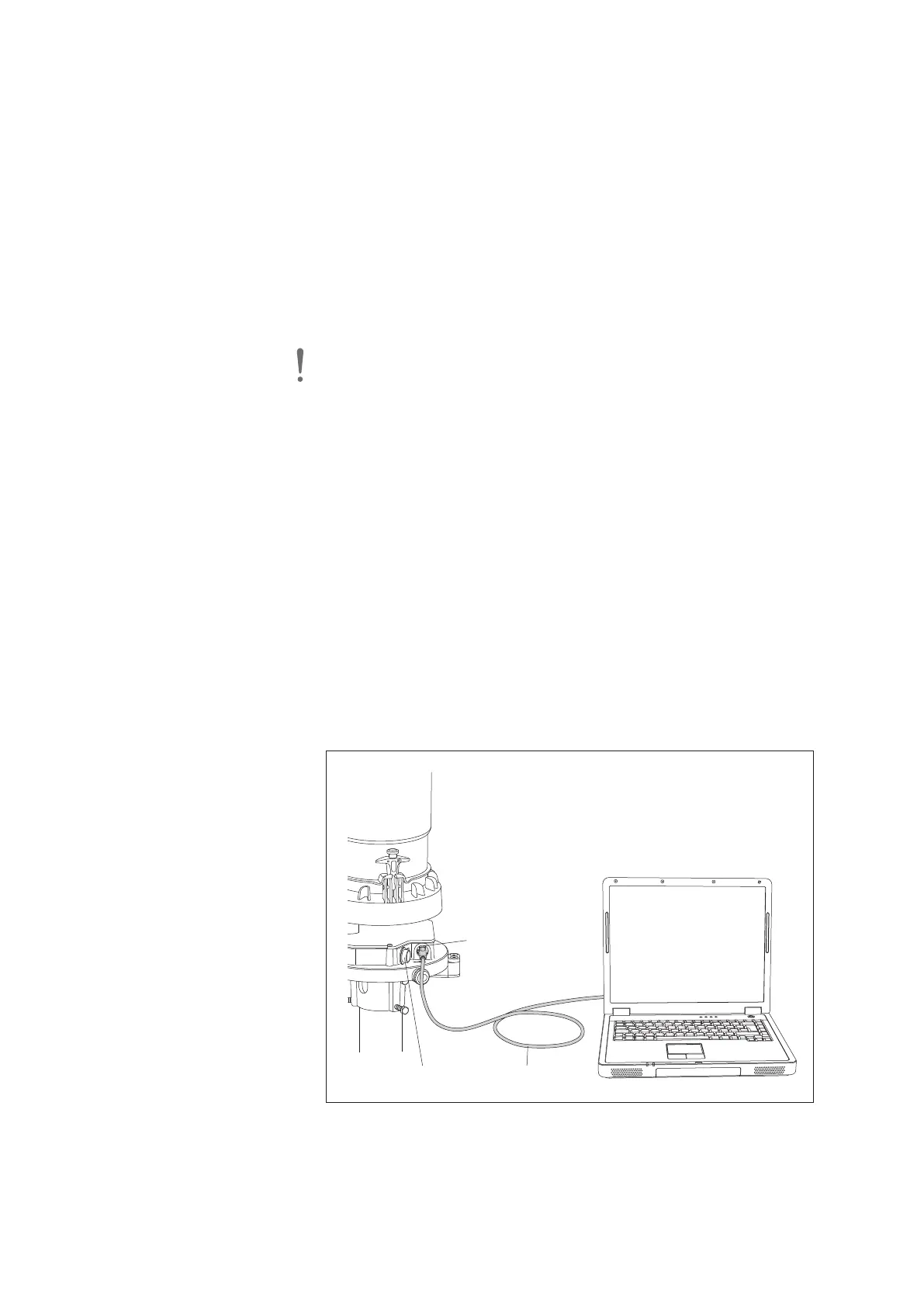
– remove the USB interface cover and connect the OTT Pluvio
2
S to the PC via
the USB cable (included); refer to Fig. 21;
– complete the device driver installation wizard that is automatically started;
– start the file “CDM v2.12.00 WHQL Certified“
1)
.
1)
or higher release
USB interface
USB cable
Cover
Fig. 21: Connecting the OTT Pluvio
2
S
to the PC using the USB interface.
Once the PC supplies power to the
OTT Pluvio
2
S via the USB interface, a
green LED below the USB interface is lit.
42



 To Next Page