10400589-001 ©2008-14 Overland Storage, Inc. 190
SnapServer / GuardianOS 7.6 Administrator’s Guide 8 - Security Options
Create a User
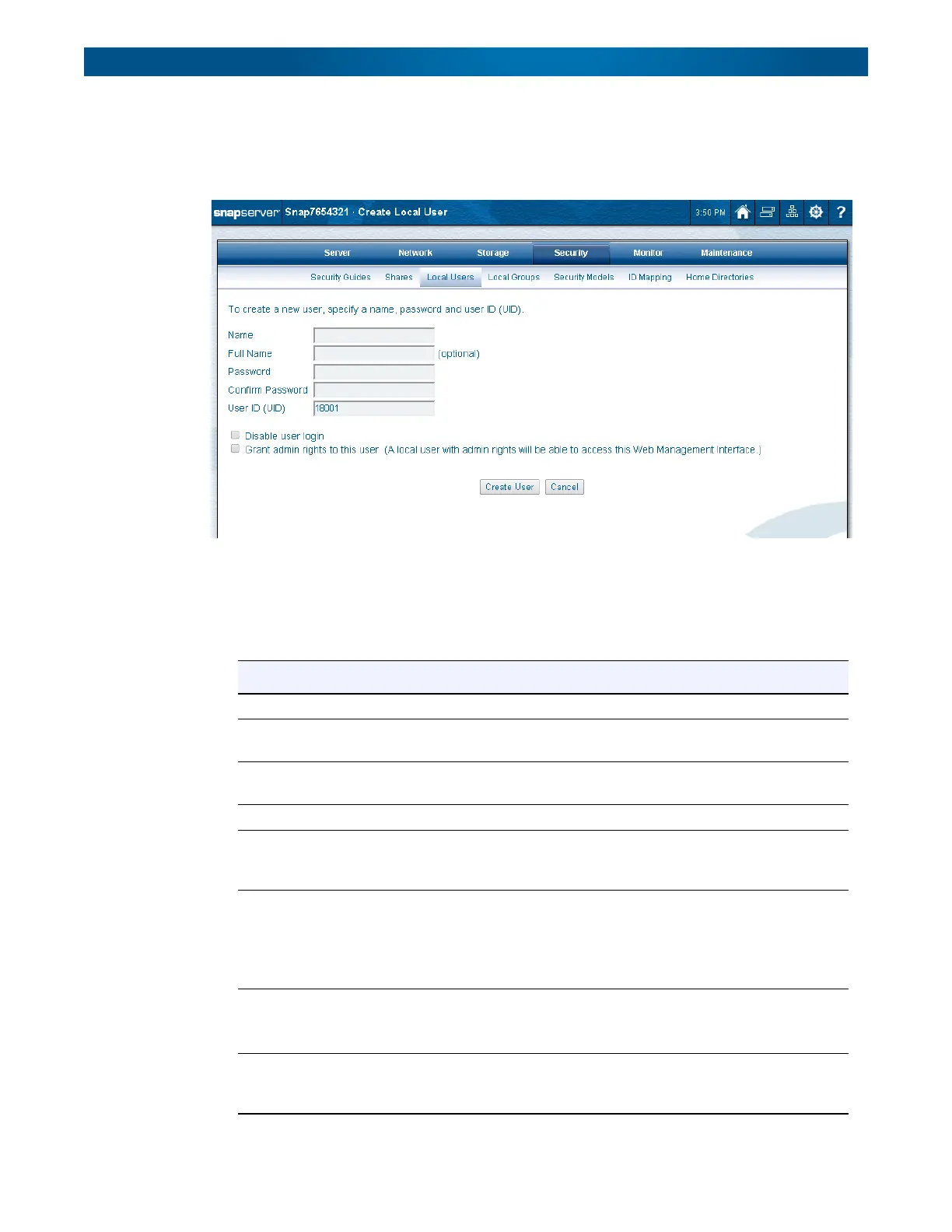
Click
Create
to create a new user on this server. Enter the user data, select any special
options, and click
Create User
again.
To Create a Local User
1. On the
Local Users
page, click
Create User
.
2. On the
Create Local User
page that opens, enter the requested information:
Option Description
Name Use up to 31 alphanumeric characters and the underscore.
Full Name Use up to 49 alphanumeric characters (includes spaces). Input in this
field is optional.
Password Passwords are case-sensitive. Use up to 15 alphanumeric characters
without spaces.
Confirm Password Type the chosen password again for verification.
User ID (UID) Displays the user identification number assigned to this user. Alter as
necessary. For information on available UID ranges, see User and
Group ID Assignments on page 175.
Disable User Login Check this box to disable the user login. The user’s information will
remain in the system, but login rights are denied. The user login can
be re-enabled by clearing the box.
This box can also be used to enable a user locked out by the Disable
login after n attempts password policy.
Exempt from Password
Expiration and Character
Requirements
This checkbox is only visible if Password Policy is enabled.
Check this box to exempt this user from password expiration and
character requirement policies.
Grant Admin Rights To
This User
Check this box to allow the user access to the Web Management
Interface and SSH (for access to the CLI and backup agent
installation.




 To Next Page