10400589-001 ©2008-14 Overland Storage, Inc. 72
SnapServer / GuardianOS 7.6 Administrator’s Guide 4 - Network Settings
LDAP vs. NIS Overview
LDAP (Lightweight Directory Access Protocol) is an open, industry standard application
protocol for accessing and maintaining distributed directory information services over an
Internet Protocol (IP) network. The SnapServer can be configured to query an LDAP directory
for user/group names and UIDs/GIDs for configuration of quotas, ID mapping, and home
directories. As such, you must use the LDAP directory to make modifications.
NOTE: A SnapServer currently can't be configured to authenticate users against an LDAP directory.
NIS (Network Information Service) is a client-server directory service protocol for distributing
system configuration data such as user and host names between computers on a computer
network. The SnapServer can join an NIS domain and function as an NIS client. It can then
read the users and groups maintained by the NIS domain to translate user/group names to
UIDs/GIDs for configuration of quotas, ID mapping, and home directories. As such, you must
use the NIS server to make modifications.
NOTE: Changes you make on the NIS server do not immediately appear on the SnapServer. It may
take up to 10 minutes for changes to be replicated.
Configuring LDAP
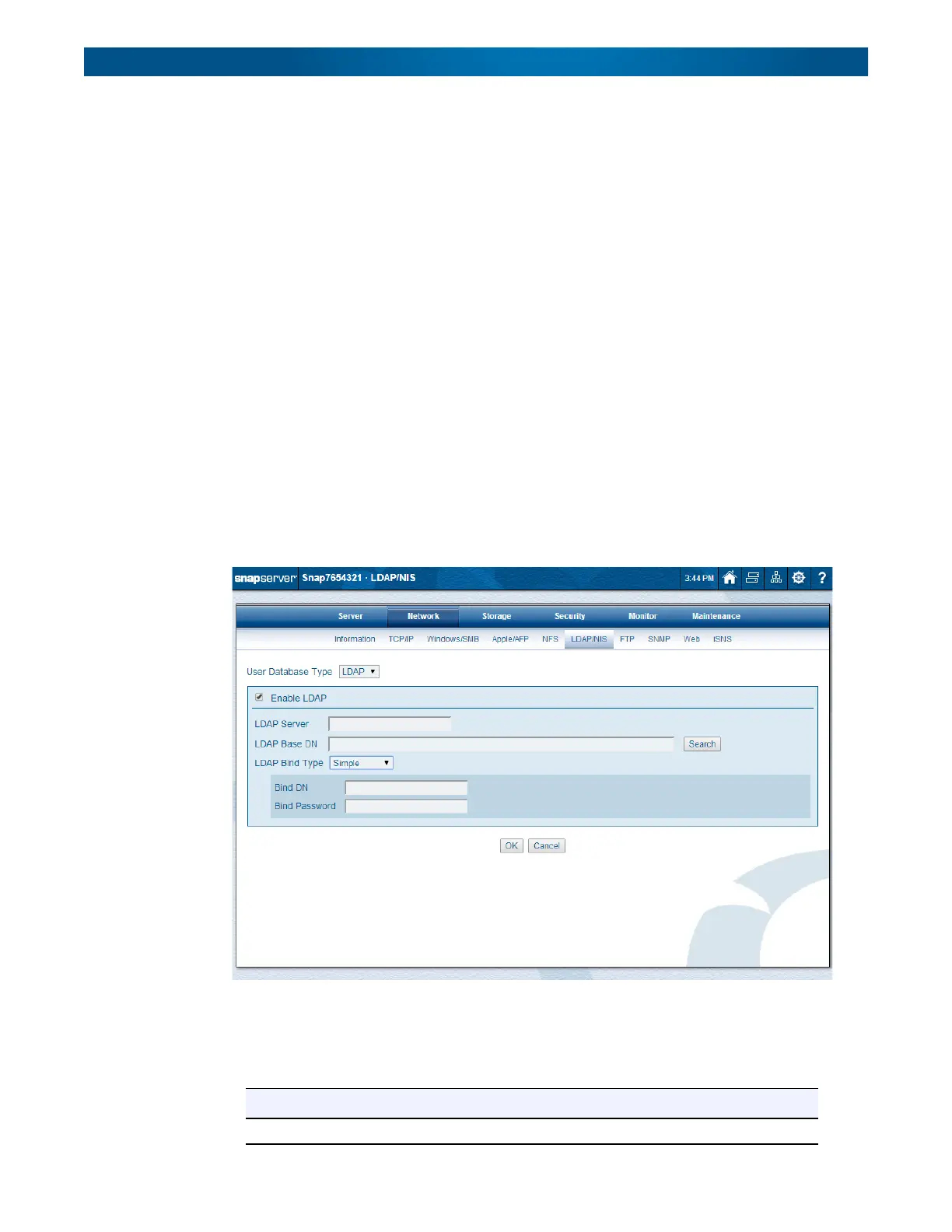
Use this procedure to configure LDAP on your SnapServer:
1. Go to
Network > LDAP/NIS
.
2. Verify
LDAP
is displayed in the
User Database Type
drop-down list.
3. Check
Enable LDAP
.
4. Edit the settings shown in the following table:
Options Description
LDAP Server Enter the host name or IP address for the LDAP server.




 To Next Page