10400589-001 ©2008-14 Overland Storage, Inc. 52
SnapServer / GuardianOS 7.6 Administrator’s Guide 4 - Network Settings
TCP/IP Networking
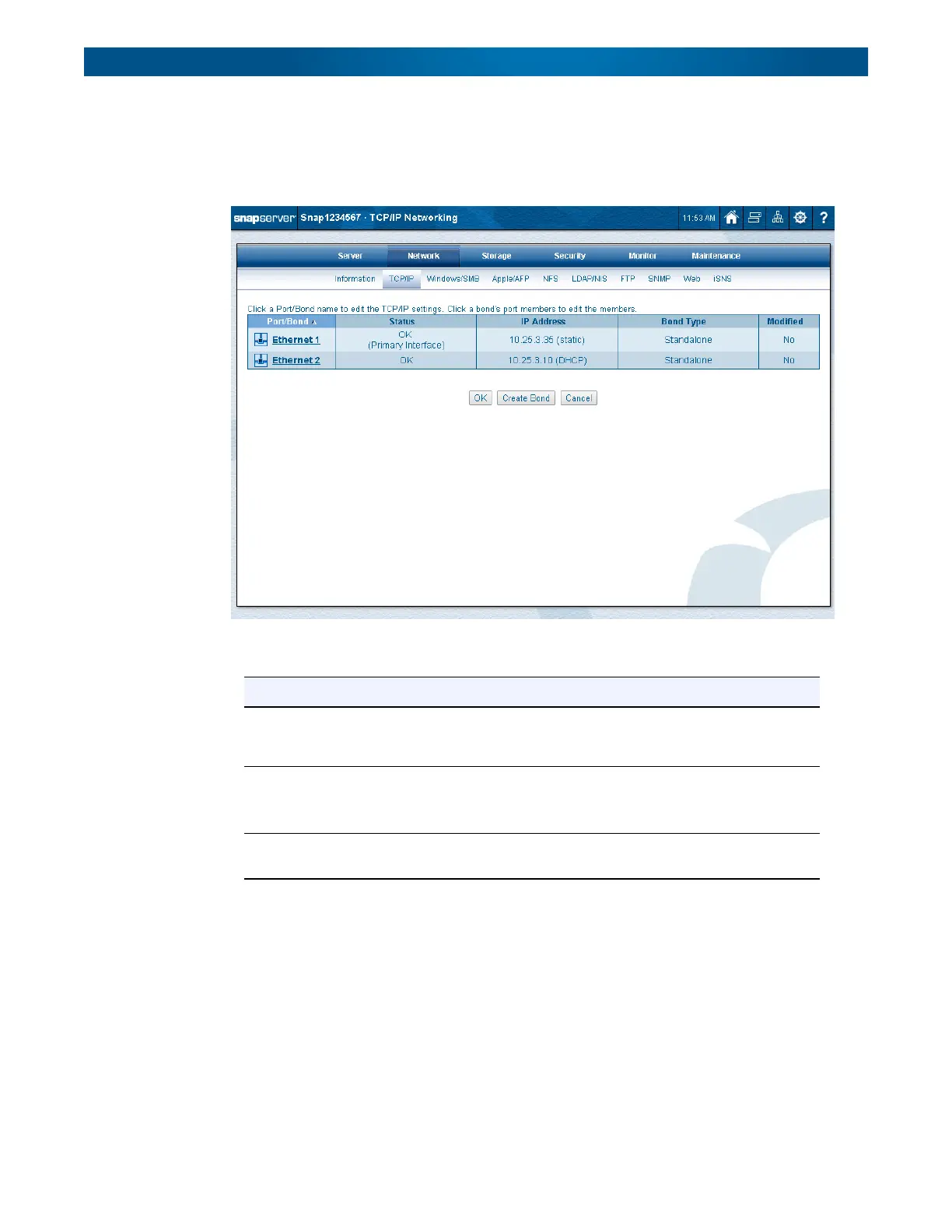
SnapServers ship with one or more Gigabit Ethernet (GbE) ports. The information about those
ports is displayed on the primary
TCP/IP Networking
page:
The following table for the
TCP/IP Networking
page describes the port information:
Column Description
Port/Bond A list of the Ethernet ports or bonds on the server. Click a port or bond name
to display or modify configuration details. See Configuring Port Properties on
page 54.
Status • OK – Port is connected and active.
• No link – Port is not connected.
• Failed – Port has failed.
IP Address • The IP address for the NIC or bond if known or not available if unknown.
• Whether the IP address was obtained by DHCP or is Static.




 To Next Page