10400589-001 ©2008-14 Overland Storage, Inc. 86
SnapServer / GuardianOS 7.6 Administrator’s Guide 5 - DynamicRAID Storage
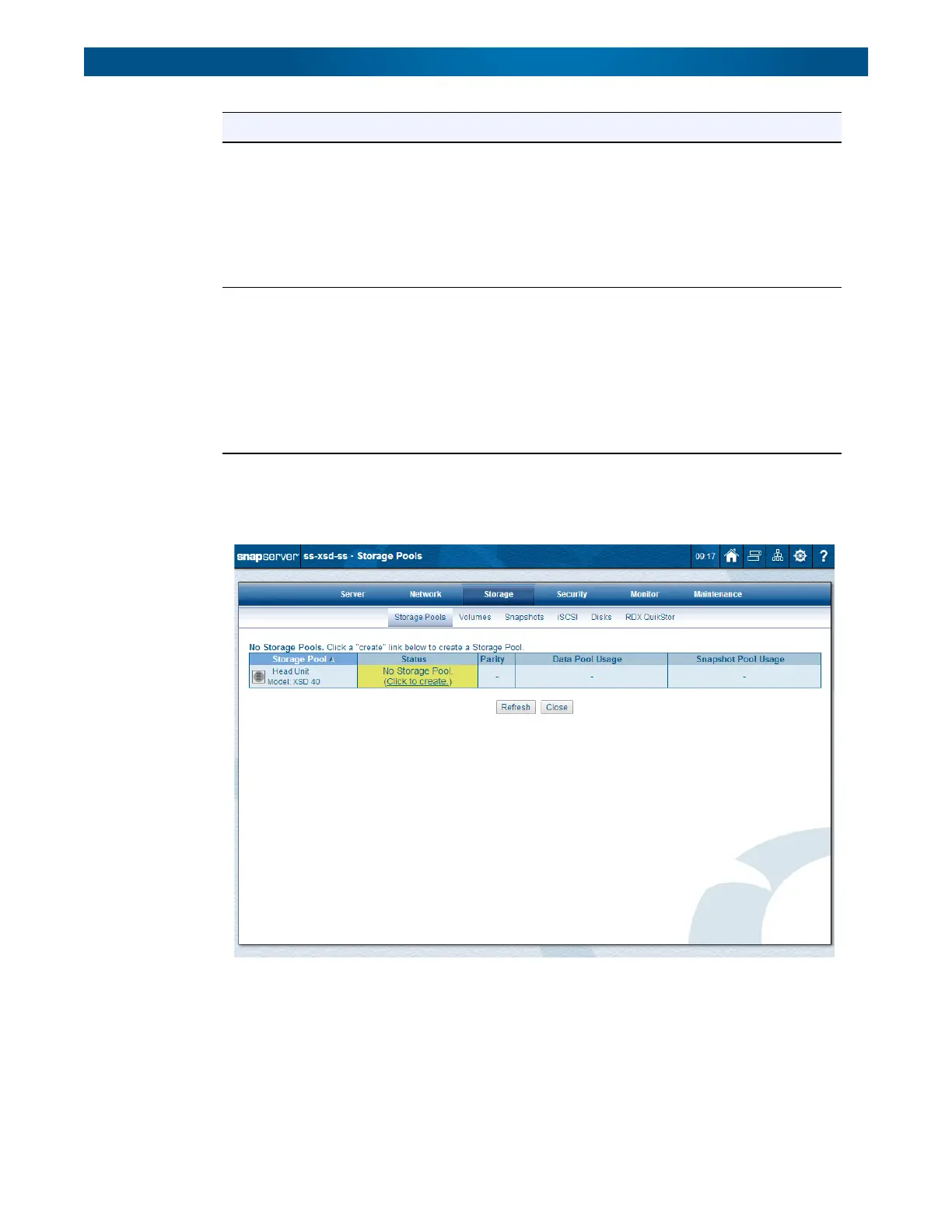
Create a Storage Pool
To create a new storage pool (on a unit that doesn’t already have a storage pool):
Parity Mode Based on the total number of disks that are available for a storage pool,
you can set the parity mode of the storage pool:
•1 disk drive – No parity available.
• 2 or 3 disk drives – Single-parity protection only.
• 4 or more disk drives – Single- or dual-parity protection available.
NOTE: Increasing the parity level may require additional disks. You
will need to install disks if none are currently available.
Snapshot Pool Use the drop-down list to choose a percentage of the storage pool that
is reserved for snapshots.
For more details about snapshots, refer to Snapshots in Chapter 7.
NOTE: Once snapshot space is set up, it can be decreased at any
time. To increase the size of the snapshot pool, either the
storage pool must be deleted and re-created, or you must add
more storage capacity to your storage pool.
Default: 20%
Option Description




 To Next Page