20
LED Display, Temperature Adjust Mode
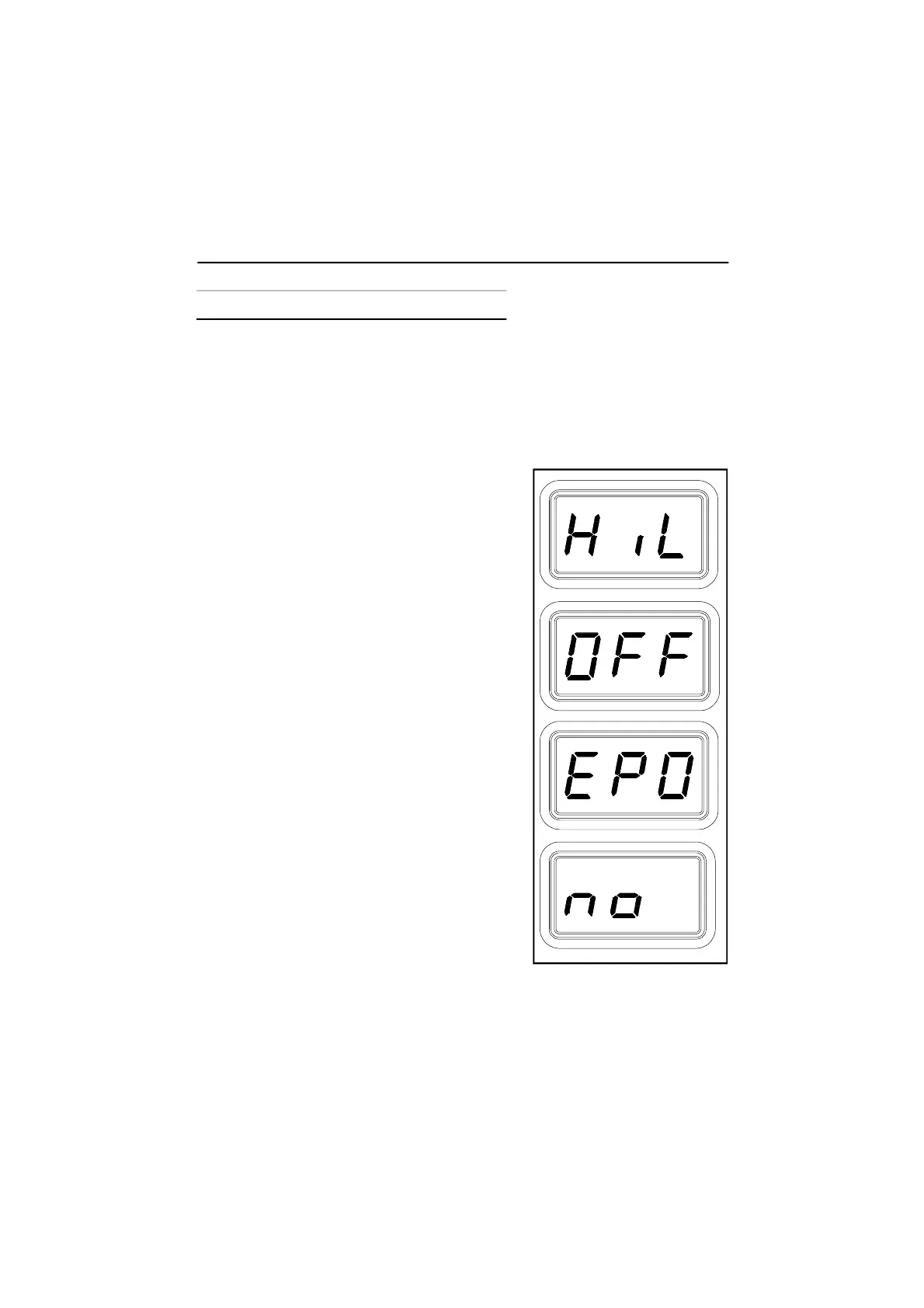
The LED Display will show the following when adjusting the desired Set Tip
Temperature.
1. The Set Tip Temperature.
2. "HiL" (High Temperature Limit) when
adjusting the set tip temperature and the
maximum allowable temperature is exceeded.
Refer to the "Set-Up Mode" portion of this
manual.
3. "OFF" (Low Temperature Limit) when
adjusting the set tip temperature and the
minimum allowable temperature is exceeded.
Refer to the "Set-Up Mode" portion of this
manual.
4. "EP0" will be displayed if a Set Tip
Temperature adjustment is attempted and a
Password has been stored in system memory.
As the 5 key Password is entered, the zero will
increase by one as each key entry is made.
Upon entry of the fifth password key, the
display will change to the Set Tip Temperature
if the entered Password matches the stored
Password.
5. "no" will be displayed if the entered password
does not match the stored Password.
Operation


 To Next Page