24 — Model 6755i Series IP Phone User Guide
Customizing Your Phone
9. Press Done. The ring tone and tone set you select is immediately applied to
the IP phone.
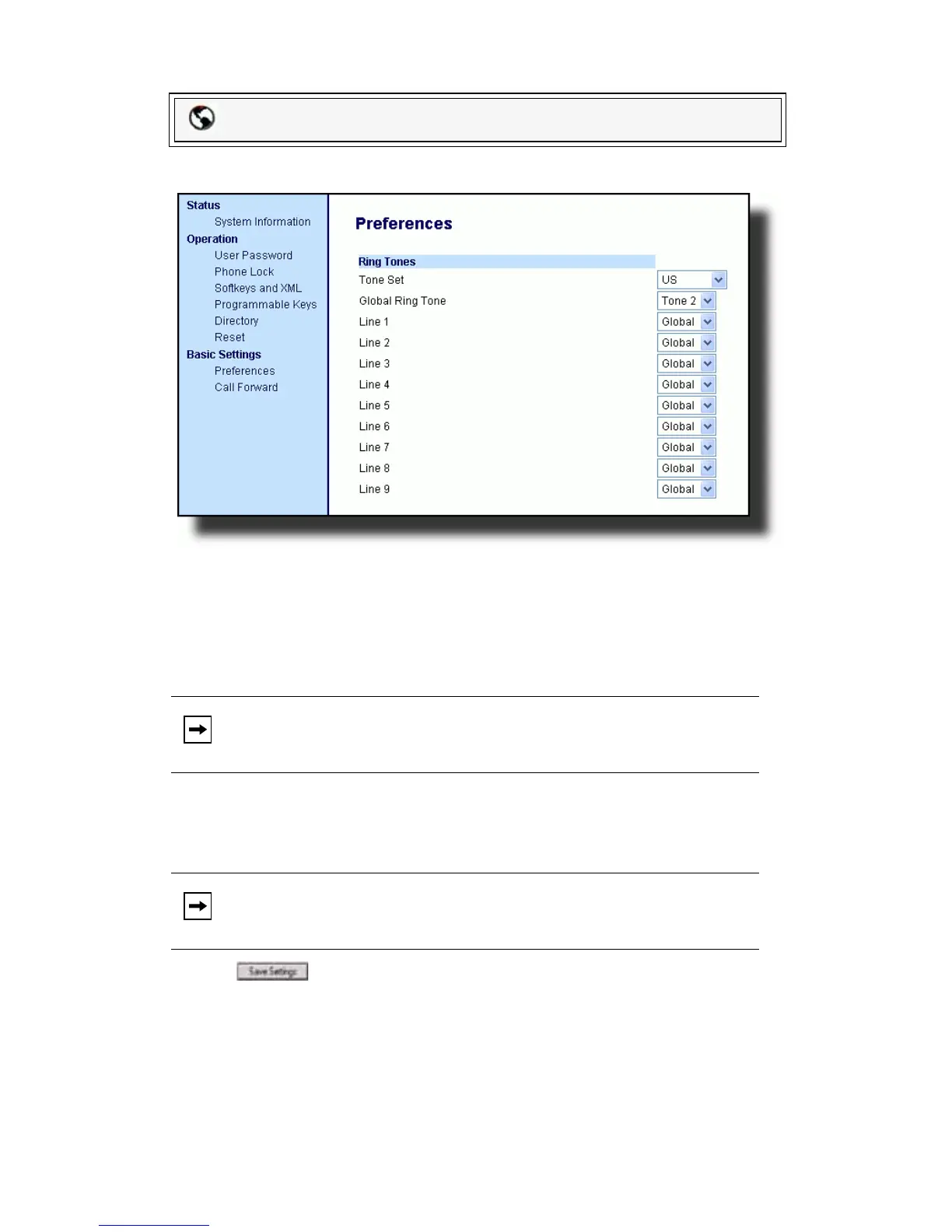
1. Click on Basic Settings->Preferences->Ring Tones.
For global configuration:
2. In the Ring Tones section, select a country from the Tone Set field. Valid
values are Australia, Europe, France, Germany, Italy, UK, Mexico, and US.
Default is US.
3. Select a value from the Global Ring Tone field.
For per-line configuration:
4. In the Ring Tone section, select a line for which you want to set ring tone.
5. Select a value from the LineN field
.
6. Click to save your settings.
Contrast Level
The Contrast Level option on the IP phone allows you to set the amount of
light that illuminates the LCD display. Use this option to set the preference of
contrast level.
You can set the contrast level using the IP Phone UI only.
Packet8 Web Phone UI
Note: See the Ring Tones Table on page 23 for valid values.
Note: See the Ring Tones Table on page 23 for valid values.



 To Next Page