56 — Model 6755i Series IP Phone User Guide
Line Keys, Programmable Keys, and Softkeys
You can set DND on the keys using the Packet8 Web Phone UI phone or by
logging into your Packet8 Self Service Portal at www.packet8.net. DND is not
configurable from the IP phone UI.
Setting a Do Not Disturb Key
Use the following procedure to set a key to function as Do Not Distrub. The
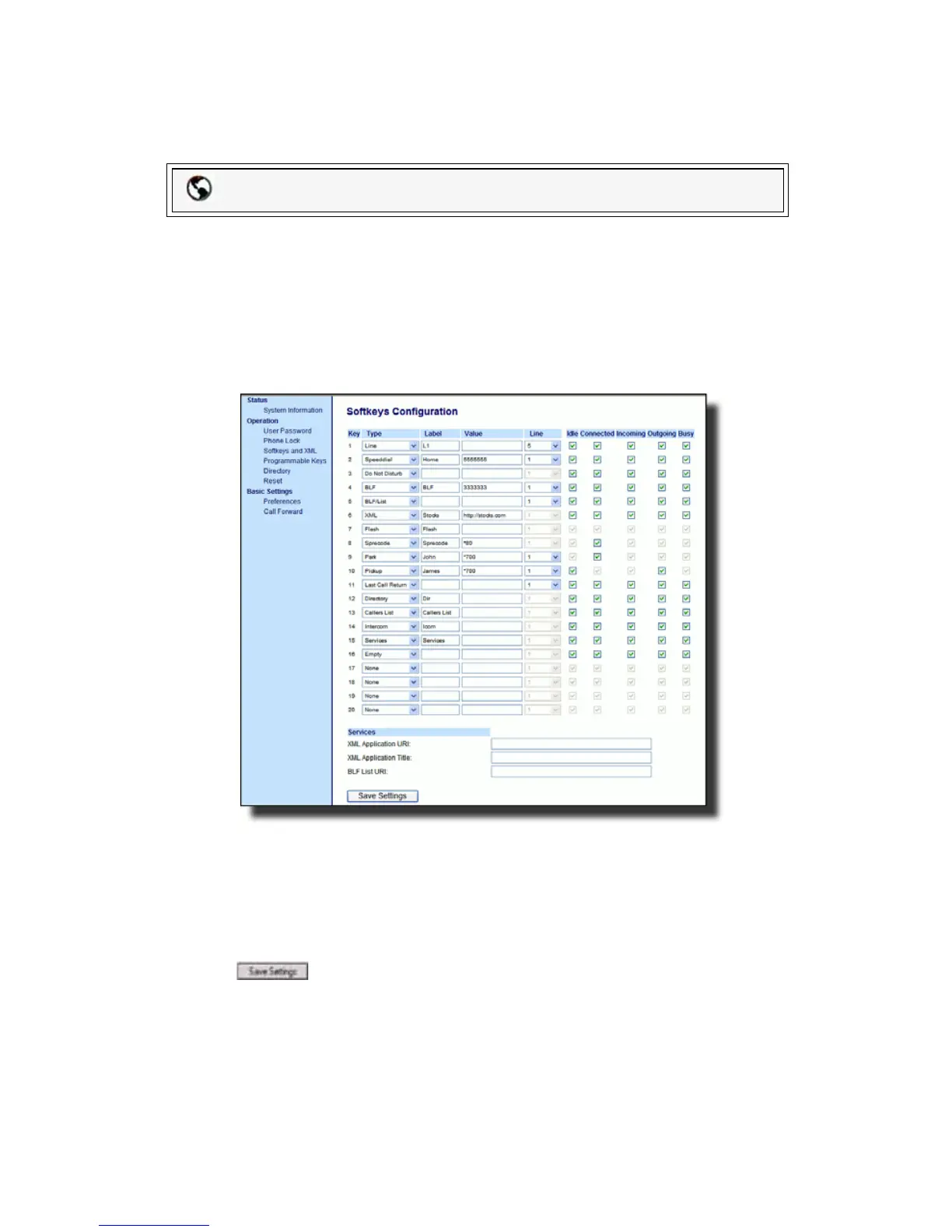
procedure shows the softkey screens as an example.
1. Click on Operation->Softkeys and XML.
or
Click on Operation->Programmable Keys.
or
Click on Operation->Expansion Module <N>.
2. For softkeys, select from "Key 1" through "Key 20" or for programmable keys,
select from "Key 1" through "Key 6".
3. In the Type field, select Do Not Disturb to apply to the key.
4. If configuring a softkey on the Bottom Keys, in the state fields, check (enable)
or uncheck (disable) the states you want to apply to this softkey.
5. Click to save your changes.
Packet8 Web Phone UI



 To Next Page