Four-Channel Digital Video Recorder
9
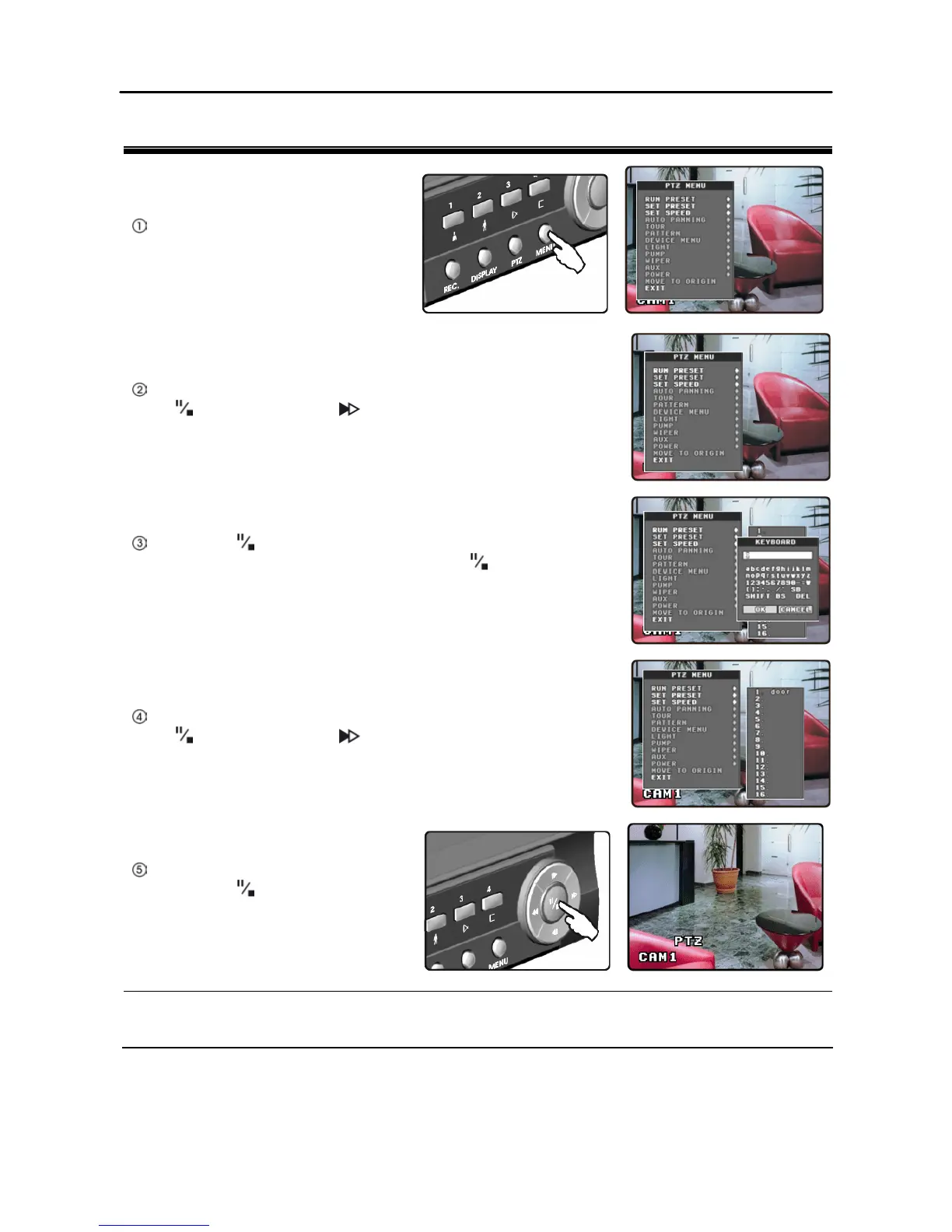
To Run Preset
Pressing the MENU button in PTZ
mode displays the PTZ menu.
Move to SET PRESET in the PTZ menu and select it by pressing
the button. Pressing the button displays the preset name box.
Pressing the button again displays a virtual keyboard. Enter the
preset name by pressing the arrow buttons and button, and then
press the OK button.
Move to PRESET RUN in the PTZ menu and select it by pressing
the button. Pressing the button displays the preset name box.
Selecting the desired preset name by
pressing the button moves to the
selected preset number view.
NOTE: Depending on the camera specifications, some features on the PTZ menu may not be
supported. Refer to the camera manufacturer’s instructions for the proper settings.







 To Next Page