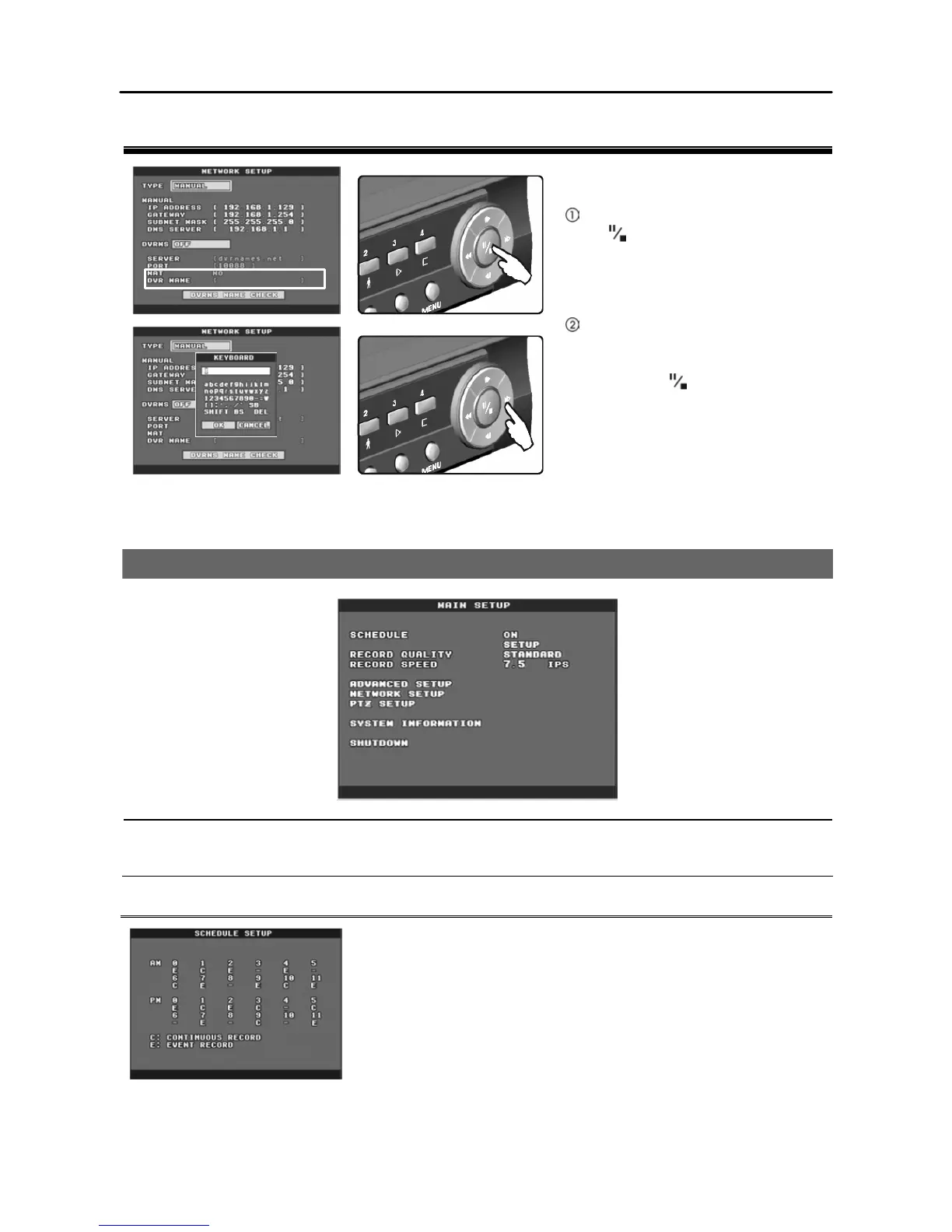
Select the desired item and press
the button, and a virtual
keyboard displays.
Move to the desired character by
pressing the arrow buttons, and
enter the selected character by
pressing the button. Pressing
the OK button saves the characters
you entered. Selecting SB makes a
space, SHIFT toggles between the
upper and lower case keyboards,
BS backspaces, and DEL deletes
entered characters.
MAIN SETUP
NOTE: Refer to the Appendix – Factory Default Settings for the further information about system default
settings.
Schedule
Ÿ On/Off: Enables or disables schedule recording.
Ÿ Setup: Sets schedule mode. Select the desired time to set up
schedule and change the schedule mode value. The schedule
modes are as follow:
C (Continuous Record): Records continuously.
E (Event Record): Records when detecting motion or alarm
events if each event is set to ON.
- (Off): Does not record.







 To Next Page