EasyManua.ls Logo

Palfinger PTV 33 - Page 51

Palfinger PTV 33
77 pages
Print Icon
To Next Page IconTo Next Page
To Previous Page IconTo Previous Page
Loading...
PTV 35/44/55/66 Installation Manual
Rev. 1.1 49
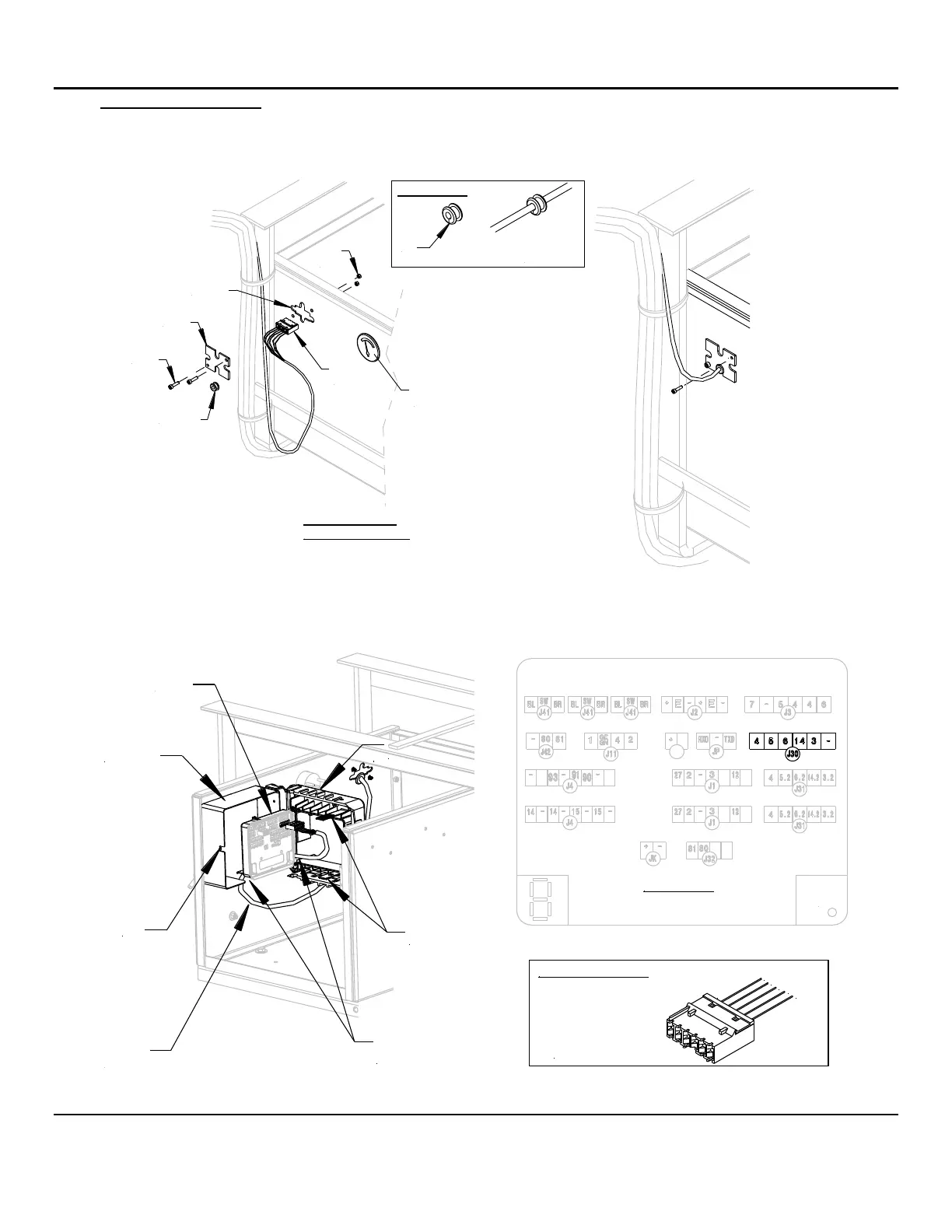
6. J30 Control Harness: Remove the hydraulic enclosure cover. Remove the cover on the side of the
hydraulic enclosure. Feed the control harness inside the enclosure. Before closing, cut the grommet so it
can fit over the harness, Fig.19. Re-install the cover over the opening by removing the cover of the
enclosure.
Cut Grommet
Cut
Fit Cut
Grommet
Over the
Harness
Cover
J30
Opening
Grommet
J30
Control
Harness
Voltmeter Side of
Hydraulic Enclosure
Screw
Lock
Nut
Volt
Meter
On the inside of the Hydraulic Enclosure, open the control board cover by pulling the side of the rubber cover
out of the locking tab. Unhook the two flex straps that secure the control board to the rubber cover. Plug the
control harness connector into the J30 port of the control board.
Power LED
Control Box
Location
Flex
Strap
Rubber
Cover
Locking
Tab
Control Board
Control
Board
Control
Harness
Rubber
Cover
Route J30 Harness
under the Control Board
and through the side of
control board
5- Wire Color Code
14.2 - White
6.2 - Yellow
4.3 - Black
5.2 - Brown
3.2 - Green
Green
White
Yellow
Brown
Black
No Wire
Fig. 19

Table of Contents

Related product manuals