EasyManua.ls Logo

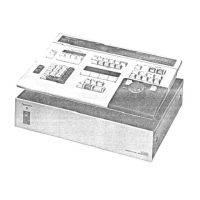
Panasonic AG-A800 - Search Dial

Panasonic AG-A800
43 pages
Print Icon
To Next Page IconTo Next Page
To Previous Page IconTo Previous Page
Loading...
REVIEW
key/lamp
If
this
key
is
pressed
when
editing
has
been
carried
out,
the
tape
will
automatically
return
to
the
beginning
of
the
EVENT
which
has
just
been
edited.
This
allows
confirmation
of
editing
results.
GO
TO
key/iamp
Press
this
key
to
have
access
to
edit
points
or
desired
points
input
with
the
10
key
Numeric
Pad.
@
AUTO
key/lamp
Used
for
automatic
continuity
editing.
If
pressed
together
with
the
Edit
(Preview
or
Review)
key,
the
lamp
will
light
up
and
the
specified
events
will
be
edited
automatically
and
continuously
(automatic
review
or
preview).
Refer
to
page
34.
@
EDIT
key/lamp
Press
this
key
to
edit
the
current
event
indicated
on
the
display
panel.
@
EDIT
STOP
key
Press
this
key
to
stop
an
edit
halfway.
If
no
edit
OUT
point
has
been
entered
on
the
RECORDER,
the
position
of
the
tape
where
this
key
was
pressed
will
be
entered
as
the
edit
OUT
point.
The
tape
will
be
postrolled
and
rewound
to
the
edit
OUT
point.
@
READY
key/lamp
This
is
the
Standby
ON/OFF
key
with
lamp.
To
set
the
Standby
OFF
mode
on
the
VTR
during
the
Standby
ON
mode
(the
lamp
lights
up),
press
this
key.
The
lamp
will
go
out.
If
the
key
is
pressed
again,
the
Standby
ON
mode
will
be
set
and
the
lamp
will
light
up.
In
VHS
recording
systems,
Pause
will
be
set
if
the
mode
is
as
Standby
ON
and
Stop
if it
is
Standby
OFF.
@
REC
key/lamp
Press
this
key
together
with
the
PLAY
key
to
Start
the
~
recording
of
the
video
and
audio
signals.
(Only
when
RECORDER
is
selected
for
the
VTR.)
Also,
when
pressed
alone,
the
RECORDER
switches
to
the
E-E
mode.
@
EDIT
key/lamp
Press
this
key
and
the
PLAY
key
@
together
to
execute
an
edit
manually
mae
playback.
The
lamp
will
light
up.
(See
page
28.)
According
to
the
VTRs,
the
preroll
operation
may
excute
during
manual
editing
(On-
~The-
~Fly
editing).
@
VTR
(P1/P2/R/AUX)
Selection
keys/lamps
Select
the
VTR
to
be
controlled.
Pi
and
P2......
Control
the
PLAYERs
Rececivt
a
cideitiviece
§
Controls
the
RECORDER
AUX
...........
Executes
recording
of
edit
points
for
the
external
equipment.
eUsed
to
switch
the
output
on
the
AG-SW800
if
it
is
connected.
:
@
PLAY
key/lamp
Press
this
key
to
play
back
the
tape
on
the
VTR
selected
by
the
VTR
SELECTION
key.
@
STOP
key/lamp
Press
this
key
to
stop
the
VTR
tape
movement.
if
pressed,
the
lamp
will
light
up
and
the
tape
on
the
selected
VTR
will
stop
running.
If
the
VTR
is
VHS,
the
Pause
mode
will
be
set.
@
SRCH
(Search)
key/lamp
Press
this
key
to
set
the
search
mode
on
the
VTR
selected
by
the
VTR
SELECTION
key,
Use
the
SEARCH
DIAL
@
to
control
the
tape
movement.
REW
key/lamp
Press
this
key
to
rewind
the
tape.
FF
key/lamp
Press
this
key
to
fast
forward
the
tape.
©
@
MARK
IN/OUT
keys
These
are
the
edit
point
entry
keys.
Press
these
keys
to
enter
the
edit
IN/OUT
points.
@
SEARCH
Indicator
Indicates
the
tape
movement
direction
controlled
by
the
SEARCH
DIAL
and
the
still
picture
mode.
®
JOG
lamp
Lights
up
in
the
JOG
Mode.
@
SHTL
lamp
Lights
up
in
the
SHUTTLE
mode.
@
SEARCH
DIAL
Used
to
search
for
the
required
picture,
such
as
the
edit
points.
od
JOG
mode
(
=
)
The
JOG
lamp
lights
up
when
the
unit
is
in
this
mode.
The
picture
can
be
played
forwards
or
backwards
depending
on
the
SEARCH
DIAL
movement
at
up
to
double
the
speed,
i.e.,
from
0
speed
(still
picture).
SHTL
mode
(
3)
The
STHL
lamp
lights
up
when
the
unit
is
in
this
mode.
The
picture
can
be
played
forwards
or
backwards
depending
on
the
SEARCH
DIAL
movement
at
up
to
10
times
the
normal
speed
(when
using
AG-7500/7510).

Related product manuals