E-95
Using the setup menus
Use the setup menus to change the settings to
suit the scenes you are shooting or what you are
recording.
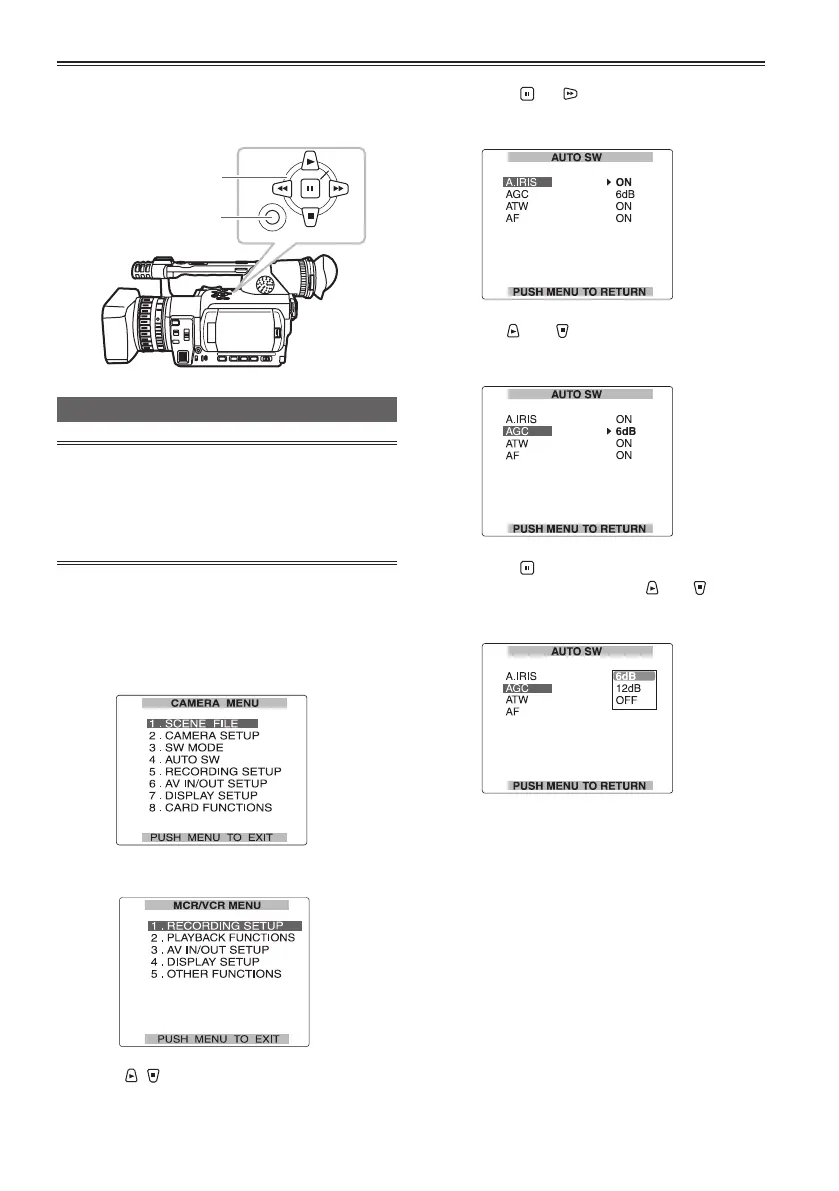
SET
MENU
Using the menus
• If the thumbnail menu is displayed, press
the AUDIO/THUMBNAIL button to release the
display. (Page 65)
• The menu items indicated in the blue
characters cannot be used.
1 When the unit is in other than playback or
recording mode, press the MENU button.
The following is displayed on the viewfinder and
LCD screen.
CAMERA mode (Example)
MCR/VCR mode (Example)
2 Press , to highlight the function you
want to change.
3 Press the (or ) button to display the
items.
Example:
4 Use the and buttons to move to the
option that you want to set.
Example:
5 Press the button to make the setting.
To change a number, use the
and buttons
to change the setting value.
Example:
Operation buttons
MENU button





 To Next Page