83
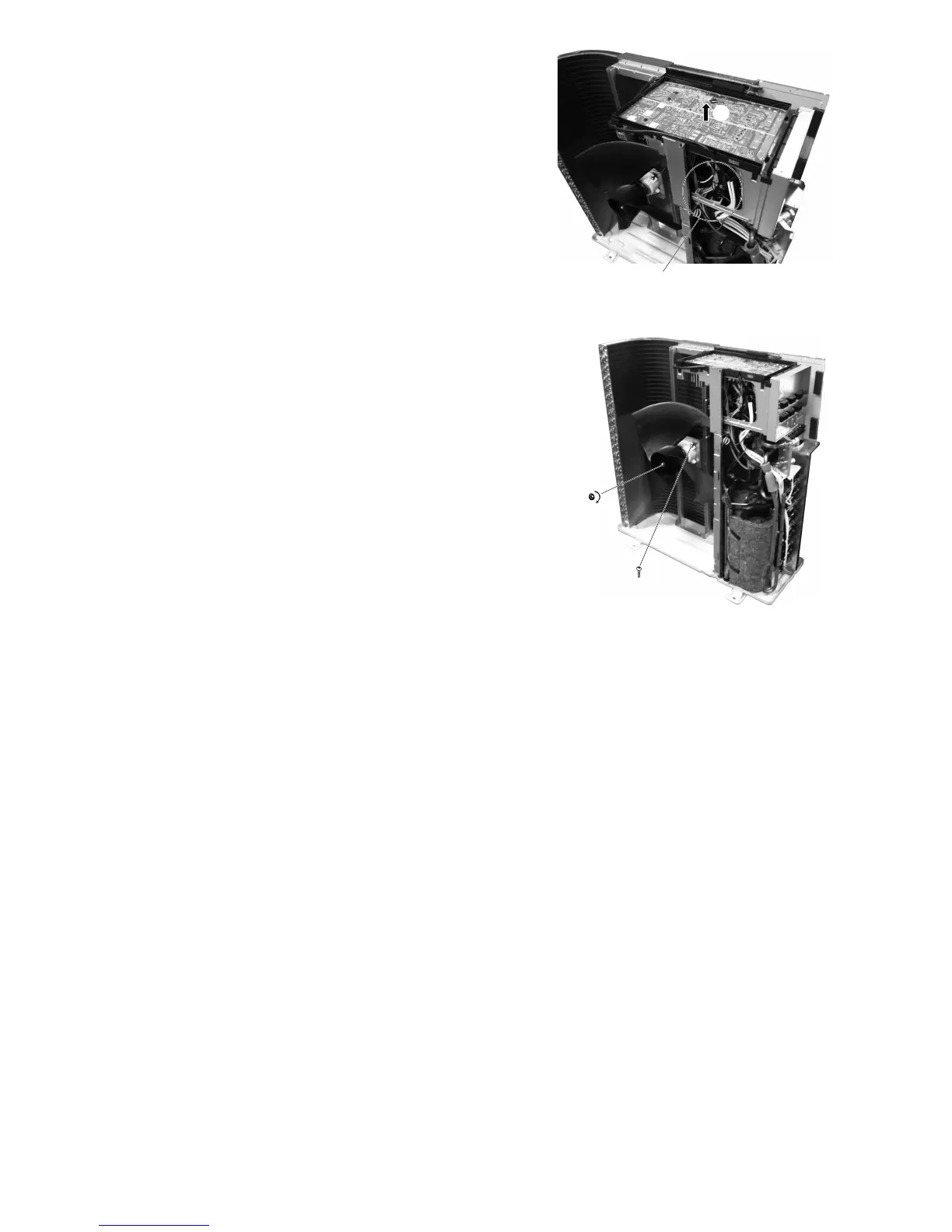
7. Disconnect the connectors (lead wires of the
compressor, sensors, and others).
8. Release the Control P.C. Board tab to remove
the Control P.C. Board.
Fig. 7
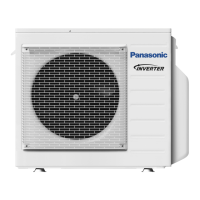
16.2.5 Removing the Propeller Fan and
Fan Motor
9. Remove the propeller fan by removing the nut
turning clockwise as its center.
10. Disconnect the fan motor connector from the
Control P.C. Board. Loosen the 4 fan motor
mounting screws then remove the fan motor.
Fig. 8
8
7
0
9





 To Next Page