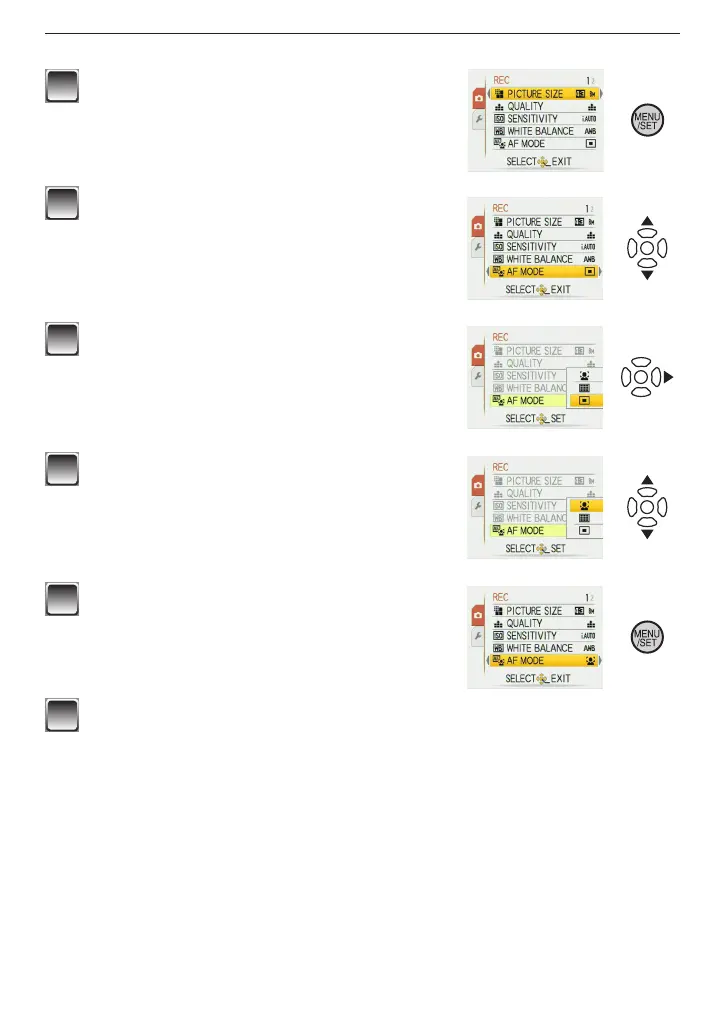
How to use the menu
1
Press [MENU/SET] to display the menu.
• You can switch menu screens by the page from
any menu item by rotating the zoom lever.
(Example: Selecting the Normal Picture Mode
[
1
])
2
Press
e
/
r
to select a menu item.
(Example: Selecting [AF MODE])
• You can move to the next page by pressing
r
at
the very bottom.
3
Press
q
.
• Depending on the item, the settings may not
appear or it may be displayed in a different way.
4
Press
e
/
r
to select a setting.
(Example: Selecting [
3
])
5
Press [MENU/SET] to conrm your
setting.
6
Press [MENU/SET] to close the menu.











 To Next Page