Basic
- 28 -
Taking Pictures Using the Automatic Function
(Auto Scene Mode)
Recording Mode:
;
The camera automatically sets the appropriate settings according to the subject and
recording condition. This mode is recommended for beginners to take pictures easily.
• The following functions are activated
automatically.
– Scene detection/Face detection/Motion
detection/Backlight Compensation
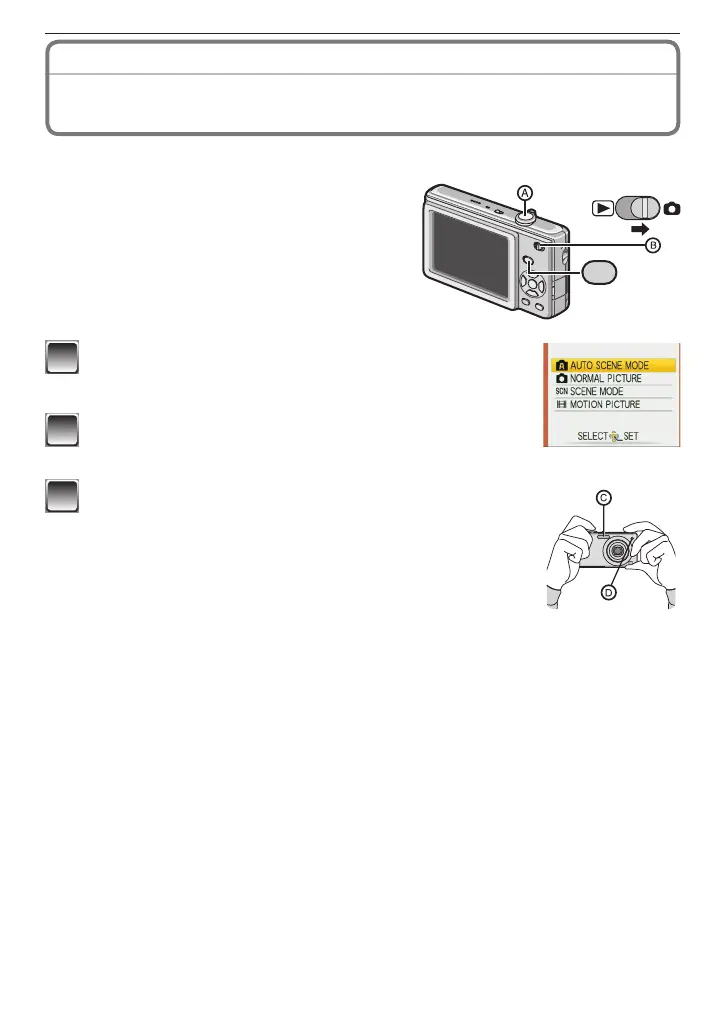
A
Shutter button
B
Recording/playback switch
1
Slide the recording/playback switch to [
1
] and
press [MODE].
2
Press
e
/
r
to select [AUTO SCENE MODE] and
then press [MENU/SET].
3
Hold this unit gently with both hands, keep your
arms still at your side and stand with your feet
slightly apart.
C
Flash
D
AF assist lamp











 To Next Page