Advanced-Shooting
- 60 -
c
[STARRY SKY]
Take clear pictures of the night sky or other dark subjects.
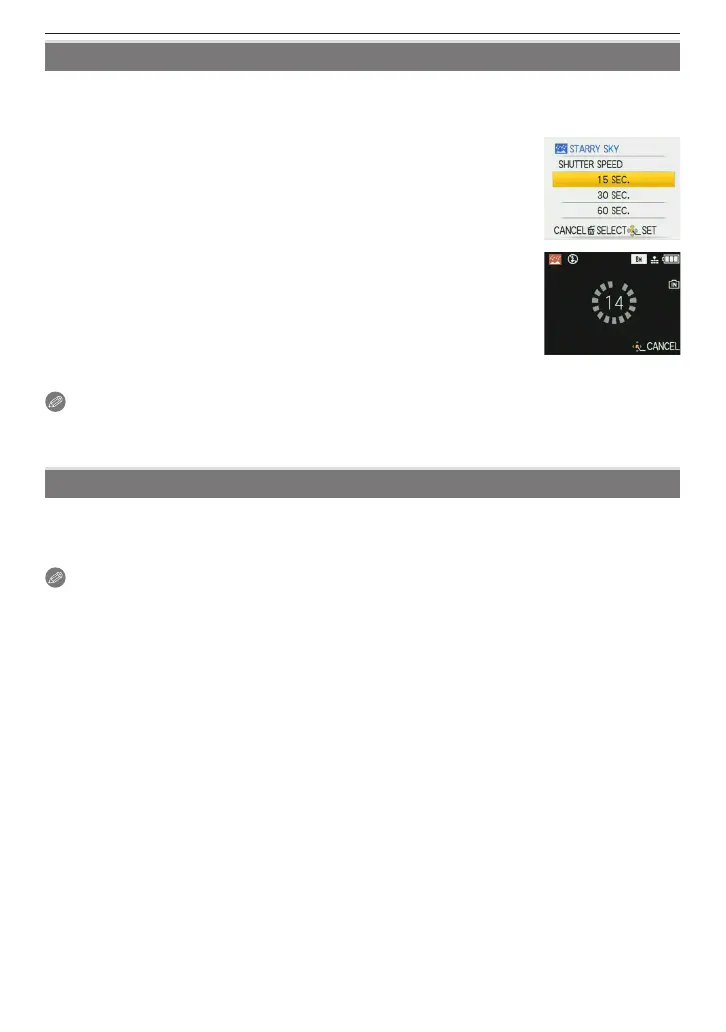
Setting the shutter speed
Choose a shutter speed; 15, 30, or 60 seconds.
1 Press
e
/
r
to select the shutter speed and then press [MENU/
SET].
• The shutter speed can also be changed in quick menu (P24).
2 Take a picture.
• The countdown screen appears. Do not move the camera. [PLEASE
WAIT...] appears for the number of seconds you chose for shutter
speed after the countdown. This is to process the signals.
• To cancel the shot, press [MENU/SET] while the countdown screen
is displayed.
Technique for Starry Sky Mode
• The shutter opens for 15, 30 or 60 seconds, so use a tripod and the self-timer for best results.
Note
• Flash is xed to Forced ash OFF [
o
].
• The ISO sensitivity is xed to [ISO80].
v
[FIREWORKS]
Take beautiful pictures of reworks exploding in the night sky.
Technique for Fireworks Mode
• We recommend using the tripod.
Note
• This is most effective on subjects 10 m (32.81 feet) or more from the camera.
• The shutter speed becomes 1/4th of a second.
• AF area is not displayed.
• The ISO sensitivity is xed to [ISO80].











 To Next Page