Advanced-Viewing
- 79 -
You can play back the pictures you have taken in synchronization with music, and you can
do this in sequence while leaving a xed interval between each of the pictures.
Furthermore, you can play back only those pictures you have set as favorites as a slide
show.
This playback method is recommended when you have connected the camera to a TV set
to view the pictures you have taken.
1
Slide the recording/playback switch to [
5
] and then press [MODE].
2
Press
e
/
r
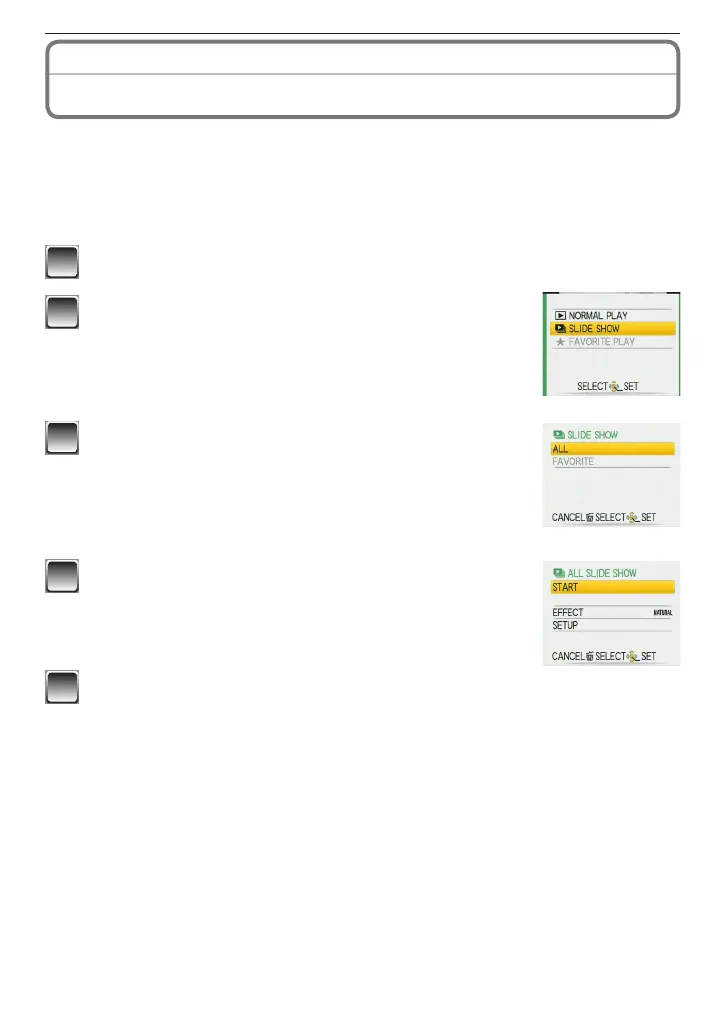
to select [SLIDE SHOW] and then press
[MENU/SET].
3
Press
e
/
r
to select an item and then press
[MENU/SET].
[ALL]: All pictures
[FAVORITE]: Pictures set as FAVORITE (P91). (Set
[FAVORITE] to [ON] and set any pictures as
favorites.)
4
Press
e
to select [START] and press [MENU/SET].
5
Press
r
to nish the slide show.
• Normal playback resumes after the slide show nishes.
Playing Back Pictures in Sequence
(Slide Show)
Playback Mode:
8











 To Next Page