Basic
- 32 -
Taking Pictures with Your Favorite Settings
(Normal Picture Mode)
Recording Mode:
1
This mode allows you to take pictures freely as more options are available than Auto
Scene Mode [
;
] (P28).
1
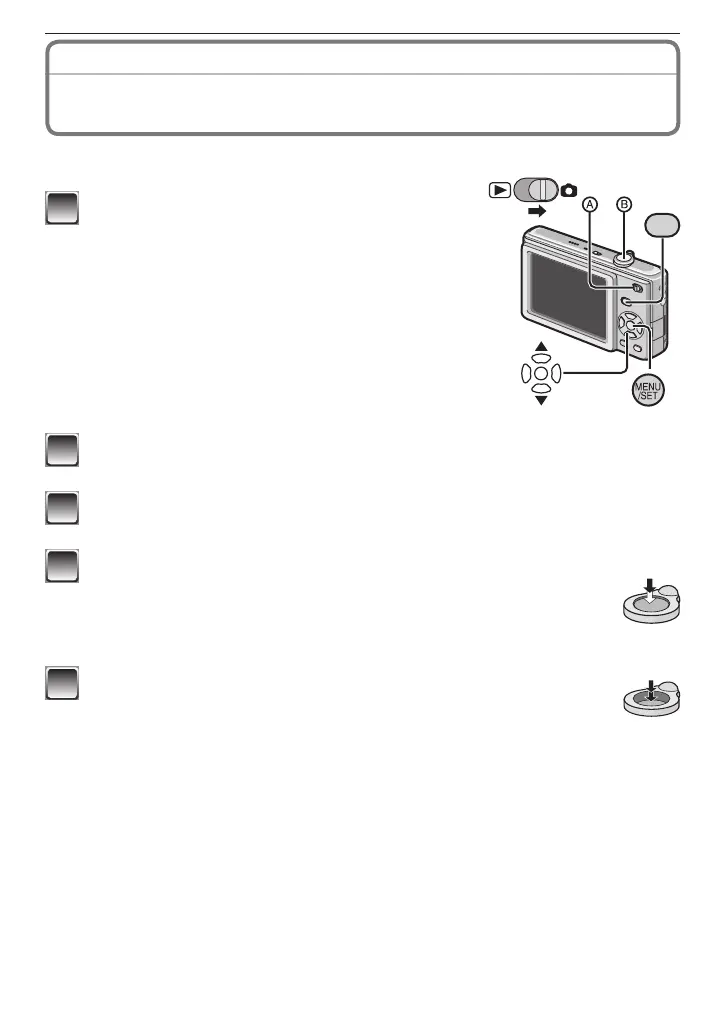
Slide the recording/playback switch to [
1
]
and press [MODE].
A
Recording/playback switch
2
Press
e
/
r
to select [NORMAL PICTURE] and press [MENU/SET].
• To change the setting while taking pictures, refer to “Using the [REC] Menu”(P70).
3
Aim the AF area to the point you want to focus on.
4
Press the shutter button
B
halfway to focus.
• The focus indication (green) lights when the subject is focused.
• The focus range is 50 cm (1.64 feet) to
7
.
• If pictures are to be taken at an even closer range, refer to “Taking
Close-up Pictures” (P49).
5
Press the shutter button fully (push it in further), and take
the picture.
• The access indication (P16) lights red when a picture is being
recorded on the built-in memory (or the card).











 To Next Page