Advanced-Shooting
- 70 -
Using the [REC] Menu
g
[PICTURE SIZE]
For details on [REC] menu settings, refer to P21.
Set the number of pixels and aspect ratio of the pictures. Select a higher number of pixels for
clearer pictures. Select a lower number of pixels to store more pictures.
Applicable modes:
;
1
5
Settings Number of pixels
4:3 [10M] 3648 × 2736 pixels
1
4:3 [8M] 3264 × 2448 pixels
2
4:3 [5M
P
] 2560 × 1920 pixels
4:3 [3M
P
] 2048 × 1536 pixels
3:2 [9M] 3648 × 2432 pixels
1
3:2 [7M] 3264 × 2176 pixels
2
3:2 [2.5M
P
]
3
2048 × 1360 pixels
16:9 [7.5M]
3
3648 × 2056 pixels
1
16:9 [6M]
3
3264 × 1840 pixels
2
16:9 [2M
P
] 1920 × 1080 pixels
1
DMC-FS42
2
DMC-FS4
3
Cannot be set in Auto Scene Mode [
;
]
[
+
]: aspect ratio of a 4:3 TV or PC
[
*
]: aspect ratio of a 35 mm lm camera
[
}
]: aspect ratio of a high-denition TV, etc.
A
B
Note
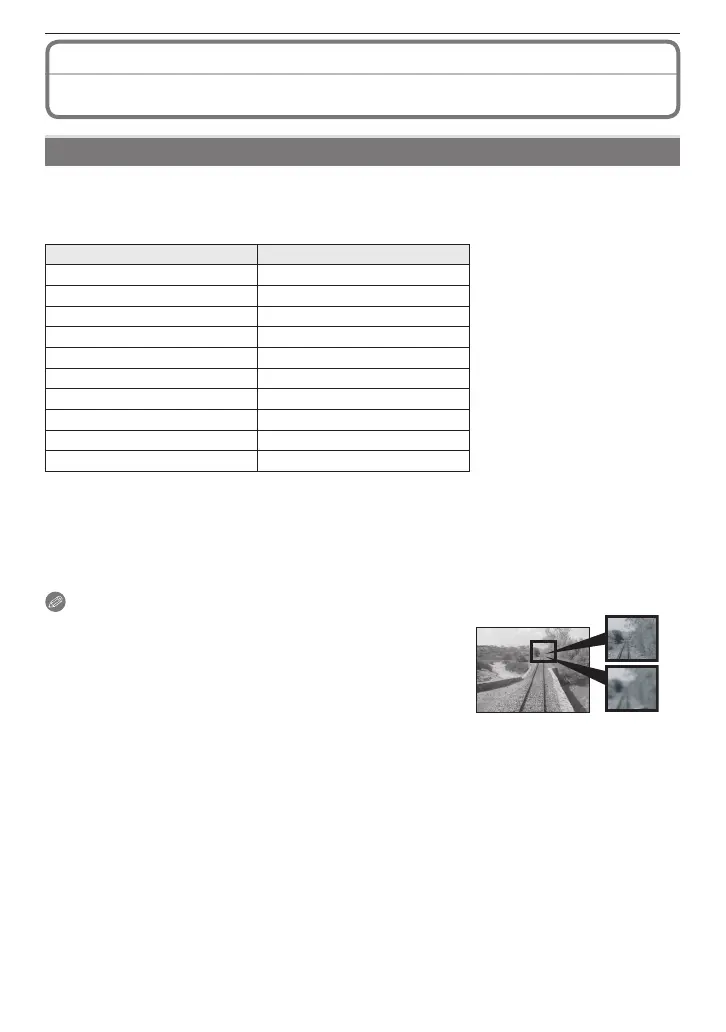
• A digital picture is made of numerous dots called pixels. The
higher the numbers of pixels, the ner the picture will be
when it is printed on a large piece of paper or displayed on a
PC monitor.
A
Many pixels (Fine)
B
Few pixels (Rough)
These pictures are examples to show the effect.
• [EZ] is an abbreviation of “Extended Optical Zoom”.
• The Extended Optical Zoom does not work in [HIGH SENS.], [HI-SPEED BURST] and [FLASH
BURST] mode, so the picture size for [EZ] is not displayed.
• Pictures may have a mosaic-like appearance depending on the subject or the recording
condition.
• Refer to
P127 for the number of recordable pictures.











 To Next Page