Preparation
18
VQT1B99
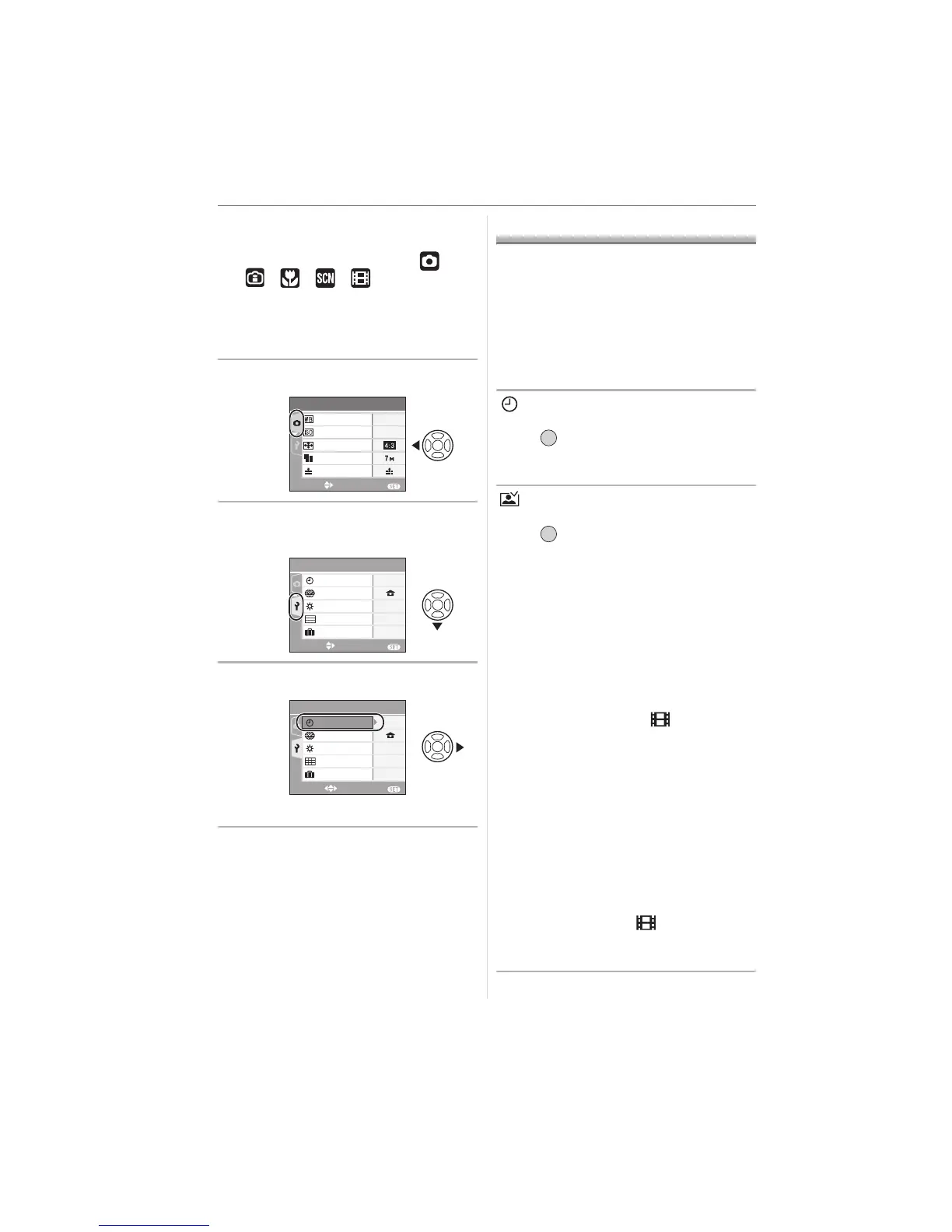
∫ Closing the menu screen
Press [MENU/SET].
• When the mode dial is set to [ ]/
[ ]/[ ]/[ ]/[ ], you can also
close the menu screen by pressing the
shutter button halfway.
∫ Switching to the [SETUP] menu
1 Press 2 on a menu screen.
2 Press 4 to select the [SETUP]
menu icon.
3 Press 1.
• Select a menu item next and set it.
About the Setup Menu
• Set items as required. (Refer to P18 to 21
for each menu item.)
• Select [RESET] to return the settings to the
initial settings at the time of purchase. (P20)
• [CLOCK SET], [AUTO REVIEW],
[POWER SAVE] and [ECONOMY] are
important items. Check their settings
before using them.
[CLOCK SET]
(Changing the date and time.)
Press [ ] to display the [SETUP] menu
and select the item to set. (P17)
Change date and time. (P15)
[AUTO REVIEW]
(Displaying the recorded picture.)
Press [ ] to display the [SETUP] menu
and select the item to set. (P17)
Set the length of time that the picture is
displayed after taking it.
[OFF]
[1SEC.]
[3SEC.]
[ZOOM]: The picture is displayed for
1 second and then enlarged 4k
and displayed for 1 more second.
• The auto review function is not activated
in motion picture mode [ ].
• When pictures are recorded in auto bracket
(P41) or burst mode (P65), the auto review
function is activated regardless of the
setting on the auto review function. (The
picture is not enlarged.)
• The auto review function is activated while
pictures with audio (P63) are being
recorded regardless of its setting. (The
picture is not enlarged.)
• The auto review setting is disabled when
using auto bracket or burst mode, in
motion picture mode [ ] or when
[AUDIO REC.] or [SELF PORTRAIT] in
scene mode is set to [ON].
EXIT
MENU
SELECT
AUTO
SENSITIVITY
PICT.SIZE
QUALITY
ASPECT RATIO
AWB
W.BALANCE
REC
1
/
3
SETUP
EXIT
MENU
SELECT
0
n
MONITOR
WORLD TIME
CLOCK SET
1
/
4
OFF
TRAVEL DATE
GUIDE LINE
SETUP
EXIT
MENU
SELECT
OFF
GUIDE LINE
TRAVEL DATE
0
n
MONITOR
WORLD TIME
1
/
4
CLOCK SET
/SET
MENU
/SET
MENU













 To Next Page