Advanced (Playback)
75
VQT1B99
∫ Setting the audio, duration and effect
Select [DURATION], [EFFECT] or [AUDIO]
on the screen shown in step
2 and set.
• You can only select [MANUAL] when
[ ] has been selected in step
1.
•Press 2/1 to display the previous or
next picture when [MANUAL] is
selected.
• If you set [AUDIO] to [ON] and then play
back a picture with audio, the next picture
will be displayed after the audio has
finished.
• You cannot play back motion pictures and
use power save in a slide show. (However,
the setting for power save mode is fixed to
[10MIN.] while pausing a slide show or
playing back a manual slide show.)
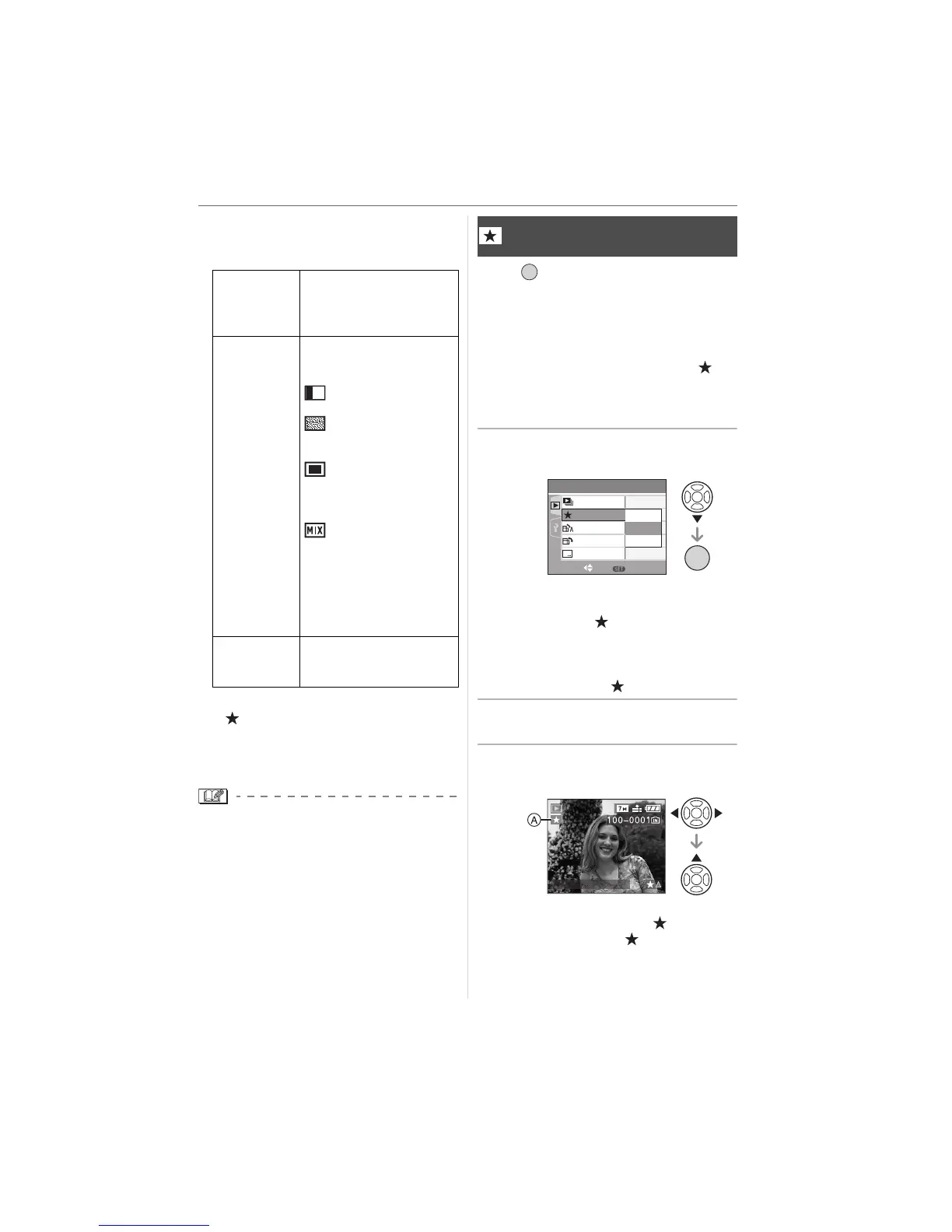
Press [ ] to display the [PLAY] mode
menu and select the item to set. (P73)
You can do the following if a mark has been
added to pictures and they have been set
as favourites.
• Delete all the pictures not set as
favourites. ([ALL DELETE EXCEPT ])
(P31)
• Play back the pictures set as favourites
only as a slide show. (P74)
1 Press 4 to select [ON] and then
press [MENU/SET].
• You cannot set pictures as favourites if
[FAVORITE] is set to [OFF]. Also the
favourites icon [ ] will not appear
when [FAVORITE] is set to [OFF] even
if it was previously set to [ON].
• You cannot select [CANCEL] if none of
the pictures have [ ] displayed.
2 Press [MENU/SET] to close the
menu.
3 Press 2/1 to select the picture
then press 3.
• Repeat the above procedure.
•If 3 is pressed while the [ ] favourites
icon A is displayed, [ ] is cleared, and
the favourites setting is cancelled.
[DURATION] Can be set to [1SEC.],
[2SEC.], [3SEC.],
[5SEC.] or [MANUAL]
(manual playback).
[EFFECT] A slide show effect can
be selected.
[OFF]:No effect
:
New pictures slide
across the screen.
: Current pictures
fade out and new
pictures fade in.
: New pictures
gradually fill the
screen from the
centre.
: An effect is
selected at
random.
• If you set [DURATION]
to [MANUAL] the
settings in [EFFECT]
are disabled.
[AUDIO] If set to [ON], the audio
of the pictures with audio
is played back.
[FAVORITE]
Setting your favourite pictures
/SET
MENU
PLAY
1
/
3
ON
OFF
SET
MENU
ROTATE DISP.
ROTATE
SLIDE SHOW
ON
OFF
CANCEL
FAVORITE
SELECT
/SET
MENU
DATE STAMP
1/3
10:00 1.DEC.2007













 To Next Page