1-11-1-2-5
1
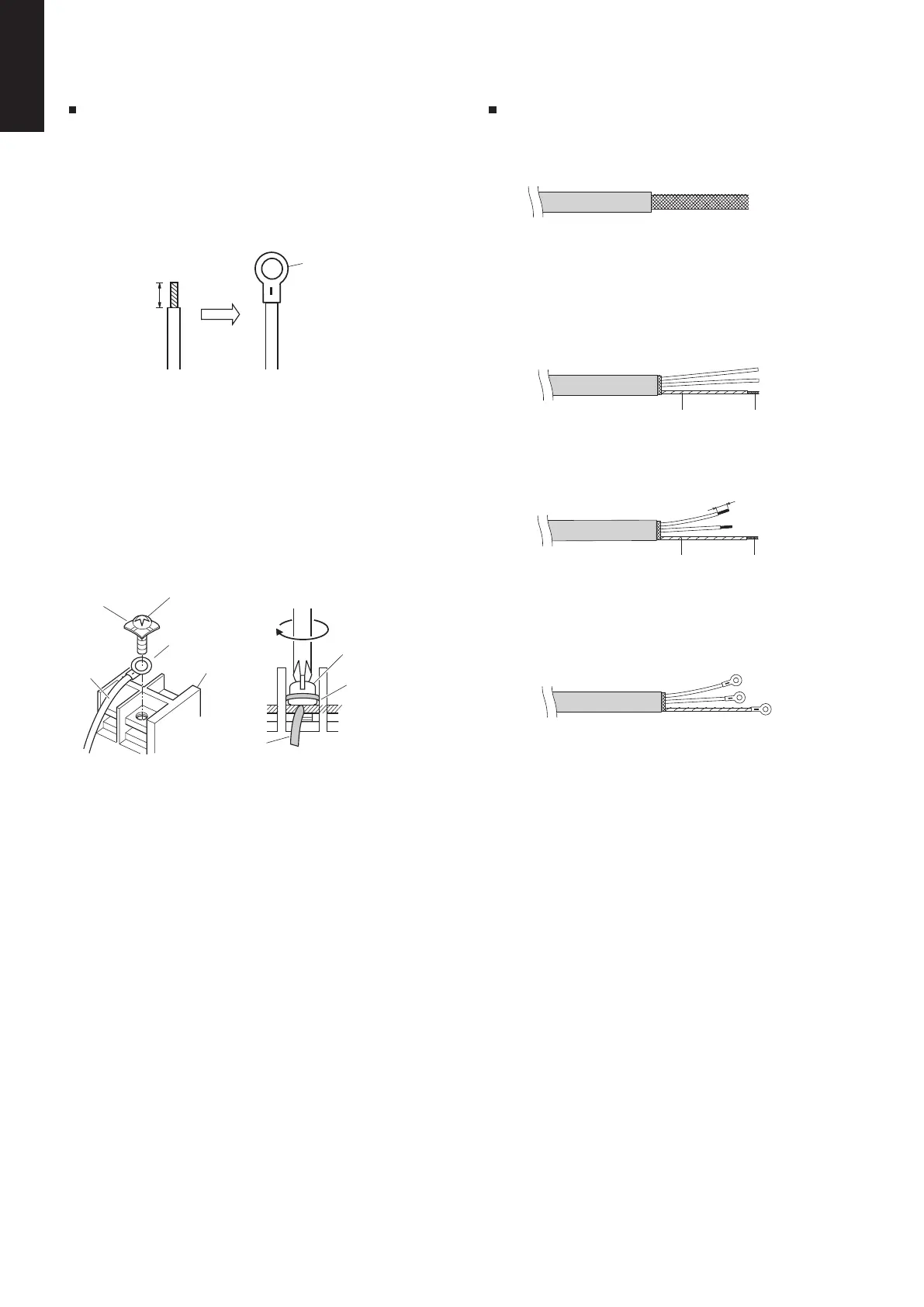
How to connect wiring to the terminal
For stranded wiring
Stranded wire
Ring
terminal
pressure
Strip 10 mm
Ring
Screw and
Special washer
terminal
pressure
Terminal board
terminal
Ring pressure
Screw
washer
Special
Wire
Wire
Insulating tape
(3) Remove coat of signal wire.
(4) Attach ring pressure terminals to the signal
wires and the shield wires insulated in Step (2).
Shield mesh
8 mm
tapeInsulating
meshShield
(1) Cut the wire end with cutting pliers,
then strip the insulation to expose the
stranded wiring about 10 mm and tightly
twist the wire ends.
(2) Using a Phillips head screwdriver, remove the
terminal screw(s) on the terminal board.
(3) Using a ring connector fastener or pliers,
securely clamp each stripped wire end with a
ring pressure terminal.
(4) Place the ring pressure terminal, and replace
and tighten the removed terminal screw using
a screwdriver.
Examples of shield wires
(1) Remove cable coat not to scratch braided
shield.
(2) Unbraid the braided shield carefully and twist
the unbraided shield wires tightly together.
Insulate the shield wires by covering them
with an insulation tube or wrapping insulating
tape around them.
SM830281-00_欧州向け R32シングル TD&SM.indb 5 20/01/09 14:59:33






 To Next Page