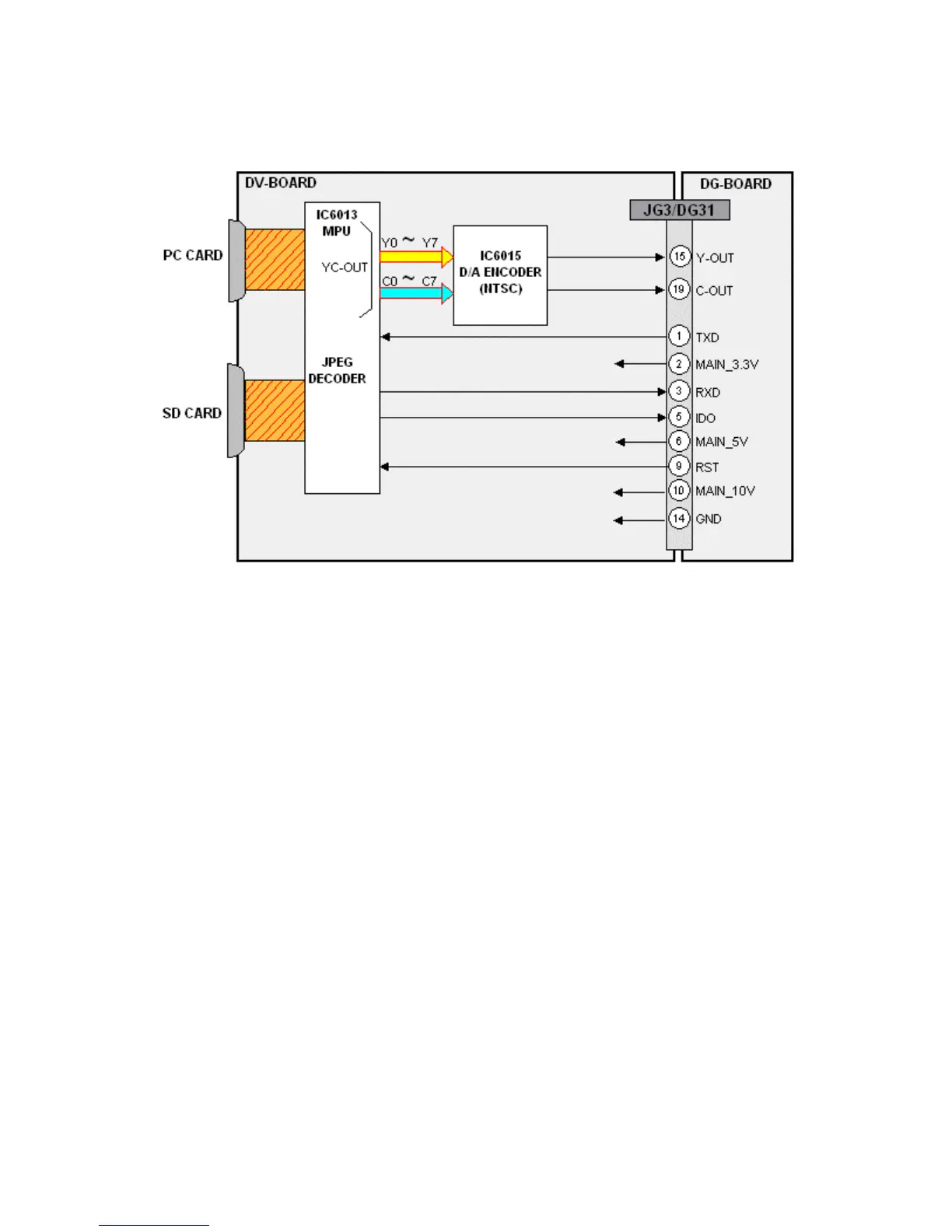
GPH6DU Chassis Photo Viewer Signal Process
Figure 12 - Photo Viewer Signal Process
Images from a SD or PCMCIA card, inserted into the Photo Viewer card slot, are
transferred to the DV-Board. After buffering, the JPEG information is decoded by
IC6013 and converted to luminance and chrominance data. The digital video output of
IC6013 is then converted to analog by IC6015 and output to the DG-Board via the
connector JG3/DG31. On the DG-Board, the luminance and chrominance photo viewer
information is selected and processed as for any other video input.
20




 To Next Page