EasyManua.ls Logo

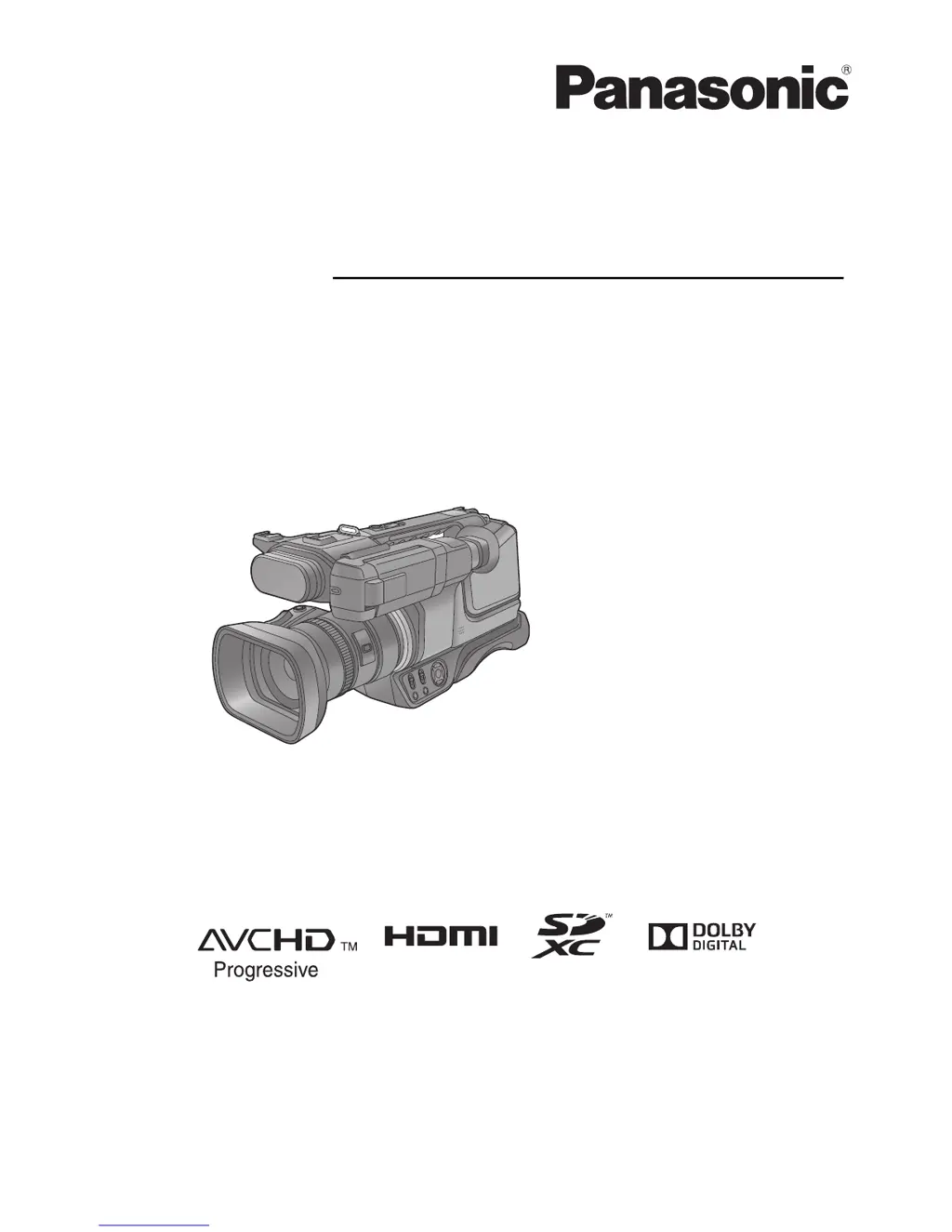
Panasonic HC-MDH2 - User Manual

Panasonic HC-MDH2
136 pages
Print Icon
To Next Page IconTo Next Page
Loading...
Operating Instructions
High Definition Video Camera
Model No.
HC-MDH2
HC-MDH2M
Please read these instructions carefully before using this product, and save this manual for future
use.
VQT5E10
until
2013/9/30

Table of Contents

Other manuals for Panasonic HC-MDH2

Questions and Answers

  • J
    Jose HowellSep 8, 2025
    How to safely disconnect the USB cable from my Panasonic HC-MDH2?
    • B
      Brittney RiosSep 8, 2025
      To safely disconnect the USB cable from your Panasonic Camcorder and avoid error messages on your PC, double-click the icon in the task tray and follow the on-screen instructions.
  • O
    ojosephSep 12, 2025
    Why is the function display not displayed on my Panasonic Camcorder?
    • R
      Richard LewisSep 12, 2025
      If the function display (Remaining Display, Counter Display, etc.) is not showing on your Panasonic Camcorder, check that [MEDIA & BATTERY] or [OTHER DISPLAY] within the [SW & DISP SETUP] menu is not set to [OFF].
  • B
    Brian HernandezSep 13, 2025
    Why can't I delete scenes on my Panasonic HC-MDH2?
    • B
      Bonnie RobinsonSep 13, 2025
      If you're unable to delete scenes on your Panasonic Camcorder, first ensure that the scenes are not protected by releasing the protect setting. If the thumbnails are displayed in a way that indicates they cannot be deleted, and the scenes are unnecessary, format the media to erase the data.
  • H
    hannah88Sep 15, 2025
    Why do I see horizontal bars in the image of my Panasonic HC-MDH2?
    • K
      Kimberly SmithSep 15, 2025
      Changes in color or brightness, horizontal bars, or flickering on the LCD monitor of your Panasonic Camcorder when indoors are usually not malfunctions. These effects can occur when recording under fluorescent, mercury, or sodium light. In Motion Picture Recording Mode, use Intelligent Auto/ Intelligent Auto Plus Mode, or set the shutter speed to 1/100 in 50 Hz areas, or 1/125 in 60 Hz areas. This will not affect recorded images in Still Picture Recording Mode.
  • A
    Adam AndersonSep 17, 2025
    What to do if SD card is not recognised by my Panasonic HC-MDH2?
    • C
      Carrie PhamSep 17, 2025
      If your Panasonic Camcorder isn't recognizing an SD card, and the card was formatted on a PC, it may not be compatible. Use the camcorder to format SD cards.

Summary

Read this first

About the recording format for recording motion pictures

Explains AVCHD and AVCHD Progressive recording formats.

Handling of built-in memory [HC-MDH2 M]

Precautions for using the built-in memory.

About Condensation (When the lens, the viewfinder or LCD Monitor is fogged up)

Explains condensation and how to prevent/resolve it.

Preparation

Names and Functions of Main Parts

Identifies and explains the main components of the video camera.

Power supply

Details about batteries, charging, and power connection.

Recording to a card

Information on using SD cards for recording media.

Basic

Before recording

Basic camera positioning and setup tips before recording.

Formatting cards

Steps to format SD cards before first use.

Recording motion pictures

Step-by-step guide to recording video footage.

Advanced (Recording)

Using the zoom

Explains zoom lever operation and zoom bar display.

Image Stabilizer Function

Details on reducing shake using the O.I.S. feature.

Manual recording

Guides on using manual controls for recording.

Advanced (Playback)

Playback Operations

Covers basic playback controls and functions.

Highlight Playback

Creating and playing back highlight clips with effects.

Deleting scenes;still pictures

Procedures for removing recorded content.

Watching Video;Pictures on your TV

Connecting the camera to a television for playback.

Copy;Dubbing

Copying between SD card and Built-in Memory [HC-MDH2 M]

How to transfer files between memory cards and built-in storage.

Copying;playing back with an external drive

Connecting and using external drives for copying and playback.

Dubbing with a Blu-ray disc recorder, video device, etc.

Transferring recorded content to other devices like recorders.

With a PC

Connecting to a PC (File transfer;nonlinear editing)

Transferring files to a computer for editing.

Menu

Using the Menu

Navigating and understanding the camera's menu system.

Others

Indications

Explains various on-screen icons and indicators.

Messages

Lists common confirmation and error messages.

Troubleshooting

Solutions for common operational problems.

Cautions for use

Important safety and usage guidelines.

Panasonic HC-MDH2 Specifications

General IconGeneral
Sensor typeMOS
Total megapixels17.52 MP
Optical sensor size1/2.33 \
Camcorder type-
Minimum illumination1 lx
On Screen Display (OSD)Yes
Supported aspect ratios3:2, 4:3, 16:9
On Screen Display (OSD) languagesARA, CHI (TR), ENG, HIN, PER, THA
Filter size49 mm
Digital zoom60 x
Optical zoom21 x
Focal length range2.82 - 59.2 mm
Maximum aperture number3.5
Minimum aperture number1.8
Focus adjustmentAuto/Manual
Shutter speed (photo)1/2 - 1/2000 s
Shutter speed (video)1/50 - 1/8000 s
Camcorder media typeMemory card
Disc types supportedNo
Compatible memory cardsSD, SDHC, SDXC
Internal storage capacity- GB
Supported video modes1080p
Video formats supportedAVC, AVCHD, MPEG4
Maximum video resolution1920 x 1080 pixels
Image formats supportedEXIF, JPEG XR
Maximum image resolution6016 x 3384 pixels
Still image resolution(s)6016 x 3384 4096 x 2304 1920 x 1080 4752 x 3168 3456 x 2304 1728 x 1152 4480 x 3360 2784 x 2088 4096 x 2304 1920 x 1080 1440x1080
Battery voltage7.2 V
Battery capacity- mAh
Battery life (max)- h
Display diagonal3 \
Display resolution (numeric)460000 pixels
Viewfinder typeElectronic
Viewfinder screen size0.24 \
Headphone outputs1
USB 2.0 ports quantityUSB 2.0 ports have a data transmission speed of 480 Mbps, and are backwards compatible with USB 1.1 ports. You can connect all kinds of peripheral devices to them.
Cables includedUSB
Product colorBlack
Weight and Dimensions IconWeight and Dimensions
Depth479 mm
Width205 mm
Height217 mm
Weight2270 g

Related product manuals