43
VQT2V00
Advanced
Recording
(Advanced)
2
Optical image stabilizer
function
Optical image stabilizer can stabilize the image without decreasing the image quality as
much.
¬ Change the mode to or .
∫ Changing the optical image stabilizer function when in still picture
recording mode
[MODE1]:
The function works all the time.
[MODE2]:
The function works when the button is pressed. We recommend you are recording
yourself or recording with a tripod in still picture recording mode.
≥ When in [MODE1], / appears. When in [MODE2], / appears.
≥ Stabilization may not be possible under strong shaking conditions.
: [RECORD SETUP] # [O.I.S.] # [MODE1] or [MODE2]
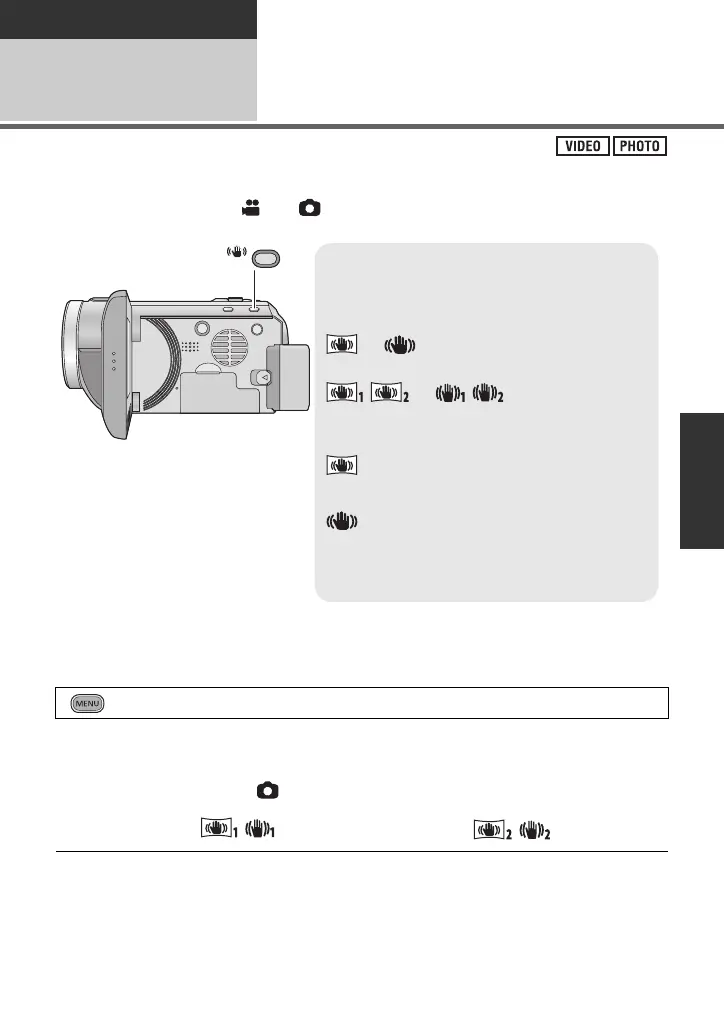
Optical image stabilizer button
Pressing the button changes the optical
image stabilizer setting.
(Motion picture recording mode)
# # OFF
(Still picture recording mode)
/ # / # OFF
≥ Switch to manual mode before setting the
Optical Image Stabilizer function to off.
: Active mode
This setting gives more stabilization and is
suitable for recording when walking.
: ON
This setting is suitable for recording in a stable
state such as scenery. We recommend recording
with a tripod in motion picture recording mode.
O.I.S.















 To Next Page