56
VQT2V00
∫ Registering a face for face recognition
≥ Up to a maximum of 6 people can be registered.
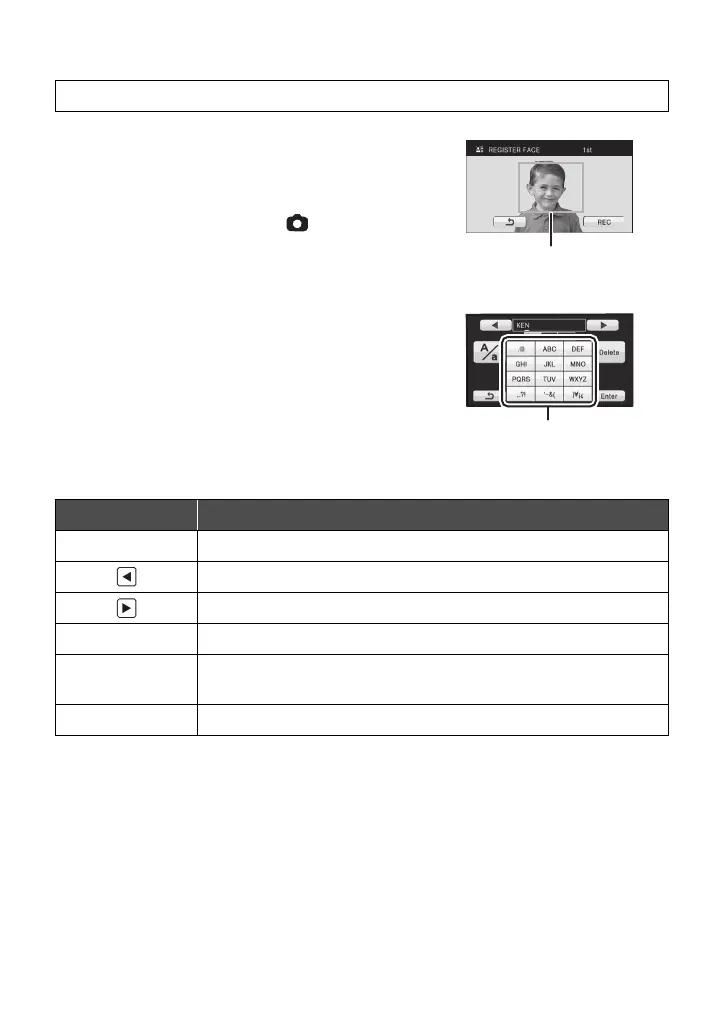
1 Align the person’s face with the guide.
≥ Take a picture of the persons face from the front,
ensuring that their hair does not hide the outline of
their face, their eyes or their eyebrows.
2 Touch [REC] or press the button fully.
≥ Touch [ENTER].
≥ It may not be possible to register a face depending
on the recording conditions. In this case, try
recording the face again.
3 Entering the person’s name.
≥ Touch the text entry icon in the centre of the screen
and enter the name.
≥ After entering the name, touch [Enter].
Entering text
≥ A maximum of 9 characters can be entered.
4 Touch [ENTER] to end registration.
≥ Touch [EXIT].
[RECORD SETUP] # [FACE RECOG.] # [SET] # [SAVE]
Icon Description of operation
[A] etc. Enters a character.
Moves cursor left.
Moves cursor right.
[A/a] Switches between [A]/[a] (alphabet) and [&/1] (symbols/numbers).
[Delete]
Deletes a character.
Deletes the previous character if the cursor is in an empty space.
[Enter] Ends text entry.















 To Next Page