EasyManua.ls Logo

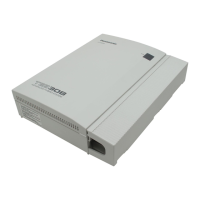
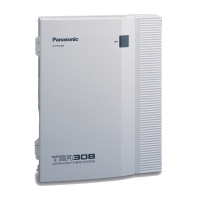
Panasonic KX-TEA308 - User Manual

Panasonic KX-TEA308
168 pages
Print Icon
To Next Page IconTo Next Page
Loading...
Model No. KX-TEA308
Thank you for purchasing a Panasonic Advanced Hybrid System.
Please read this manual carefully before using this product and save this manual for future use.
Advanced Hybrid System
User Manual

Table of Contents

Other manuals for Panasonic KX-TEA308

Questions and Answers

  • S
    selena90Sep 10, 2025
    Why can't I make outside calls with One-touch Dialing on my Panasonic KX-TEA308?
    • J
      Juan FisherSep 10, 2025
      If you cannot make an outside (CO) line call using a One-touch Dialling button or Speed Dialling on your Panasonic PBX, it is likely because an outside (CO) line access number was not stored with the phone number. An outside (CO) line access number is required for outside (CO) line calls.
  • X
    xjensenSep 9, 2025
    Why doesn't the redial feature work on my Panasonic PBX?
    • A
      ashleymartinSep 9, 2025
      If the Redial feature does not function on your Panasonic PBX, it could be because the stored number is more than 64 digits long, or is an extension number. Redialling can only be used with outside (CO) line numbers of 64 digits or less.
  • A
    Adrian Hernandez MDAug 22, 2025
    How to troubleshoot a Panasonic PBX extension telephone that does not function?
    • B
      braunstevenAug 22, 2025
      If a Panasonic PBX extension telephone isn't working, there could be several reasons. First, check the connection between the PBX and the telephone by plugging the telephone into the same extension port using a short telephone cord. If it works, repair the original connection. If the telephone still doesn't function, plug it into a known working extension port to rule out a faulty telephone; if it still fails, replace the telephone. Also, ensure that if the telephone has an A-A1 relay, the switch is in the 'OUT' or 'OFF' position. Finally, a faulty extension card could be the issue, so try exchanging it for a known working one.
  • D
    Dean PorterSep 6, 2025
    Why is the message light on my Panasonic KX-TEA308 PBX lit?
    • E
      Erika GilbertSep 6, 2025
      If the MESSAGE/Message button light or Message/Ringer Lamp is lit on your Panasonic PBX, it could mean one of three things: someone has left a message waiting indication for you, someone has left a Built-in Voice Message (BV) for you, or someone has left a Voice Mail message for you. Press the MESSAGE/Message button to call the party back or receive the message.
  • H
    Heather AtkinsSep 5, 2025
    What to do if I hear a reorder tone when making an outside call on my Panasonic KX-TEA308 PBX?
    • K
      kimberly50Sep 5, 2025
      If you hear a reorder tone or the display shows "Restricted" when trying to make an outside (CO) line call on your Panasonic PBX, it could be due to a few reasons. Your telephone might be locked, in which case you should unlock it. Toll Restriction (TRS) might be activated, so you should consult your manager or dealer. Alternatively, an account code might be required, so try entering the account code.
  • J
    James MartinSep 3, 2025
    What if Panasonic KX-TEA308 does not operate correctly after restarting?
    • A
      Antonio HarveySep 4, 2025
      clear the programming data stored in the PBX.
  • R
    Richard DuranSep 2, 2025
    What happens to Panasonic PBX PTs during a power failure?
    • K
      Kristina SullivanSep 2, 2025
      During a power failure with your Panasonic PBX, only single line telephones (SLTs) can be used. Disconnect the PT and connect an SLT.
  • D
    Dean HolmesSep 1, 2025
    Why are Panasonic KX-TEA308 PTs not working but SLTs are?
    • S
      Samantha RichardsSep 1, 2025
      If proprietary telephones (PTs) connected to extension jacks on your Panasonic PBX aren't working, but single line telephones (SLTs) are, the H and L pins of the extension jacks may have shorted. Turn the power switch to the 'OFF' position, fix the shorted part, and then turn the power switch back to the 'ON' position.
  • M
    Mia LeeAug 31, 2025
    What to do if no sound is heard on Panasonic KX-TEA308 PBX speakerphone?
    • C
      cody80Aug 31, 2025
      If you can't hear sound when using the speakerphone on an analogue proprietary telephone connected to your Panasonic PBX, check the HANDSET/HEADSET selector. If it's set to the 'HEADSET' position, switch it to the 'HANDSET' position when you're not using a headset.
  • A
    Albert SanchezAug 30, 2025
    Why is there noise through the external pager on my Panasonic KX-TEA308?
    • C
      Cassandra PowellAug 30, 2025
      If you hear noise through the external pager or loudspeaker connected to your Panasonic PBX, and you're using an amplifier, the noise might be introduced through the cable connecting the PBX and the amplifier or loudspeaker. Try using a shielded cable to connect the PBX and the amplifier or loudspeaker. A shorter cable can also reduce noise.

Summary

Section 1 Operation

1.1 Before Operating a Telephone

Introduces basic phone usage, types of telephones, and key elements.

1.2 Making Calls

Details various methods for initiating calls, including internal and external.

1.3 Receiving Calls

Explains how to answer incoming calls and manage call ringing.

1.4 During a Conversation

Covers features like call transfer, hold, conference, and call waiting.

1.5 Before Leaving Your Desk

Describes features for managing calls and messages when away from the desk.

1.6 Making;Answering a Paging Announcement

Explains how to use the paging system for announcements.

1.7 Setting the Telephone According to Your Needs

Covers personalizing phone settings like alarms and call handling.

1.8 Using User-supplied Equipment

Details integration with external devices like doorphones and voice systems.

1.9 Using a Display Proprietary Telephone

Focuses on features specific to telephones with displays.

Section 2 Operator;Manager Operation

2.1 Control Features

Outlines administrative controls for extensions and system settings.

2.1.1 Locking Other Extensions (Remote Extension Lock)

Explains how to remotely lock or unlock extensions for security.

2.1.2 Switching the Time Service Mode (Time Service)

Details how to change the system's operational mode (day, night, lunch).

2.1.4 Erasing All Caller Information in the Common Area (Incoming Call Log in the Common Area-CLEAR ALL)

Describes how to clear all logged caller information from the common area.

Section 3 Customising Your Phone & PBX

3.1 Customising Your Phone (Personal Programming)

Guides users on personalizing phone settings and buttons.

3.2 Managing Call Logs

Details how to print and clear call log information.

3.3 Customising Your PBX (System Programming)

Covers advanced PBX system configuration and settings.

Section 4 Appendix

4.1 Troubleshooting

Provides solutions for common phone and system issues.

4.2 Feature Number Table

Lists feature numbers for accessing PBX functions.

4.3 Identifying Tones

Explains different tones used by the system for feedback.

Panasonic KX-TEA308 Specifications

General IconGeneral
ExpandableNo
Direct Inward System Access (DISA)Yes
Uniform Call Distribution (UCD)Yes
Built-in Voice Message (BV)No
Caller ID CompatibilityYes
Power Failure TransferYes
Capacity3 CO lines, 8 Extensions
Power SupplyAC 110-240V

Related product manuals