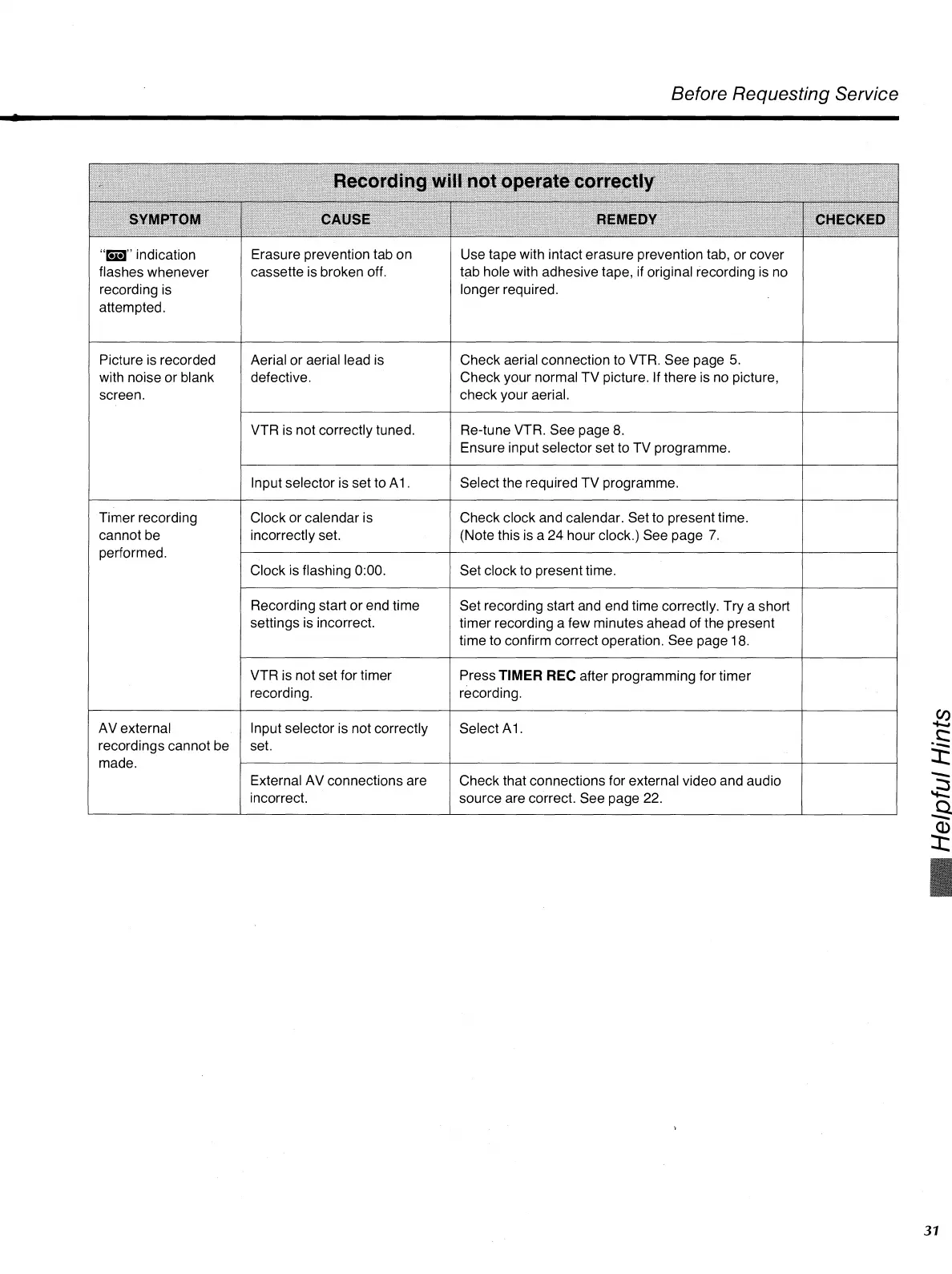
CAUSE
REMEDY
"Ell"
indication
flashes whenever
recording is
attempted.
Erasure prevention tab on
cassette is broken off.
Use tape with intact erasure prevention tab, or cover
tab hole with adhesive tape, if original recording is no
longer required.
Picture is recorded
with noise or blank
screen.
Aerial or aerial lead is
defective.
Check aerial connection to VTR. See page 5.
Check your normal TV picture. If there is no picture,
check your aerial.
VTR is not correctly tuned.
Re-tune VTR. See page 8.
Ensure input selector set to TV programme.
Input selector is set to Al .
Select the required TV programme.
Recording start or end time
settings is incorrect.
Set recording start and end time correctly. Try a short
timer recording a few minutes ahead of the present
time to confirm correct operation. See page 18.
VTR is not set for timer
recording.
Press
TIMER REC
after programming for timer
recording.
Before Requesting Service
31
not operate correctly
CHECKED
Clock or calendar is
incorrectly set.
Clock is flashing 0:00.
Check clock and calendar. Set to present time.
(Note this is a 24 hour clock.) See page 7.
Set clock to present time.
Timer recording
cannot be
performed.
AV external
recordings cannot be
made.
Input selector is not correctly
set.
External AV connections are
incorrect.
Select Al .
Check that connections for external video and audio
source are correct. See page 22.












 To Next Page