EasyManua.ls Logo

Panasonic NV-HD90 - Page 13

Panasonic NV-HD90
40 pages
Print Icon
To Next Page IconTo Next Page
To Previous Page IconTo Previous Page
Loading...
®
8
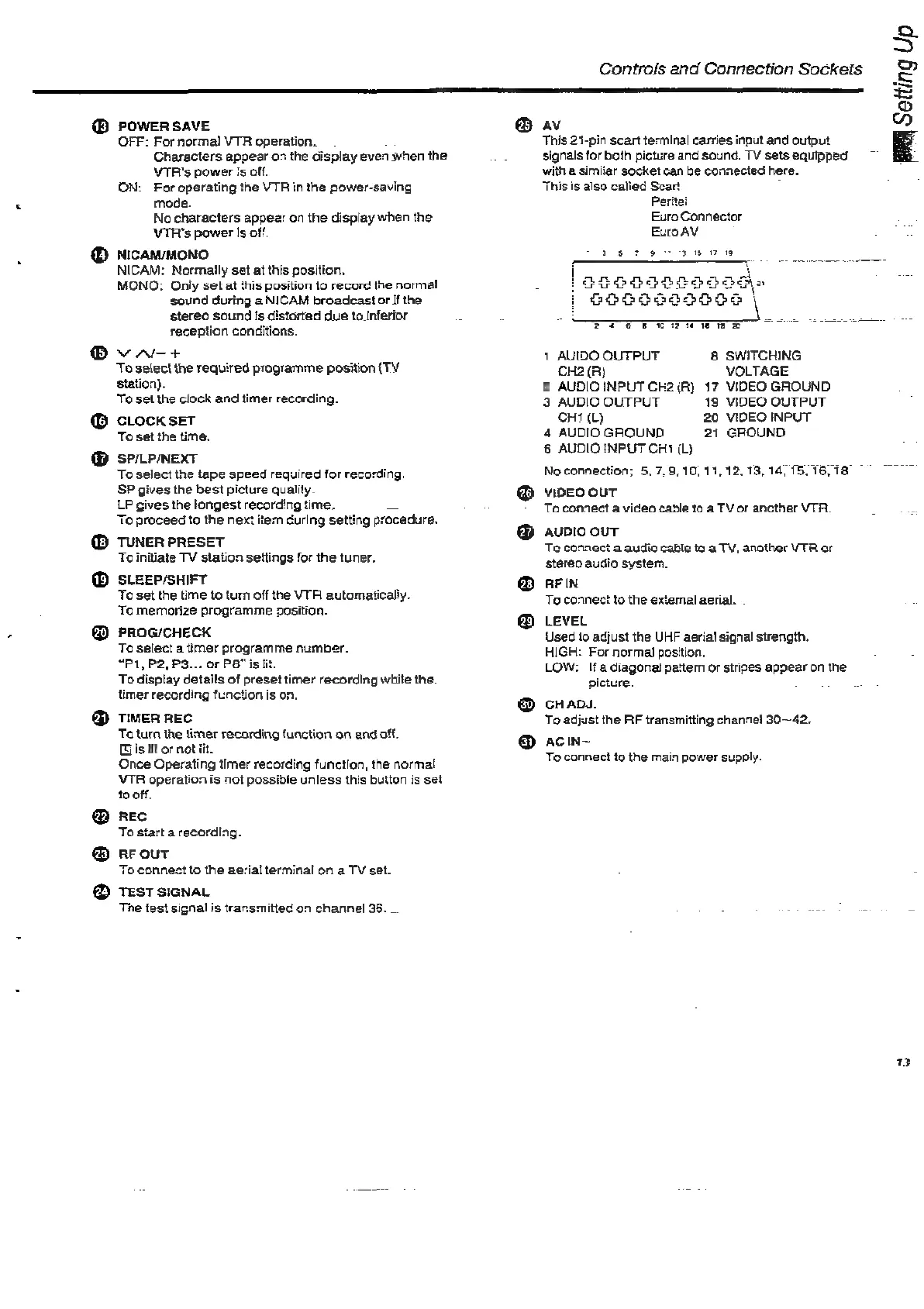
POWER
SAVE
OFF:
For
normal
VTR
operation.
Characters
appear
o>
the
display
even
when
the
VTR's
power
is
off.
ON:
For
operating
the
VTR
in
the
power-saving
mode.
No
characters
appear
on
the
display
when
the
VTR's
power
Is
off
NICAM/MONO
NICAM:
Normally
set
at
this
position.
MONO:
Only
set
at
this
position
to
record
the
normal
sound
during
a
NICAM
broadcast
or
If
the
stereo
sound
fs
distorted
due
to_Inferior
reception
conditions.
VAR+
To
select
the
required
programme
position
(TY
station).
To
set
the
clock
and
timer
recording.
CLOCK
SET
To
set
the
time.
SP/LP/NEXT
To
select
the
tape
speed
required
for
recording.
SP
gives
the
best
picture
quality.
LP
gives
the
longest
recording
time.
Si
To
proceed
to
the
next
item
during
setting
procedure.
TUNER
PRESET
To
initiate
TV
station
settings
for
the
tuner.
SLEEP/SHIFT
To
set
the
time
to
turn
off
the
VTR
automaticall
To
memorize
programme
position.
PROG/CHECK
To
select
a
timer
programme
number.
“P1,
P2,
P3...
or
PB"
is
lit.
To
display
details
of
preset
timer
recording
while
the.
timer
recording
function
is
on,
TIMER
REC
Ta
turn
the
timer
recording
function
on
and
off.
is
it
or
not
iit.
Once
Operating
timer
recording
function,
the
normal
VTR
operation
is
not
possible
unless
this
button
is
set
to
off.
REC
To
start
a
recording.
RE
OUT
To
connect
to
the
aerial
terminal
on
a
TV
set.
TEST
SIGNAL
The
test
signal
is
transmitted
on
channel
36.
_.
Controls
and
Connection
Sockets
av
This
21-pin
scart
terminal carries
input
and
output
signals
for
both
picture
and
sound.
TV
sets
equipped
with
a
simiiar
socket
can
be
connected
here.
This
is
also
calied
Scart
Peritei
Euro
Connector
Euro
AV
ast
BAA
Setting
Up
27
9
1
OEGG9085506\a
~
|
068665006
|
Pee
ewe
wee
1
AUIDO
OUTPUT
8
SWITCHING
CH2(R)
VOLTAGE
2
AUDIO INPUT
CH2(R)
17
VIDEO
GROUND
3
AUDIO
OUTPUT
19
VIDEO
OUTPUT
CHI
(L)
20
VIDEO INPUT
4
AUDIO
GROUND
21
GROUND
6
AUDIO
INPUT
CHt
(L)
Noconnection;
5.7.9,
10,11,
12.13,
14,
15,
16,
18
@
video
ouT
To
connect
a
video
cable
to
a
TV
or
another
VTA.
oe
@
aupio
ouT
Te
connect
a
audio
cable
to
a
TV,
another
VTR
or
stereo
audio
system.
@
AFIN
To
connect
to
the
external
aerial.
@
LeveL
Used
to
adjust
the
UHF
aerial
signal
strength.
HIGH:
For
normal
position.
LOW:
If
adiagonal
pattern
or
stripes
appear
on
the
picture.
@
cHADS.
To
adjust
the
RF
transmitting
channel
30~42,
®
acin~
To
connect
to
the
main
power
supply.
13

Related product manuals