EasyManua.ls Logo

Panasonic NV-HD90 - Manual Recording

Panasonic NV-HD90
40 pages
Print Icon
To Next Page IconTo Next Page
To Previous Page IconTo Previous Page
Loading...
Notes:
When
a
video
casselte
with
a
broxen
off
tab
is
inserted,
the
"s
indication
will
fash
to
indicate
that
recording
is
nol
possible.
#The
recording
pause
mode
wili
be
automatically
released
after
5
minutes,
and
zesei
ic
the
stop
mode,
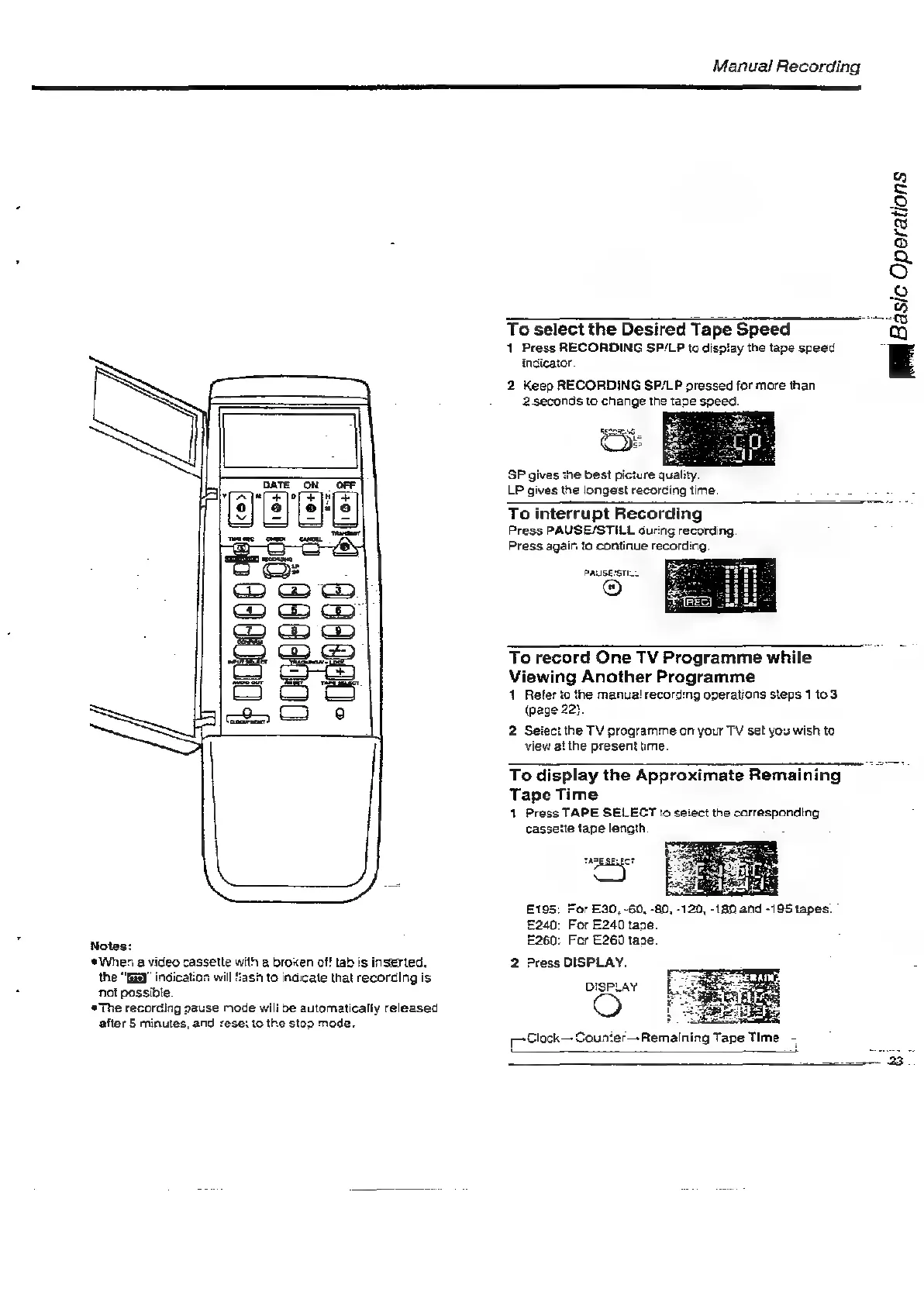
Manual
Recording
To
select
the
Desired
Tape
Speed
:
1
Press
RECORDING
SP/LP
to
display
the
tape
speed
indicator.
2
Keep
RECORDING
SP/LP
pressed
for
more
than
2
seconds
to
change
the
tape
speed.
SP
gives
the
best
picture
quality.
LP
gives
the
longest
recorcing
time.
IR
Basic
Operations
To
interrupt
Recording
Press
PAUSE/STILL
during
recording.
Press
again
to
continue
recording.
PAUSESTIL
To
record
One
TV
Programme
while
Viewing
Another
Programme
1
Refer
to
the
manua!
record:ng
operations
steps
1
te
3.
(page
22}.
2
Seiect
the
TV
programme
on
your
TV
set
you
wish
to
view
at
the
present
me.
To
display
the
Approximate
Remaining
Tape
Time
1
Press
TAPE
SELECT
to
setect
the
carresponding
cassette
tape
length
£240:
For
E240
tape.
E260:
For
E260
taze.
2
Press
DISPLAY.
DISPLAY
[-Glock—-Counter—
Remaining
Tape
Time

Related product manuals