4.3.5 AI FUNCTION
ADJUSTMENT/(AUTOMATIC)
TOP PREVIOUS NEXT
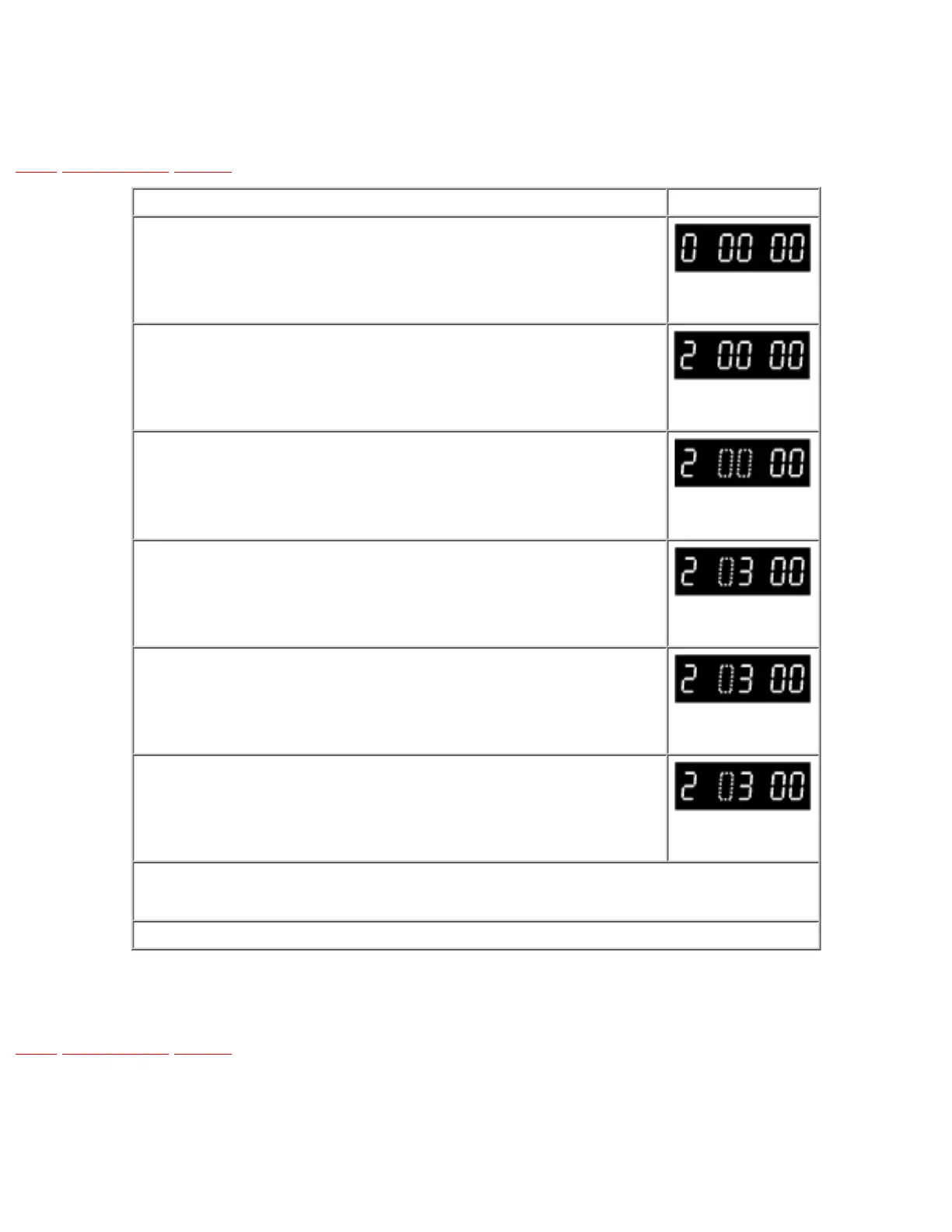
PROCEDURES FIP Display
Press the FF and EJECT keys simultaneously for 3 seconds.
Press the FF and EJECT keys simultaneously more twice.
Press the EJECT key for 3 seconds.
Press the CH UP key 3 times.
Insert the Blank Tape.
This adjustment is automatically started.
When this Adjustment is terminated, the following operation will be activated.
Adjustment completed: The VCR goes to STOP Mode.
To release Service Mode, press the FF and EJECT keys simultaneously 6 times until the normal indication on the FIP.
Fig. E4
•@
TOP PREVIOUS NEXT





 To Next Page