EasyManua.ls Logo

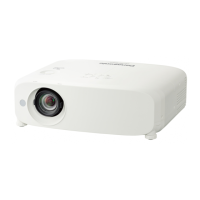
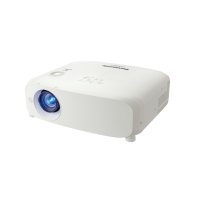
Panasonic PT-VMZ71 - User Manual

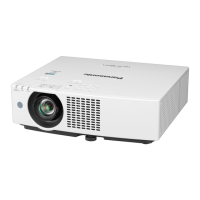
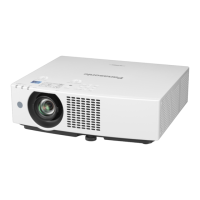
Panasonic PT-VMZ71
167 pages
Print Icon
To Next Page IconTo Next Page
Loading...
Operating Instructions
Functional Manual
LCD Projector
Commercial Use
Thank you for purchasing this Panasonic product.
■ This manual is common to all the models regardless of sufxes of the Model No.
z
for India
D: White model
z
for Taiwan
T: White model
z
for other countries or regions
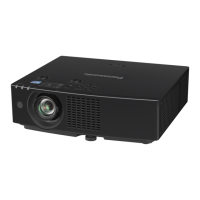
With B: Black model (PT-VMZ71B and PT-VMZ61B only) Without B: White model
■ Before operating this product, please read the instructions carefully, and save this manual for
future use.
■ Before using your projector, be sure to read “Read this rst!” (
Æ
pages 4 to 12).
Model No.
PT-VMZ71 PT-VMZ61
PT-VMZ51 PT-VMZ51S
PT-VMZ41 PT-VMW61
PT-VMW51
ENGLISH
DPQP1388ZA/X1
The remote control differs depending on
projector models.

Table of Contents

Questions and Answers

  • K
    Kenneth KingSep 10, 2025
    How to fix pale or grayish color on Panasonic PT-VMZ71 Projector?
    • J
      jasondaughertySep 10, 2025
      If the color on your Panasonic Projector appears pale or grayish, check if the [COLOR] or [TINT] settings are adjusted correctly. Also, verify that the external device connected to the projector is adjusted correctly, and inspect the RGB signal cable for any damage.
  • T
    Taylor ThompsonSep 12, 2025
    Why is Panasonic PT-VMZ71 operation noise loud?
    • F
      fhoSep 12, 2025
      Loud operation noise in your Panasonic Projector can be caused by a high internal temperature, which increases the cooling fan speed automatically. Check if the ambient temperature is high, the air filter unit is dirty, or the intake/exhaust vent is blocked.
  • P
    Pamela PatelSep 14, 2025
    How to troubleshoot Panasonic PT-VMZ71 DIGITAL LINK input image or sound that is not output?
    • J
      justin10Sep 14, 2025
      To troubleshoot DIGITAL LINK input issues on your Panasonic Projector, first verify that the cable is compatible with the projector's condition. Ensure the connections between the twisted-pair-cable transmitter and the projector or an external device are correctly done. Check if [DIGITAL LINK MODE] is set to [AUTO], [DIGITAL LINK], or [LONG REACH], and confirm it is not set to [ETHERNET]. Finally, ensure the signal input is compatible with the twisted-pair-cable transmitter.
  • A
    Andrea LarsonSep 16, 2025
    How to fix no power supplied from terminal on Panasonic PT-VMZ71?
    • M
      marieyangSep 16, 2025
      To resolve the issue of no power being supplied from the terminal on your Panasonic Projector, check if the [PROJECTOR SETUP] menu ? [ECO MANAGEMENT] ? [STANDBY MODE] is set to [ECO]. Also, ensure that the external device connected to the terminal has not exceeded the rating (5 VDC, maximum 2 A).

Summary

Chapter 1 Preparation

Precautions for use

Important safety and operational guidelines to follow before using the projector.

Accessories

Lists all standard accessories included with the projector for setup and operation.

Chapter 2 Getting Started

Setting up

Instructions on how to position and install the projector for optimal viewing.

Connecting

Guidelines and examples for connecting external devices to the projector.

Chapter 3 Basic Operations

Switching on;off the projector

Step-by-step guide for powering the projector on and off safely.

Projecting

Covers selecting inputs, adjusting image size, and basic projection settings.

Operating with the remote control

Explains how to use the projector's remote control for various functions.

Chapter 4 Settings

On-screen menu

Overview of navigating and using the projector's on-screen menu system.

[PICTURE] menu

Adjusts image quality settings like picture mode, contrast, and brightness.

[POSITION] menu

Controls image positioning, keystone correction, and screen adjustments.

Chapter 5 Operation of Function

Network connection

Details on connecting the projector to a network via wired or wireless LAN.

Web control function

Instructions for controlling and monitoring the projector via a web browser.

Chapter 6 Maintenance

Light source and temperature indicators

Explains projector status indicators and troubleshooting for light/temperature issues.

Air filter unit

Guide on cleaning and maintaining the projector's air filter for optimal performance.

Troubleshooting

Common problems and their solutions with reference pages for detailed guidance.

Chapter 7 Appendix

Technical information

Information on PJLink, control commands, and communication protocols.

Specifications

Detailed technical specifications for the projector model range.

List of compatible signals

Table outlining supported video and computer signal types and resolutions.

Panasonic PT-VMZ71 Specifications

General IconGeneral
Built-in displayNo
PC Audio outYes
Audio (L/R) in1
HDMI connector typeFull-size
Serial interface typeRS-232C
USB 2.0 ports quantityUSB 2.0 ports have a data transmission speed of 480 Mbps, and are backwards compatible with USB 1.1 ports. You can connect all kinds of peripheral devices to them.
S-Video inputs quantity0
Mobile High-Definition Link (MHL)-
FocusManual
Throw ratio1.09 - 1.77:1
Focal length range15.3 - 24.64 mm
Aperture range (F-F)1.6 - 2.12
Vertical lens shift range0 - 44 %
Horizontal lens shift range-20 - 20 %
Power sourceAC
AC input voltage100 - 240 V
AC input frequency50 - 60 Hz
Power consumption (standby)- W
Power consumption (typical)375 W
Operating temperature (T-T)0 - 40 °C
Operating relative humidity (H-H)20 - 80 %
Matrix type3-panel (p-Si TFT active)
Native aspect ratio16:10
Projection distance- m
Projection technologyLCD
Contrast ratio (typical)3000000:1
Screen size compatibility30 - 300 \
Projector native resolutionWUXGA (1920x1200)
Keystone correction, vertical-25 - 25 °
Keystone correction, horizontal-35 - 35 °
Supported video modes1080p
Analog signal format systemNot supported
Supported graphics resolutions1920 x 1080 (HD 1080)
Product typeStandard throw projector
Product colorWhite
Housing materialPlastic
Market positioningPortable
Noise level37 dB
Noise level (economic mode)27 dB
RMS rated power10 W
Light source typeLED
Service life of light source20000 h
Weight and Dimensions IconWeight and Dimensions
Depth348 mm
Width399 mm
Height115 mm
Weight7000 g

Related product manuals