EasyManua.ls Logo

Panasonic RX-ES50 - Page 12

Panasonic RX-ES50
32 pages
Print Icon
To Next Page IconTo Next Page
To Previous Page IconTo Previous Page
Loading...
Listening
to
the
Radio
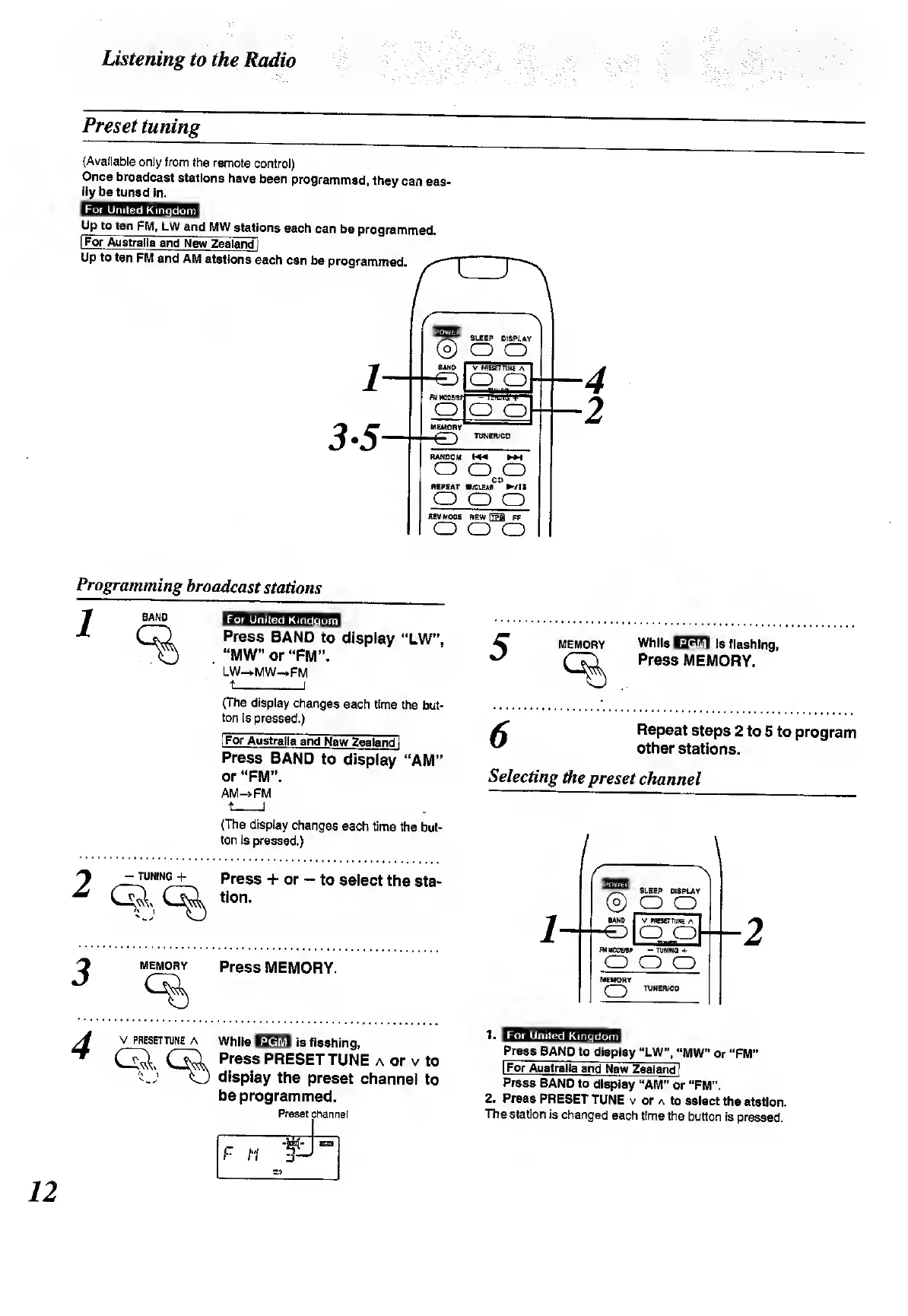
Preset
tuning
(Available
only
from
the
remote
control)
Once
broadcast
stations
have
been
programmed,
they
can
eas¬
ily
be
tuned
in.
mmmmnm
1
4
2
Programming
broadcast
stations
T
BAND
|JTi
..
_
L
,
1
Press
BAND
to
display
“LW”,
.
“MW”
or
“FM”.
LW-+MW-FM
(The
display
changes
each
time
the
but¬
ton
is
pressed.)
[For
Australia
and
New
Zealand
1
Press
BAND
to
display
“AM”
or
“FM”.
AM-»FM
t
]
(The
display
changes
each
time
the
but¬
ton
is
pressed.)
-tunings
press
+
or
-
to
select
the
sta-
«on.
memory
press
MEMORY.
5
MEMORY
While
HMfil
Is
flashing,
Press
MEMORY.
6
Repeat
steps
2
to
5
to
program
other
stations.
Selecting
the
preset
channel
v
preset
tune
a
While
iacw
is
flashing,
<SL
Gjl
Press
PRESET
TUNE
a
or
v
to
O
display
the
preset
channel
to
be
programmed.
Preset
channel
For
United
Kingdom
Press
BAND
to
display
“LW”,
MW”
or
“FM”
I
For
Australia
and
New
Zealand]
Press
BAND
to
display
“AM”
or
"FM”.
2.
Press
PRESET
TUNE
v
or
a
to
select
the
station.
The
station
is
changed
each
time
the
button
is
pressed.
12

Related product manuals