EasyManua.ls Logo

Panasonic RX-ES50 - Selecting the Equalizer Effects

Panasonic RX-ES50
32 pages
Print Icon
To Next Page IconTo Next Page
To Previous Page IconTo Previous Page
Loading...
REV
MODE
C-RESET
O'
SLEEP
DI
SPLA
Y
©
o
o
SAND
V
PRESET
TUNE
A
o
o
o
TUNER
fU
MQDBBP
-
TUNING
+
OOP
MEMORY
(-)
TUNER/CD
RANDOM
W
OOP
CD
REPEAT
B/CLEAR
/!!
P
P
P
^
1
j
^
jlMOD
E
R6W
dESl
Ff
P
P
TAPE
C-RESET
-P
P
P
PRESET
EQ
-
VOLUME
+
O
CD
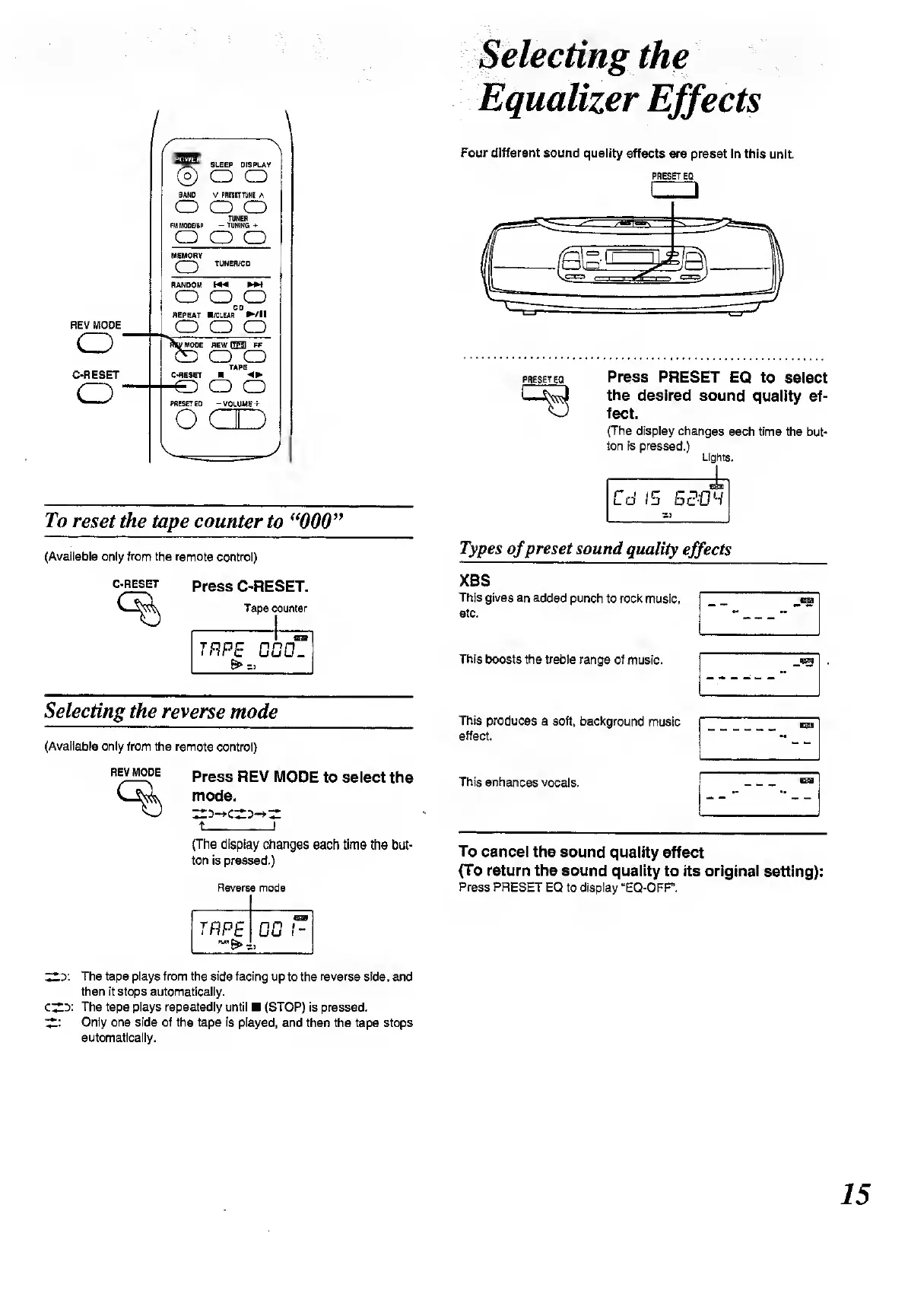
To
reset
the
tape
counter
to
“000”
(Available
only
from
the
remote
control)
Selecting
the
Equalizer
Effects
Four
different
sound
quality
effects
are
preset
In
this
unit.
PRESET
EO
[d
PRESETEQ
Press
PRESET
EQ
to
select
the
desired
sound
quality
ef¬
fect.
(The
display
changes
each
time
the
but¬
ton
is
pressed.)
Lights.
Types
of
preset
sound
quality
effects
C-RESET
Press
C-RESET.
Tape
counter
TRPE
GGCL
6*>z,
Selecting
the
reverse
mode
(Available
only
from
the
remote
control)
REV
MODE
Press
REV
MODE
to
select
the
mode.
t_I
(The
display
changes
each
time
the
but¬
ton
is
pressed.)
Reverse
mode
trpe
IQ)
00
I-
XBS
This
gives
an
added
punch
to
rock
music,
etc.
This
boosts
the
treble
range
of
music.
This
produces
a
soft,
background
music
effect.
This
enhances
vocals.
To
cancel
the
sound
quality
effect
(To
return
the
sound
quality
to
its
original
setting):
Press
PRESET
EQ
to
display
“EQ-OFF.
ZZo:
The
tape
plays
from
the
side
facing
up
to
the
reverse
side,
and
then
it
stops
automatically.
CZ.y.
The
tape
plays
repeatedly
until
(STOP)
is
pressed.
ZZ'
Only
one
side
of
the
tape
is
played,
and
then
the
tape
stops
automatically.
15

Related product manuals