EasyManua.ls Logo

Panasonic RX-ES50 - Page 14

Panasonic RX-ES50
32 pages
Print Icon
To Next Page IconTo Next Page
To Previous Page IconTo Previous Page
Loading...
Listening
to
Tapes
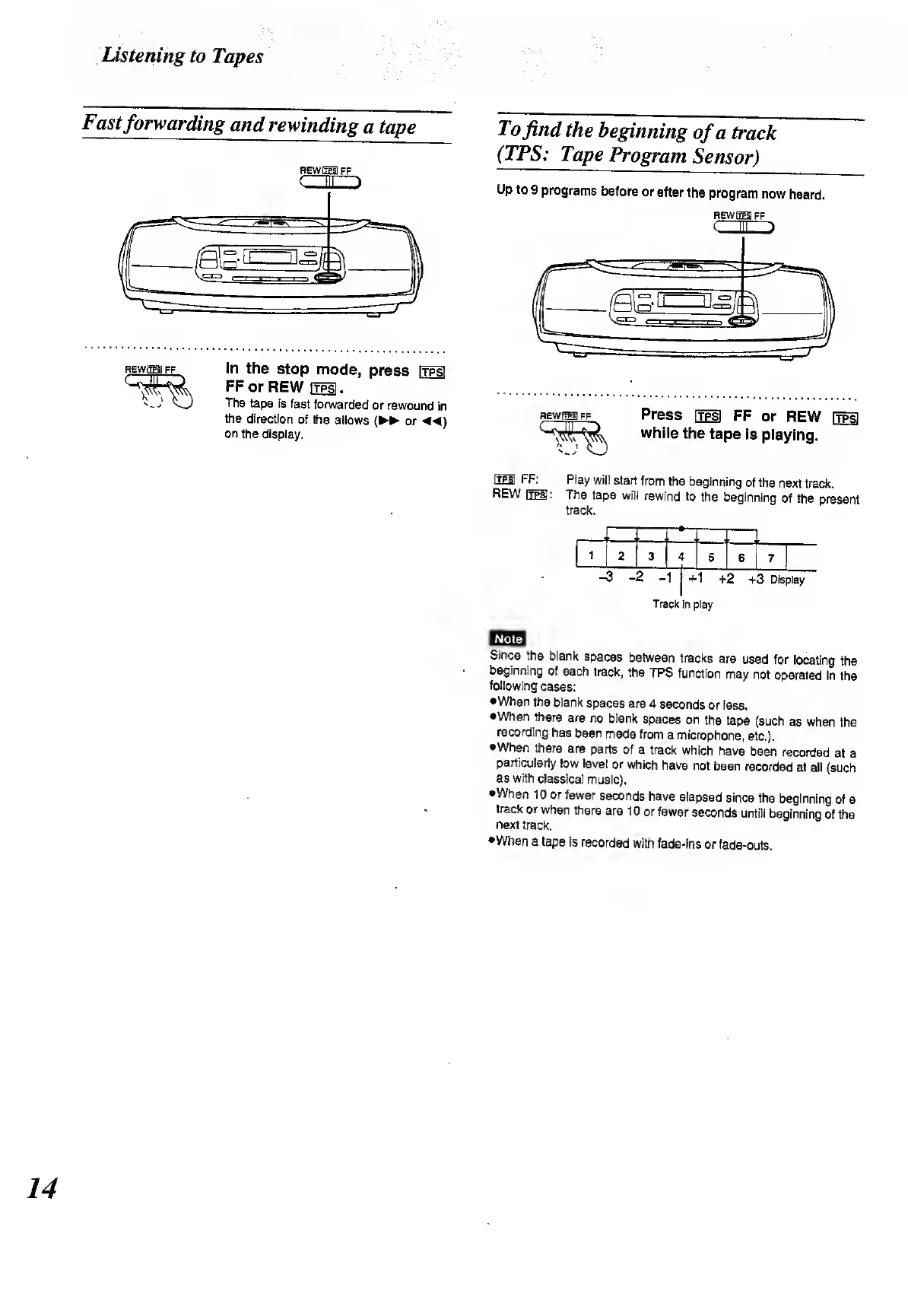
Fast
forwarding
and
rewinding
a
tape
REWSEs)
FF
(
1111
RE
WEE!
FF
In
the
stop
mode,
press
[fpf
FF
or
REW
ftpsl
.
The
tape
is
fast
forwarded
or
rewound
in
the
direction
of
the
allows
(
►►
or
on
the
display.
To
find
the
beginning
of
a
track
(TPS:
Tape
Program
Sensor)
Up
to
9
programs
before
or
after
the
program
now
heard.
REwrrra
ff
C
m
>
REW
EH
FF
Press
[jpi
FF
or
REW
[tps!
while
the
tape
is
playing.
QES
FF:
p,
ay
will
start
from
the
beginning
of
the
next
track.
REW
The
tape
will
rewind
to
the
beginning
of
the
present
track.
Li,
2
3
4
5
_U
~~
Track
in
play
Egg
Since
the
blank
spaces
between
tracks
are
used
for
locating
the
beginning
of
each
track,
the
TPS
function
may
not
operated
in
the
following
cases:
•When
the
blank
spaces
are
4
seconds
or
less.
•When
there
are
no
blank
spaces
on
the
tape
(such
as
when
the
recording
has
been
made
from
a
microphone,
etc,).
When
there
are
parts
of
a
track
which
have
been
recorded
at
a
particularly
low
level
or
which
have
not
been
recorded
at
all
(such
as
with
classical
music).
•When
10
or
fewer
seconds
have
elapsed
since
the
beginning
of
a
track
or
when
there
are
10
or
fewer
seconds
untill
beginning
of
the
next
track.
•When
a
tape
is
recorded
with
fade-ins
or
fade-outs.
14

Related product manuals