EasyManua.ls Logo

Panasonic RX-ES50 - Using an External Unit.25

Panasonic RX-ES50
32 pages
Print Icon
To Next Page IconTo Next Page
To Previous Page IconTo Previous Page
Loading...
Using
an
External
Unit
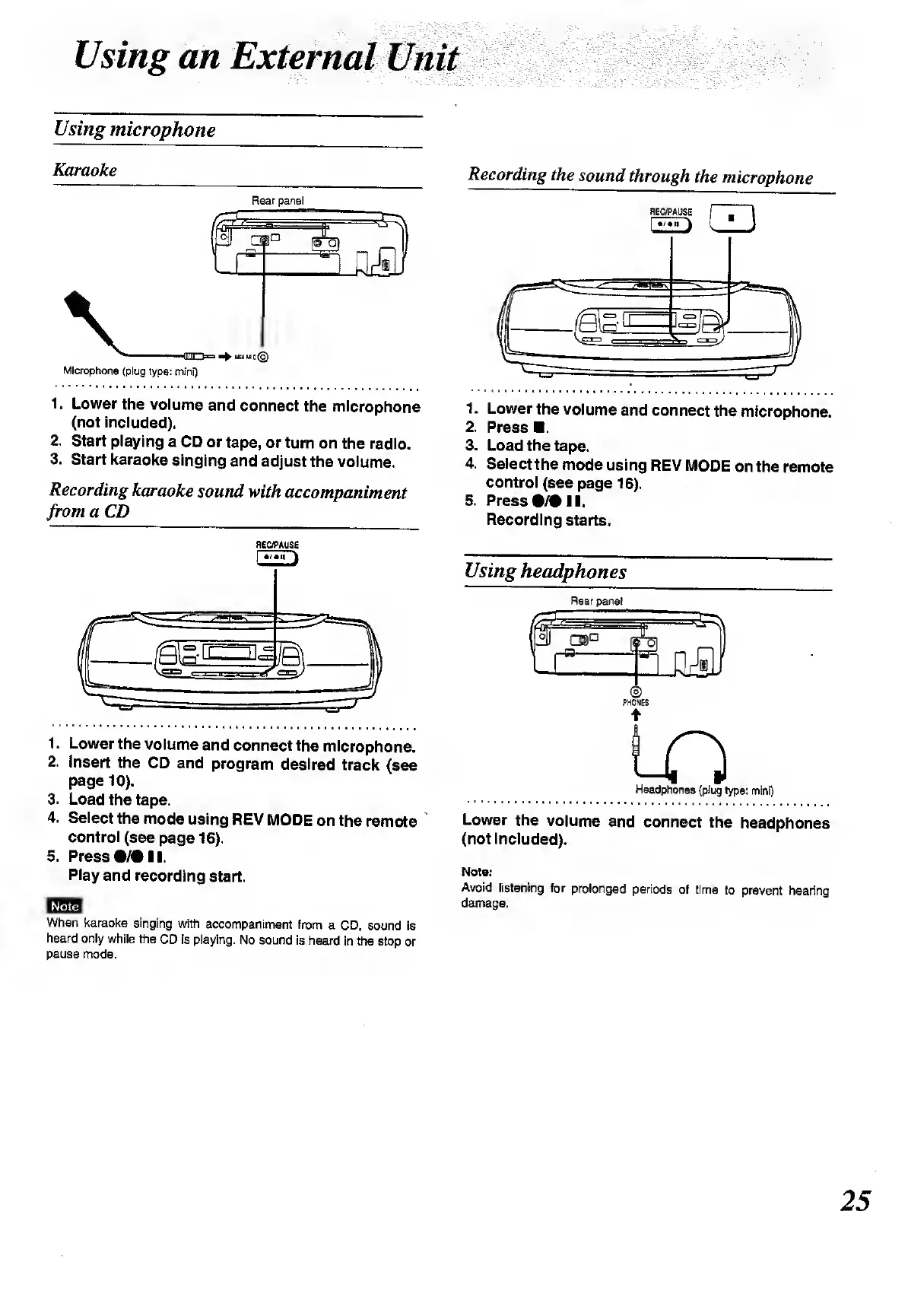
Using
microphone
Karaoke
Rear
panel
Microphone
(plug
type:
mini)
1.
Lower
the
volume
and
connect
the
microphone
(not
included).
2.
Start
playing
a
CD
or
tape,
or
turn
on
the
radio.
3.
Start
karaoke
singing
and
adjust
the
volume.
Recording
karaoke
sound
with
accompaniment
from
a
CD
Recording
the
sound
through
the
microphone
flEC/PAUSE
I
I
1
l
!
j
1.
Lower
the
volume
and
connect
the
microphone.
2.
Press
.
3.
Load
the
tape.
4.
Select
the
mode
using
REV
MODE
on
the
remote
control
(see
page
16).
5.
Press
•/•!!.
Recording
starts.
REC/PAUSE
1.
Lower
the
volume
and
connect
the
microphone.
2.
Insert
the
CD
and
program
desired
track
(see
page
10).
3.
Load
the
tape.
4.
Select
the
mode
using
REV
MODE
on
the
remote
control
(see
page
16).
5.
Press
•/•!!.
Play
and
recording
start.
Note
When
karaoke
singing
with
accompaniment
from
a
CD,
sound
is
heard
only
while
the
CD
is
playing.
No
sound
is
heard
in
the
stop
or
pause
mode.
Using
headphones
Rear
pane!
PHONES
i-O
Headphones
(plug
type:
mini)
Lower
the
volume
and
connect
the
headphones
(not
included).
Note:
Avoid
listening
for
prolonged
periods
of
time
to
prevent
hearing
damage.
25

Related product manuals