EasyManua.ls Logo

Panasonic RX-ES50 - Listening to Tapes

Panasonic RX-ES50
32 pages
Print Icon
To Next Page IconTo Next Page
To Previous Page IconTo Previous Page
Loading...
Listening
to
Tapes
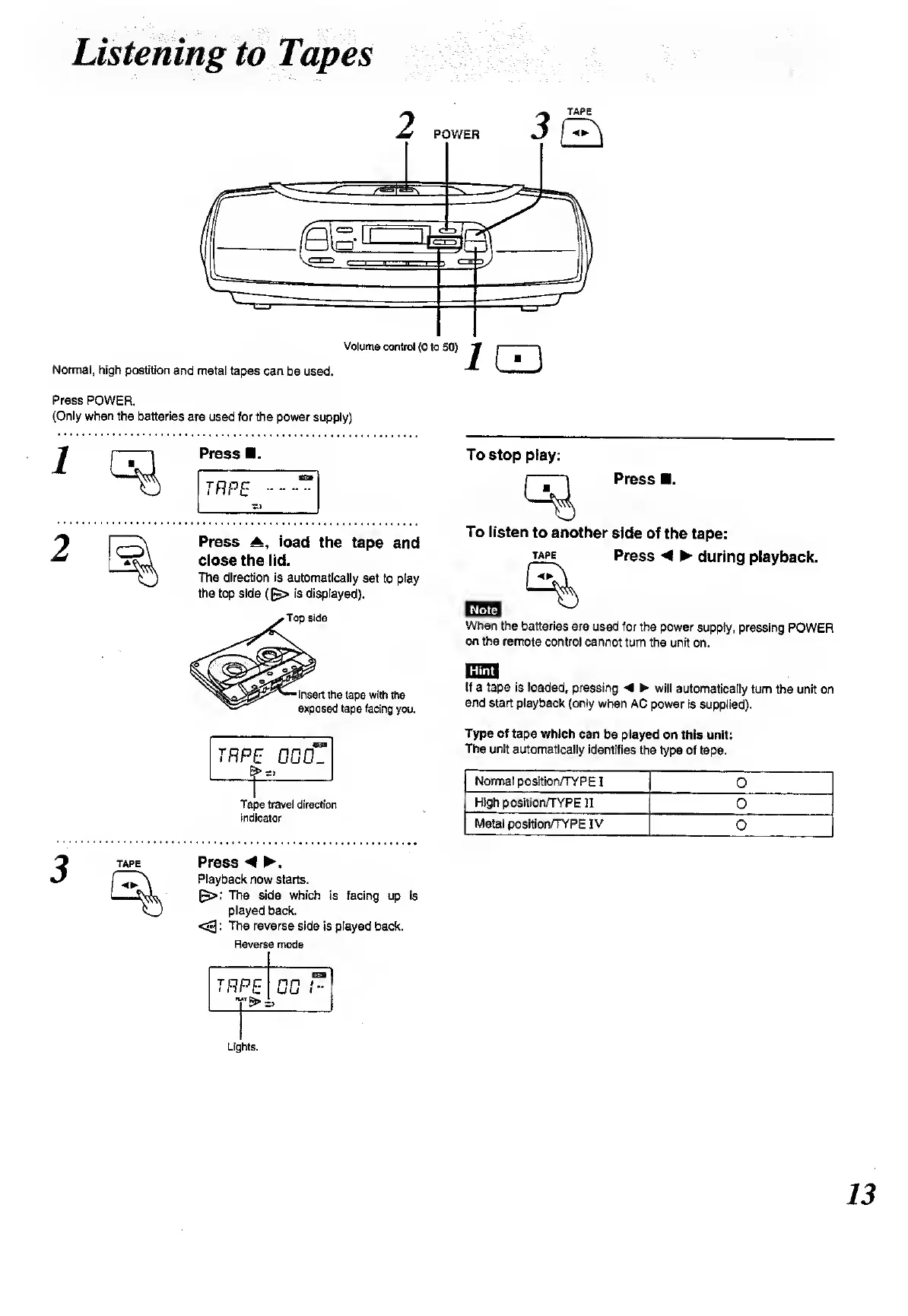
Press
POWER.
(Only
when
the
batteries
are
used
for
the
power
supply)
1
Press
.
Press
load
the
tape
and
close
the
lid.
The
direction
is
automatically
set
to
play
the
top
side
((~>
is
displayed).
TRP,
E
DuO-
Tape
travel
direction
indicator
TAPE
Press
.
Playback
now
starts.
The
side
which
is
facing
up
is
played
back.
<3:
The
reverse
side
is
played
back.
Reverse
mode
To
stop
play:
Press
.
To
listen
to
another
side
of
the
tape:
tape
Press
during
playback.
When
the
batteries
are
used
for
the
power
supply,
pressing
POWER
on
the
remote
control
cannot
turn
the
unit
on.
liMJ
If
a
tape
is
loaded,
pressing
A
will
automatically
turn
the
unit
on
and
start
playback
(only
when
AC
power
is
supplied).
Type
of
tape
which
can
be
played
on
this
unit:
The
unit
automatically
identifies
the
type
of
tape.
Normal
position/TYPE
I
0
High
position/TYPE
II
0
Metal
position/TYPE
IV
0

Related product manuals