EasyManua.ls Logo

Panasonic RX-ES50 - Page 19

Panasonic RX-ES50
32 pages
Print Icon
To Next Page IconTo Next Page
To Previous Page IconTo Previous Page
Loading...
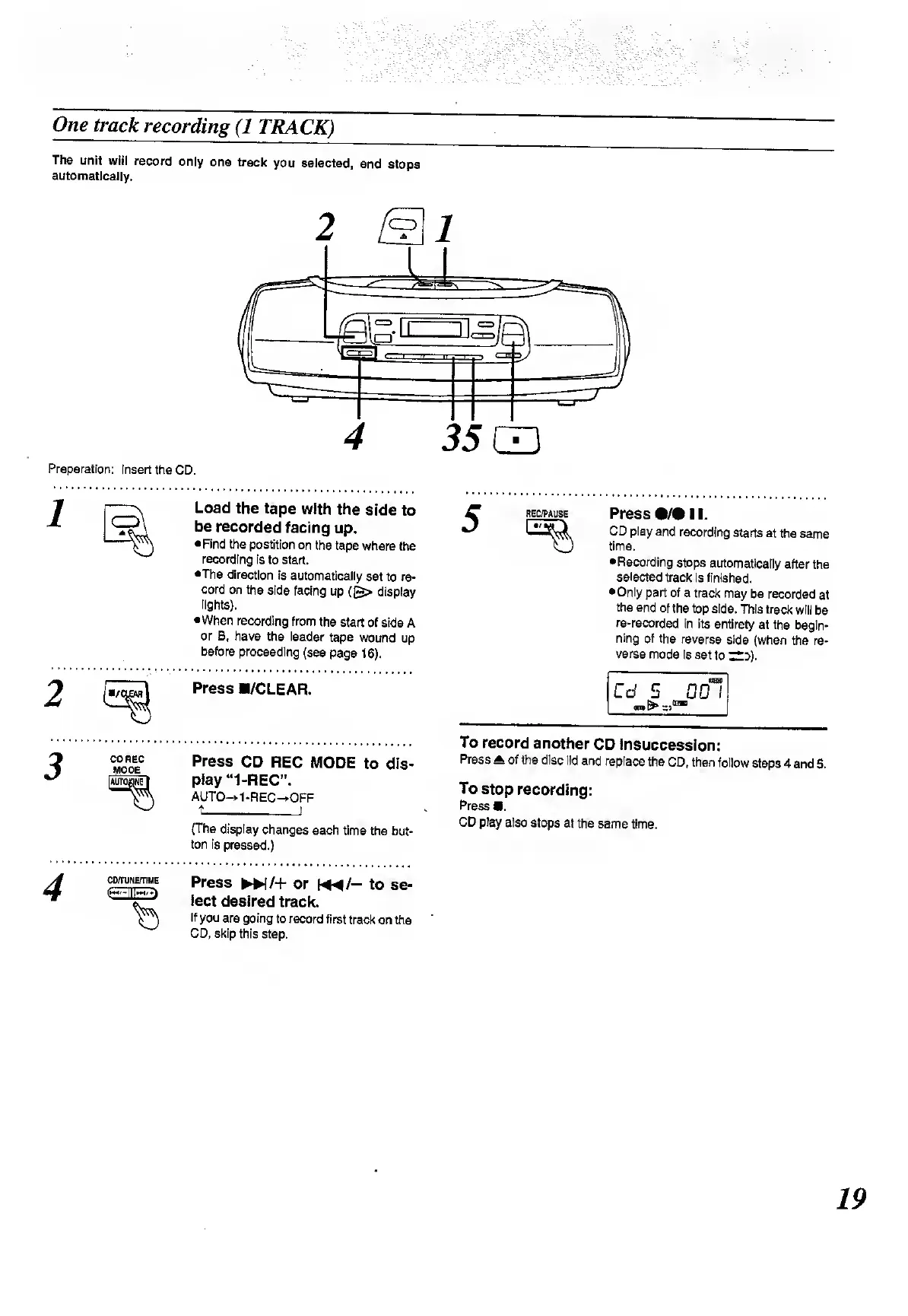
The
unit
will
record
only
one
track
you
selected,
and
stops
automatically.
Preparation:
Insert
the
CD.
Load
the
tape
with
the
side
to
be
recorded
facing
up.
Find
the
postition
on
the
tape
where
the
recording
is
to
start.
•The
direction
is
automatically
set
to
re¬
cord
on
the
side
facing
up
(£>
display
lights).
When
recording
from
the
start
of
side
A
or
B,
have
the
leader
tape
wound
up
before
proceeding
(see
page
16).
Press
B/CLEAR.
CD
REC
MODE
Press
CD
REC
MODE
to
dis¬
play
“1-REC”.
AUTO—»1-REC—»OFF
t_!
(The
display
changes
each
time
the
but¬
ton
is
pressed.)
CDmjNEfTIME
Press
»/+
or
«*/-
to
se¬
lect
desired
track.
If
you
are
going
to
record
first
track
on
the
CD,
skip
this
step.
Press
•/•
11.
CD
play
and
recording
starts
at
the
same
time.
Recording
stops
automatically
after
the
selected
track
is
finished.
•Only
part
of
a
track
may
be
recorded
at
the
end
of
the
top
side.
This
track
will
be
re-recorded
in
its
entirety
at
the
begin¬
ning
of
the
reverse
side
(when
the
re¬
verse
mode
is
set
to
;£::>).
To
record
another
CD
insuccession:
Press
*
of
the
disc
lid
and
replace
the
CD,
then
follow
steps
4
and
5.
To
stop
recording:
Press
.
CD
play
also
stops
at
the
same
time.

Related product manuals