12 CD Test Mode Function
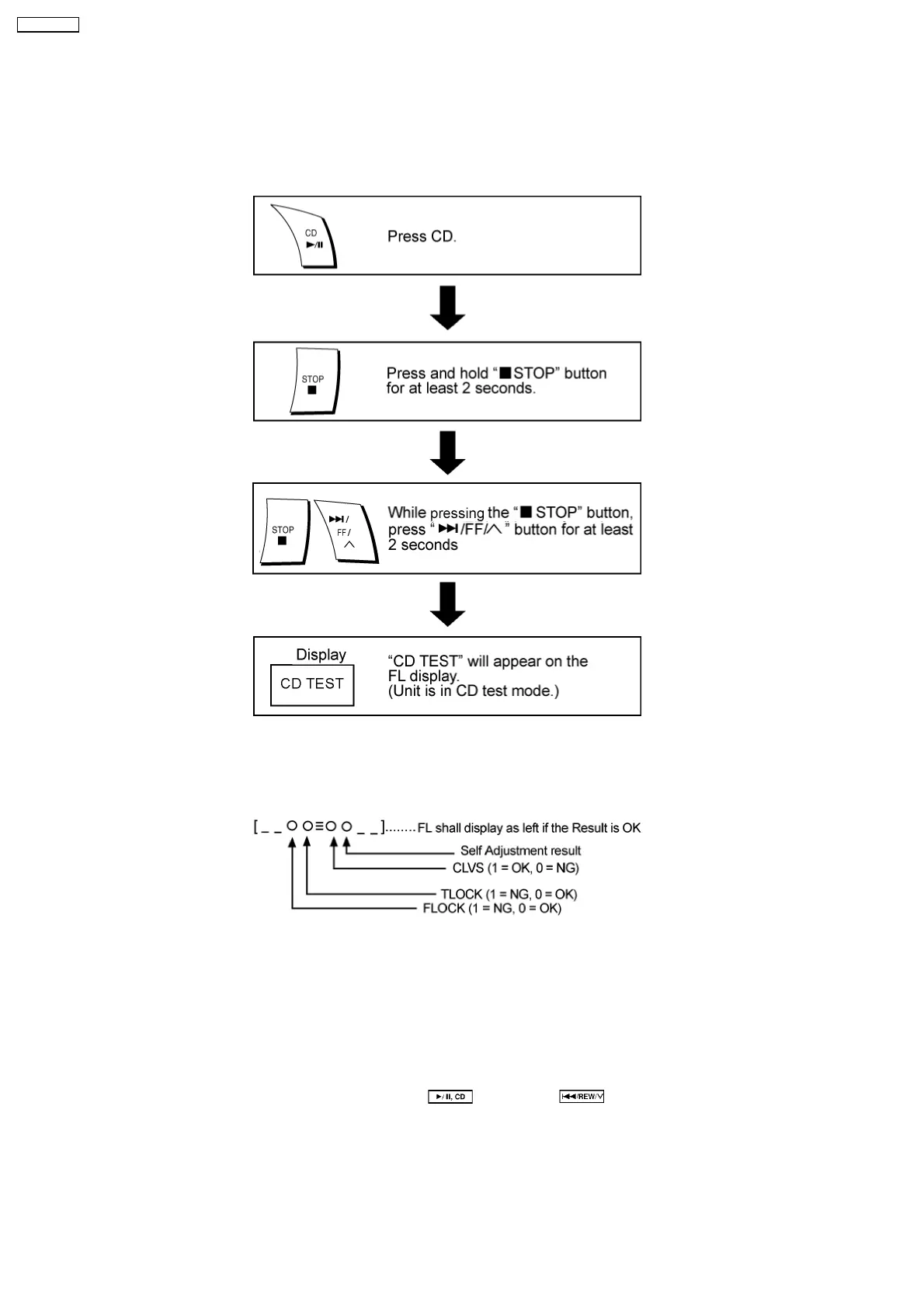
This CD test mode is provided to check CD unit without connecting to changer loading mechanism. This mode shall operate CD
PLAY with CD unit being connected only and CD Automatic Alignment result is shown on FL display.
12.1. How to set CD test mode
12.2. CD Automatically Adjustment result indication
Under CD test mode, pressing the numeric key ‘0’ on the remote controller will display the auto adjustment result. FLOCK, TLOCK
and CLVS status shall be shown as below:
During the above display, executing CD PLAY will display auto adjustment result for CD PLAY mode.
12.3. CD Mecha Aging Test Mode (CR20)
1. Functional summary of CD aging test mode
It is for the purpose to determine the reliability of the CD changer.
2. To enter into CD aging test mode
a) First, enter into self-diagnost ic mode (Refer to Section 11.2. How to enter the Self-Diagnostic Function)
b) In the self-diagnost ic mode, switch the SELECTOR to
and press . It will enter into CD aging test mode.
When in CD aging test mode, the following operation will begin and repeated:
1. [DISC STOCKER] → DISC LOAD → TRAY OPEN (2 secs) → TRAY CLOSE] as one count.
2. DISC 1 → DISC 2 → DISC 3 → DISC 4 → DISC 5 → DISC 1........repeat ing this endlessly.
·
While performing the above operation, the FL display will show the number of its operations starting from 00001. With
reference to figure as below.
46
SA-AK33 0EE



 To Next Page