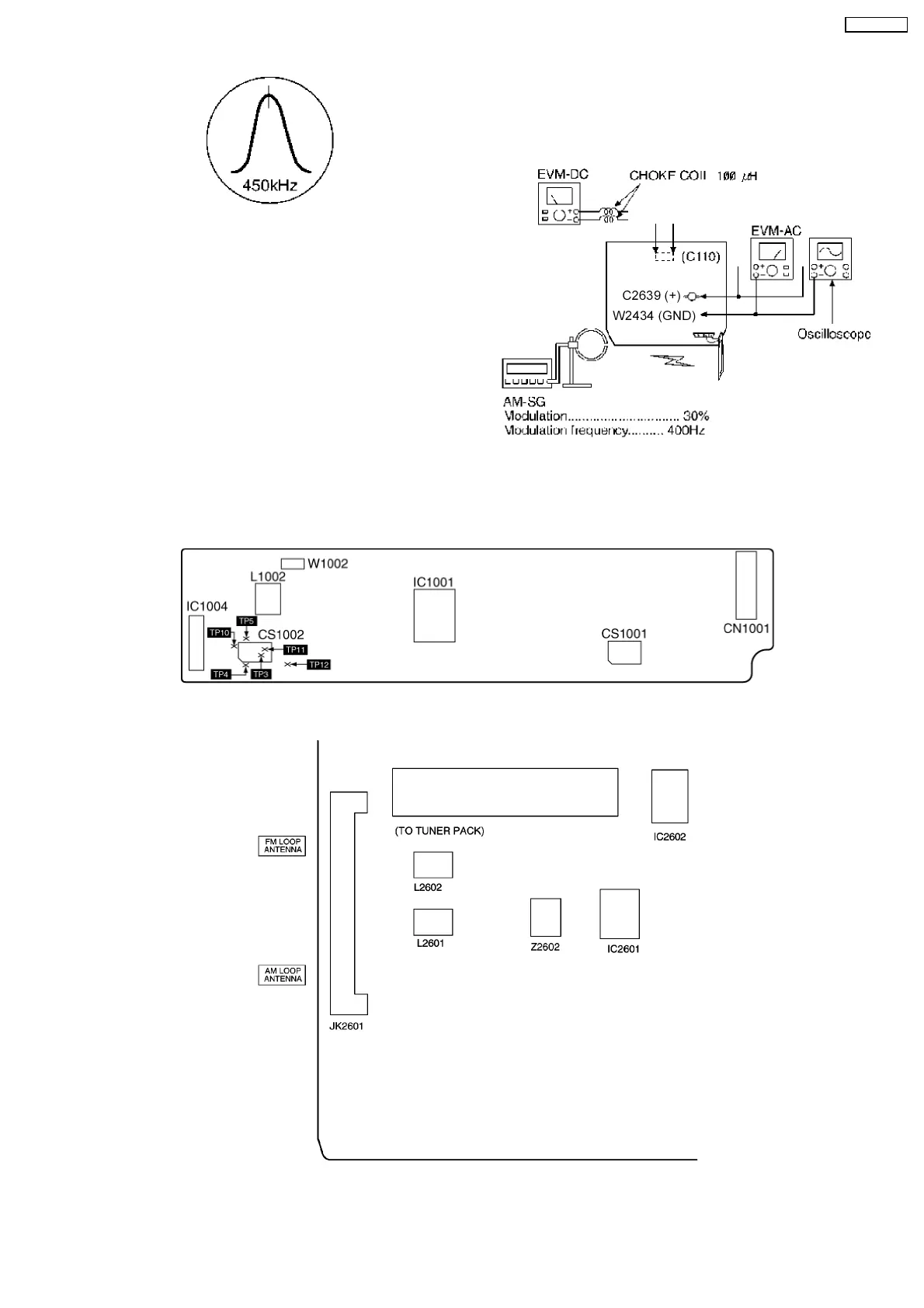
Fig.6
13.2.2. AM RF Adjustment
1. Connect the instrument as shown in Fig. 7.
2. Set the unit to AM mode.
3. Set AM-SG to 520kHz.
4. Receive 520kHz in the unit.
5. Adjust Z2602 (OSC) so that the EVM-AC is maximized.
6. Set AM-SG to 600Hz.
7. Receive 600Hz in the unit.
8. Adjust Z2602 (ANT) so that the EVM-SG is maximized.
13.3.1. Cassette Deck Section
13.3.2. Tuner Section
9. Set AM-SG to 520kHz.
10. Receive 520kHz in the unit.
11. Adjust L2602 (OSC) so that the EVM-DC value is with
1.1±0.5V.
Fig.7
13.3. Alignment Points
49
SA-AK330EE



 To Next Page