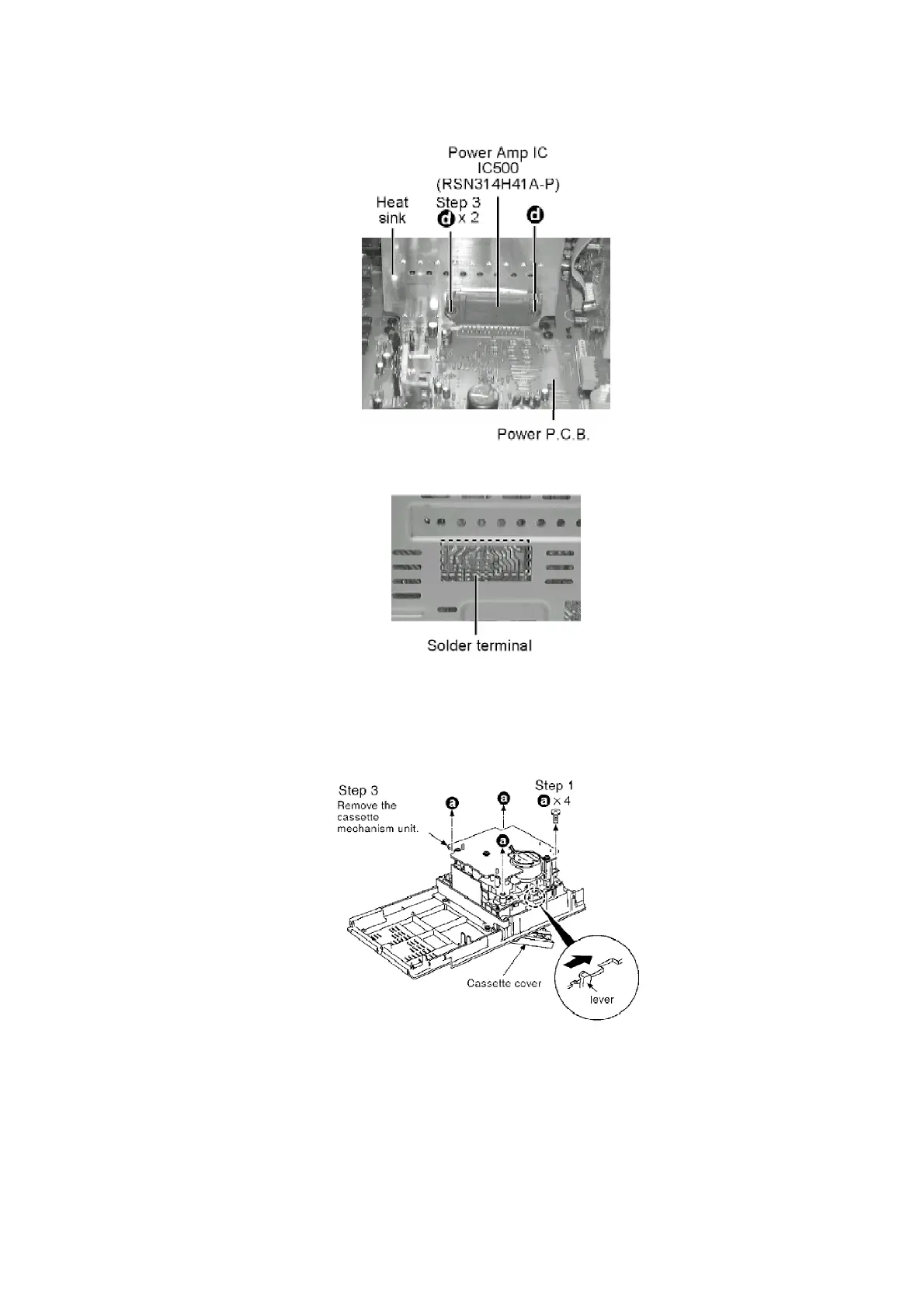
Step 1 Remove 2 connector CP501 and CP504 and pull out the Main P.C.B.
Step 2 Remove 2 screws fixed to the Power Amp I.C.
Step 4 Unsolder the terminals of Power Amp IC, and replace the component.
8.2. Procedure for Replacing Cassette Holder
- Follow the (Step 1) - (Step 4) of Item 8.1.1.
- Follow the (Step 1) - (Step 2) of Item 8.1.2.
Step 2 Press the lever to open the cassette cover.
19









 To Next Page