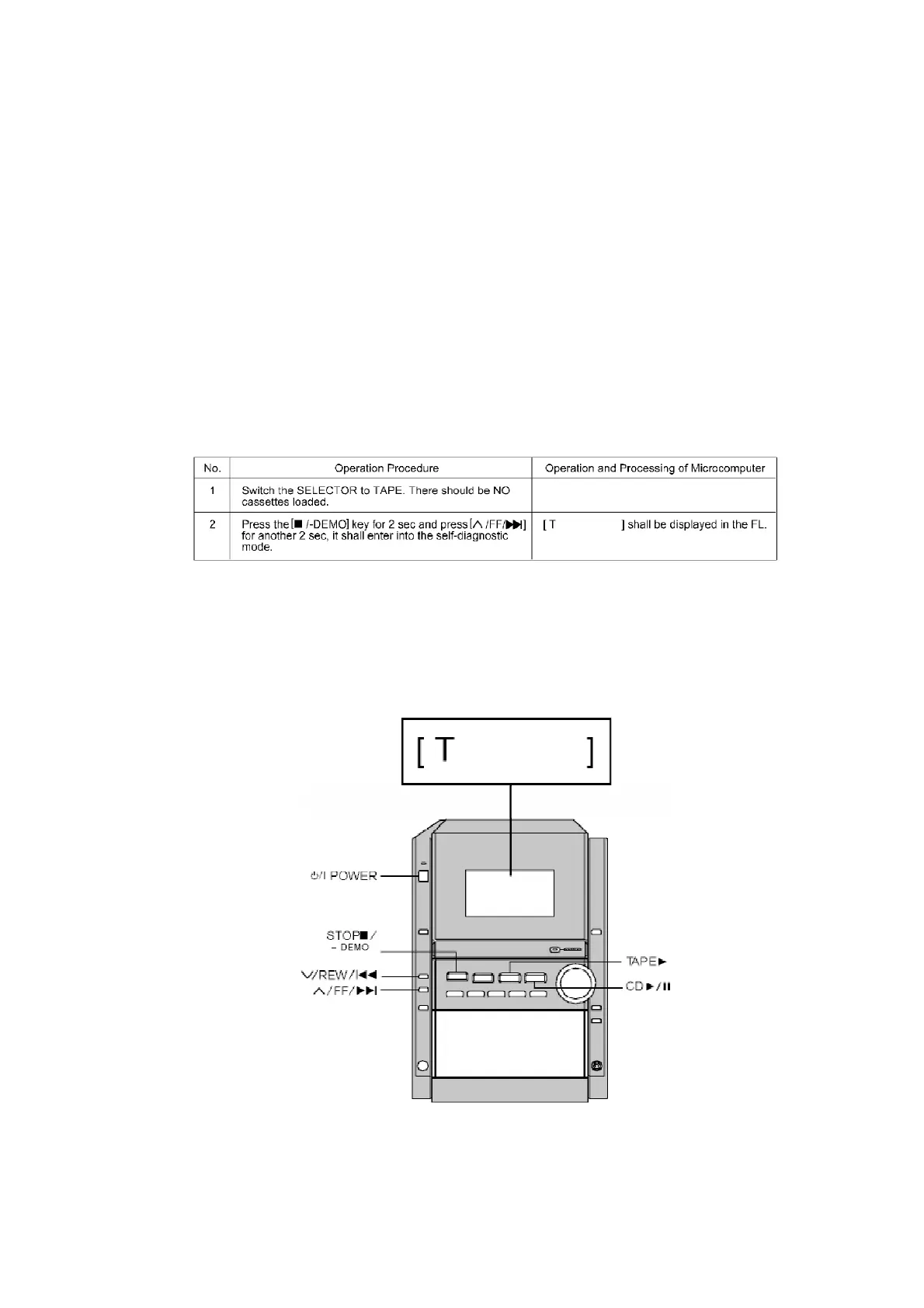
This unit is equipped with a self-diagnostic display function, which will be useful during
servicing and maintenance.
- Refer to the next page for display symbols, symptoms, etc.
9.1. Preparations
1. A Cr02-positioned blank cassette tape with an erase prevention
niche on either Side A or B.
2. A normal-positioned music tape with erase prevention niches on
both Sides A and B. Both tapes are halfway forwarded in advance.
3. The remote controller that comes with this unit.
9.2. Setting of the Self-Diagnostic Mode
9.3. Restoring Normal Display
- From the F76 display, the normal display does not appear till an
error is recovered.
- For displays other than F76, press “POWER” button to turn off the
power, and then turn on the power.
9.4. Clearing Self-Diagnostic Memory
<CD Section> (F15, F17, F22, F26, F27, F28, F29)
71









 To Next Page